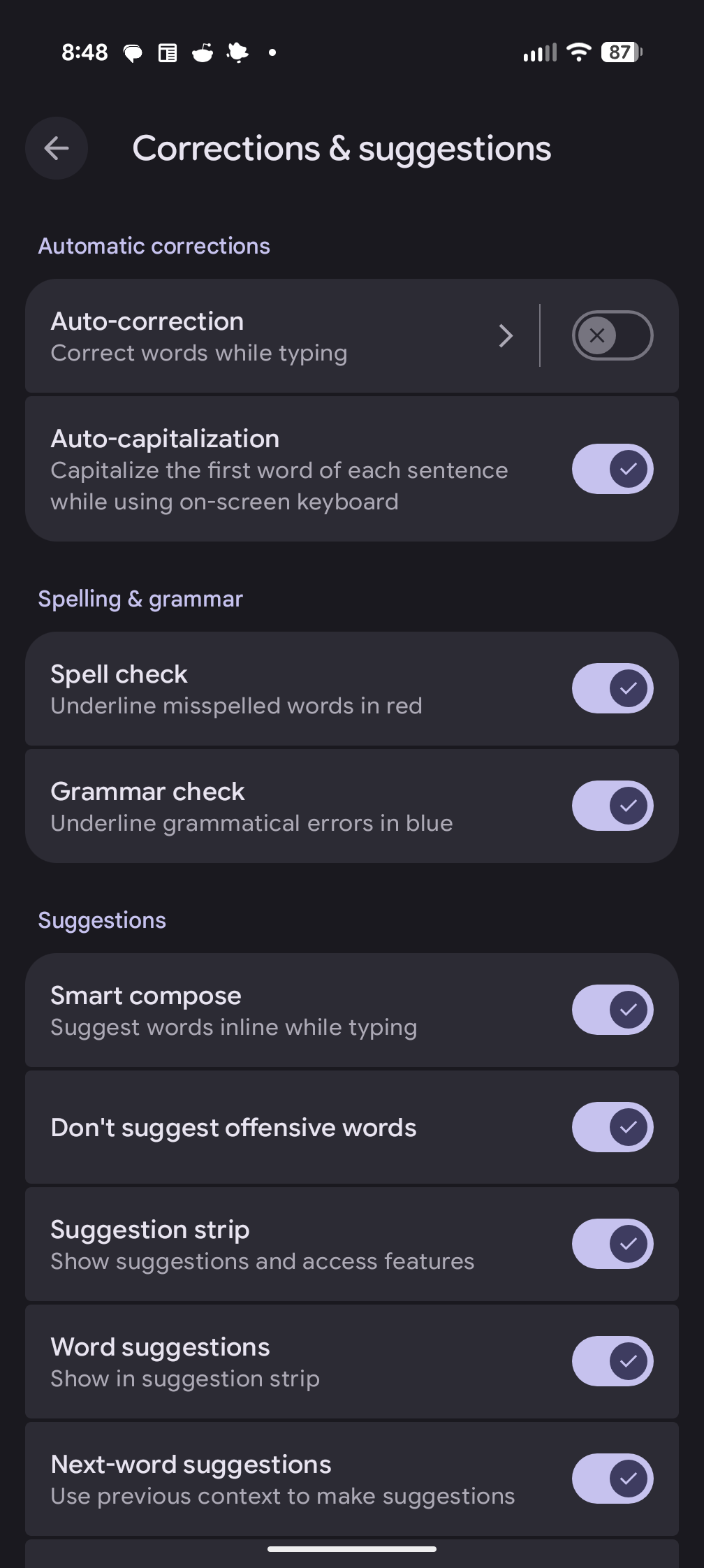
Turning off Autocorrect on an Android phone

I have a Google Pixel 9 phone which uses the Android operating system. Though I have been happy with the phone, I find its autocorrection feature to be awful. When I'm typing in the Google Keep Notes application and in text messages, the autocorrection feature will replace correctly spelled English words with other words that are unrelated to what I'm trying to write. Often the replacement word leads to a sentence making no sense or giving it a meaning I don't intend. I consider the Google autocorrection feature to be far more of an annoyance than a help. The feature can be turned off by the following steps:
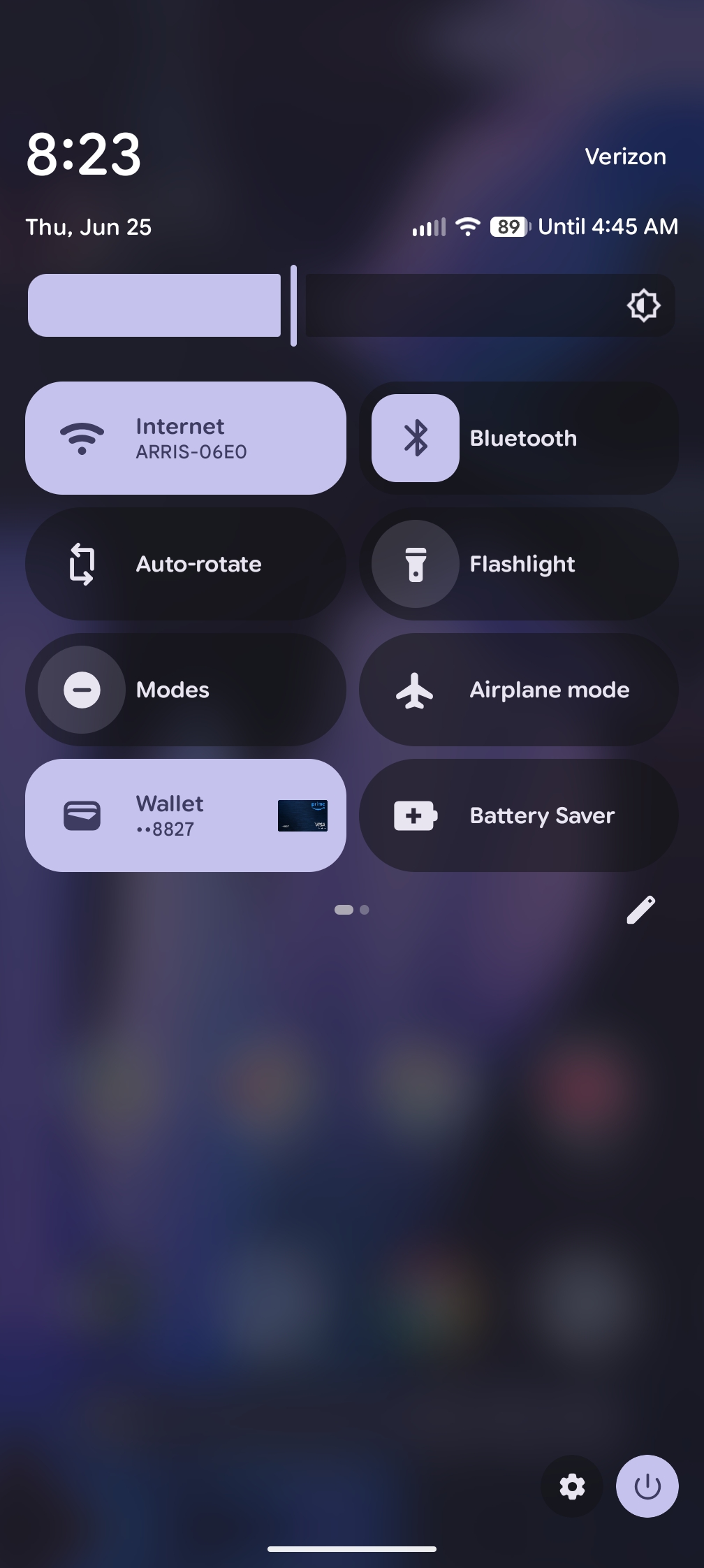
  1. Drag your finger down from the top of the screen until you see a menu of options.
  2. Tap on the gear icon at the bottom, right-hand corner of the screen to get to the settings menu.

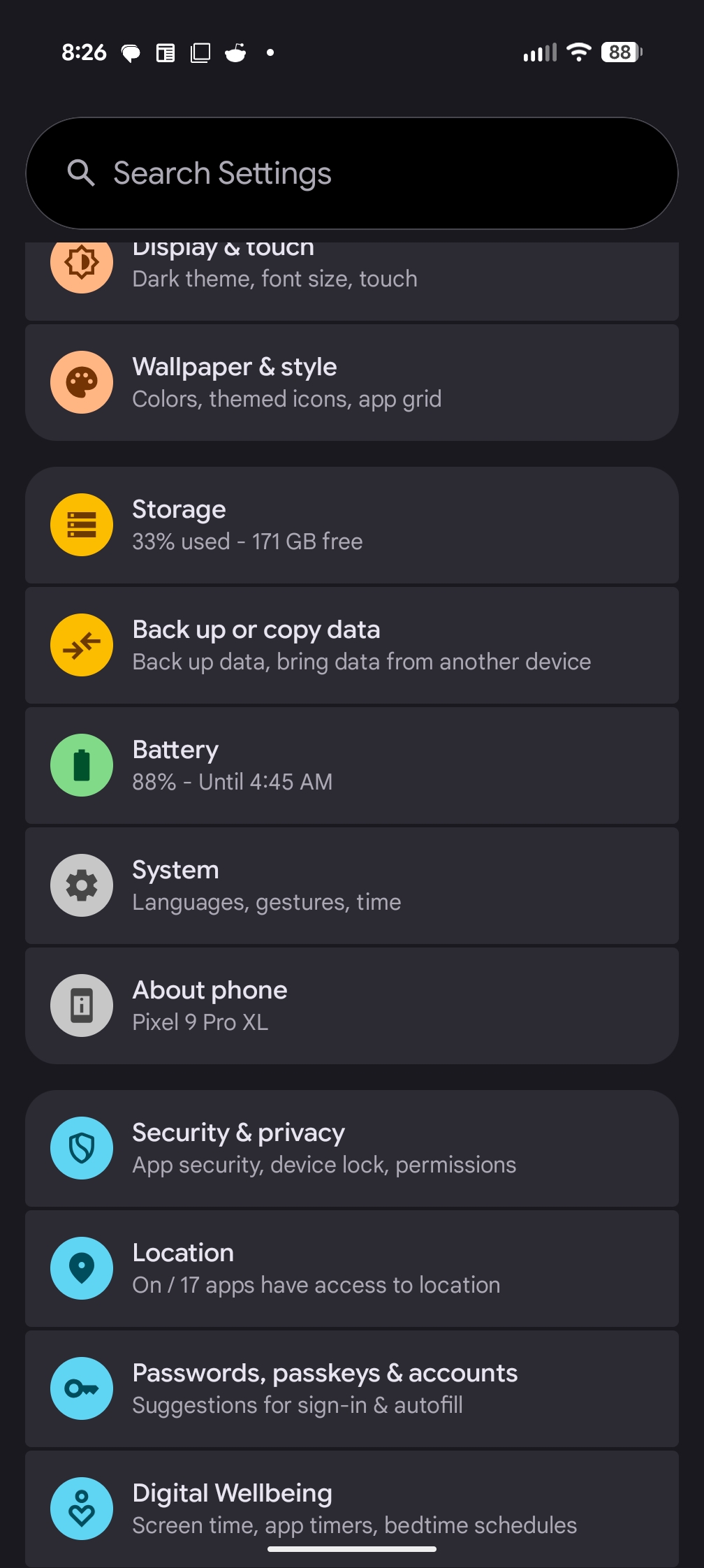
    Select Settings

  3. Tap System.

    Select System

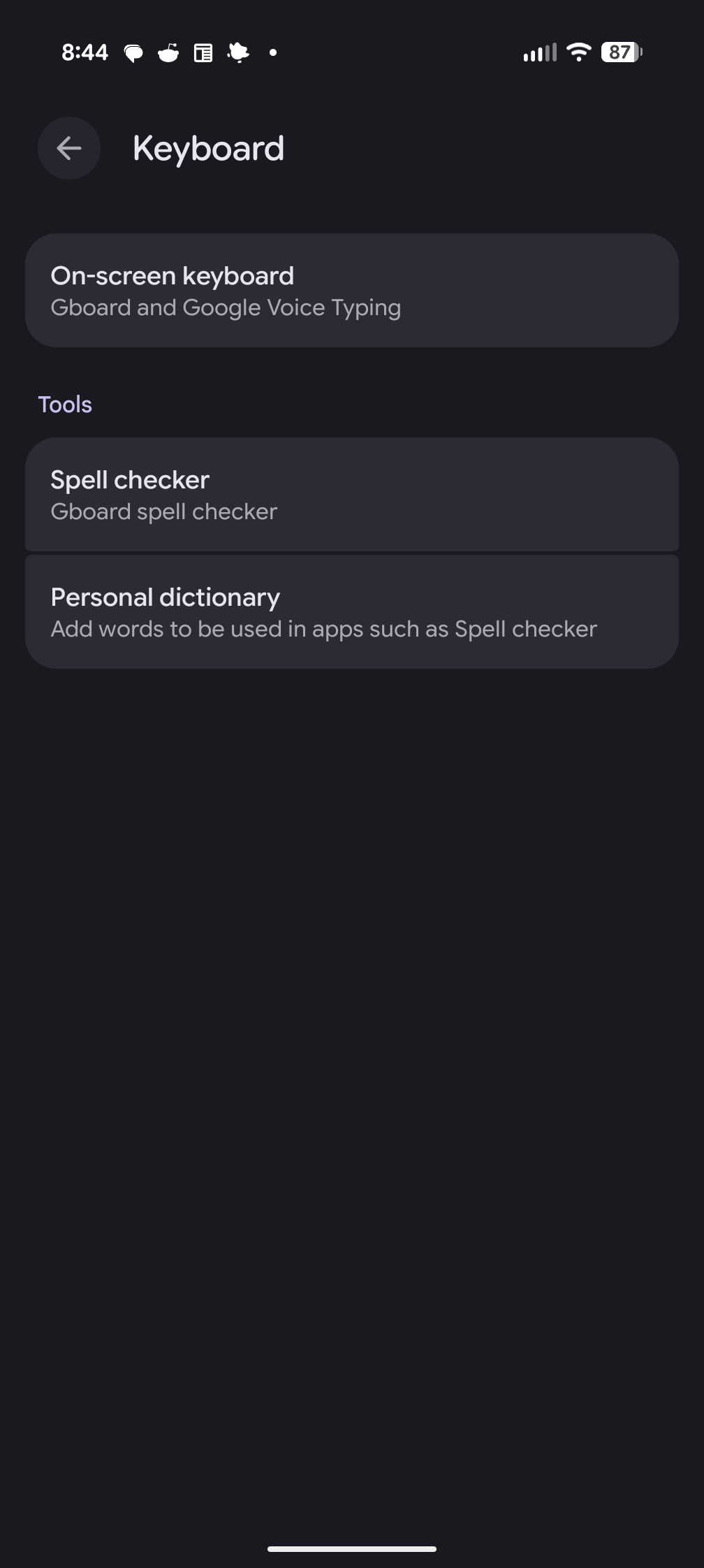
  4. Tap Keyboard under Interaction.

    Select Keyboard

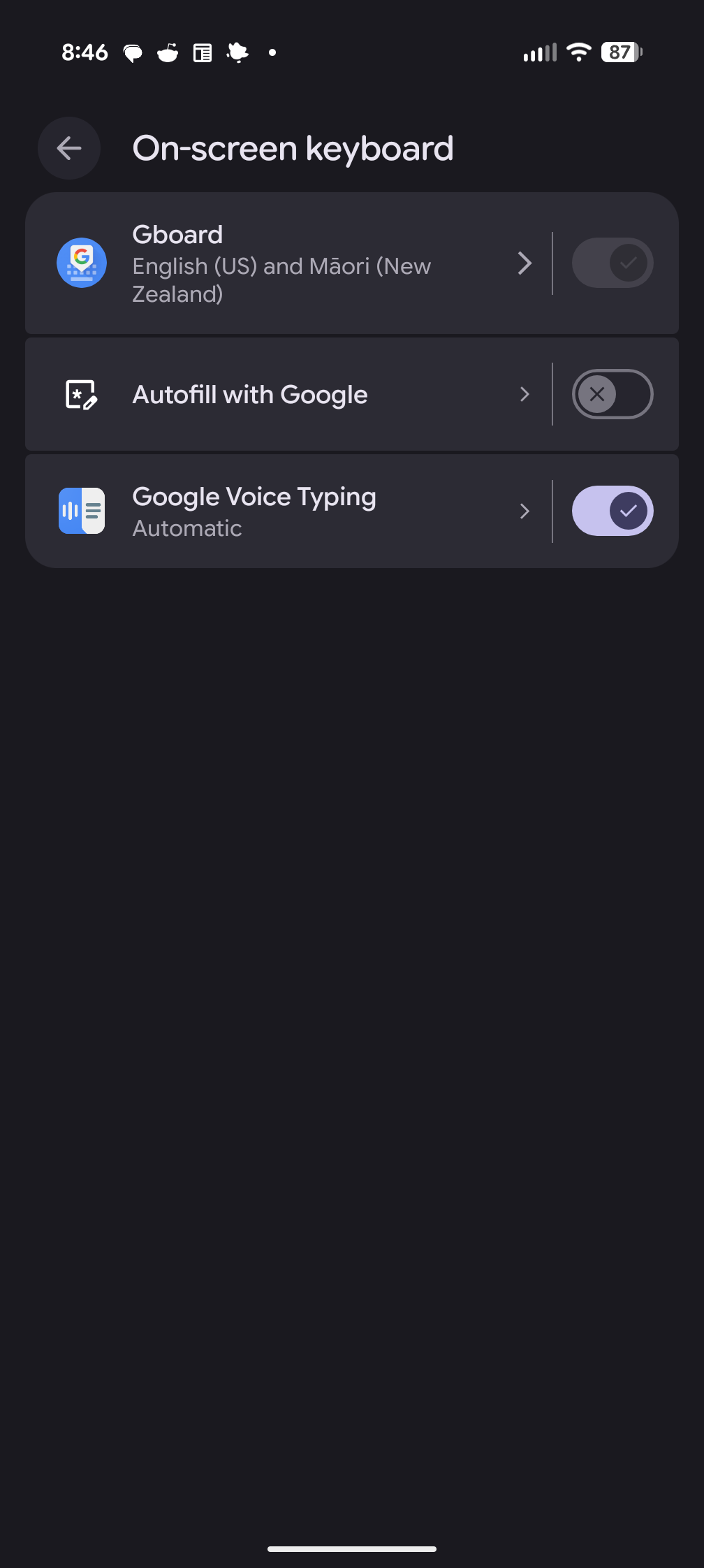
  5. Tap On-screen keyboard.

    Select on-screen keyboard

  6. Tap Gboard.

    Select Gboard

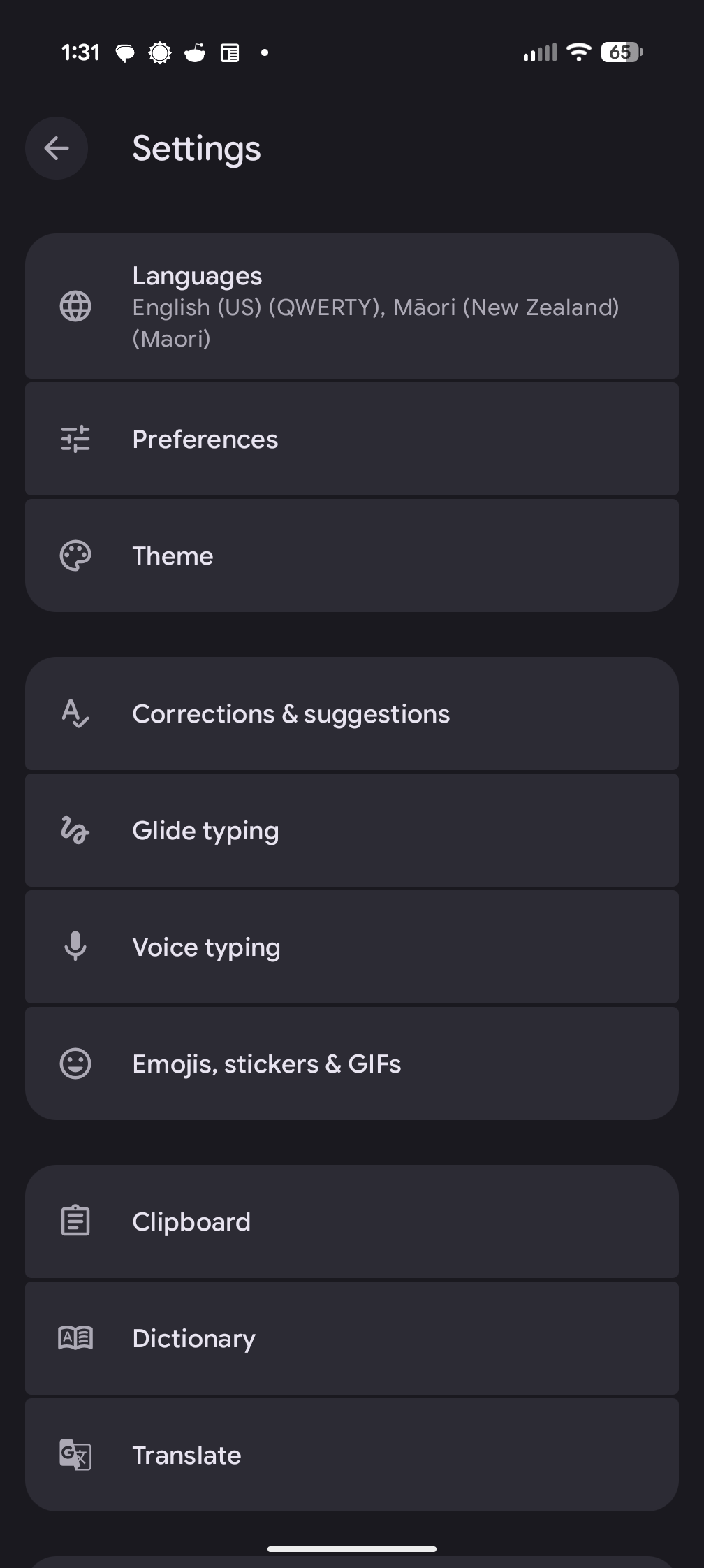
  7. Tap Corrections & suggestions.

    Select Corrections and Suggestions

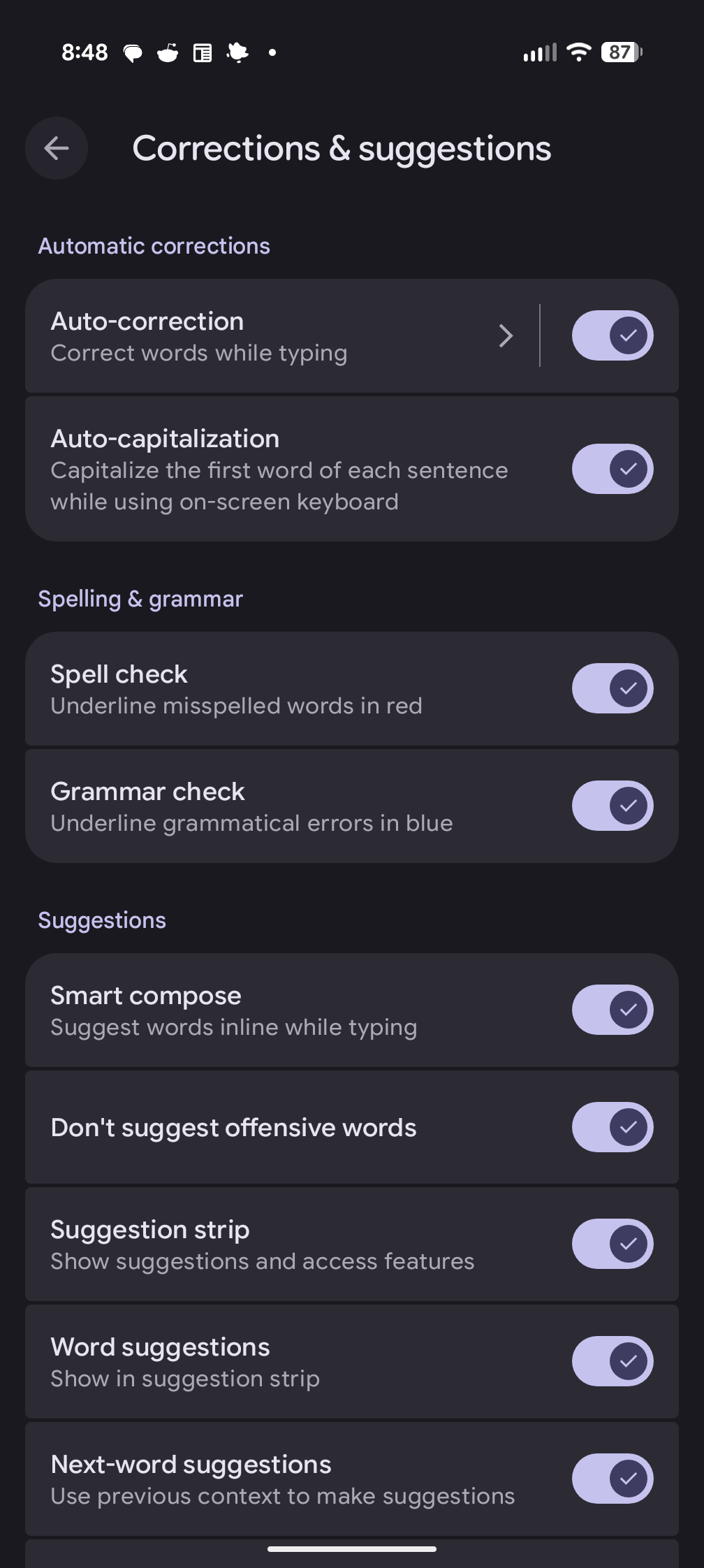
  8. Tap Turn off autocorrect.

    Turn off autocorrect

  9. When you've changed the setting you can exit from the options selection.

    Autocorrect off