
I had installed MakeMKV from source files on an Ubuntu Linux system . It had been working then, but when I tried to run the program today, I saw the message "Application failed to initialize NO_ANSWER_FROM_MAKEMKVCON".
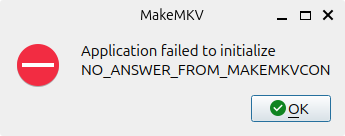
I had updated the operating system and other applications on the system in the intervening months, so I knew it was possible that the upgrade changed or removed libraries that makemkvcon depends on. I had upgraded the operating system from Ubuntu 25.10 (Questing Quokka) to 26.04 LTS (Resolute Racoon). The error means the MakeMKV graphical user interface (GUI) can't communicate with its backend console process, makemkvcon. I.e., the GUI is waiting for a response from makemkvcon and that process isn't starting or is crashing, possibly because of a missing required dependency such as a missing or changed library file. To try to determine if that was the case and, if so, which library might be associated with the problem, I ran makemkvcon from a terminal window.
alice@Wonderland:~$ which makemkvcon
/usr/bin/makemkvcon
alice@Wonderland:~$ makemkvcon
makemkvcon: error while loading shared libraries: libavcodec.so.61: cannot open shared object file: No such file or directory
alice@Wonderland:~$
In such a case, you can also use the ldd command, which shows the shared libraries required by programs, to determine whether a library file needed by a program is missing.
alice@Wonderland:~$ ldd $(which makemkvcon) | grep "not found"
	libavcodec.so.61 => not found
	libavutil.so.59 => not found
alice@Wonderland:~$
When I attempted to determine the version of MakeMKV on the system, I also saw the same error message about a missing libavcodec.so.61 library.
alice@Wonderland:~$ makemkvcon --version
makemkvcon: error while loading shared libraries: libavcodec.so.61: cannot open shared object file: No such file or directory
alice@Wonderland:~$
I checked to see what version of the library was now present on the system and found it was now at the .62 version rather than the .61 version.
alice@Wonderland:~$ ls -l /usr/lib/x86_64-linux-gnu/libavcodec.so*
lrwxrwxrwx 1 root root       23 Feb 17 16:02 /usr/lib/x86_64-linux-gnu/libavcodec.so -> libavcodec.so.62.11.100
lrwxrwxrwx 1 root root       23 Feb 17 16:02 /usr/lib/x86_64-linux-gnu/libavcodec.so.62 -> libavcodec.so.62.11.100
-rw-r--r-- 1 root root 28258856 Feb 17 16:02 /usr/lib/x86_64-linux-gnu/libavcodec.so.62.11.100
alice@Wonderland:~$
Since I installed MakeMKV from the
source code, I could
rebuild MakeMKV against the libraries present on the system. I looked for
a makemkv-oss directory using the
find command and saw
one was in the trash folder.
alice@Wonderland:~$ find . -type d -name makemkv-oss-*
./.local/share/Trash/files/makemkv-oss-1.18.3
alice@Wonderland:~$
I moved the directory from the trash folder and then made that the working directory.
alice@Wonderland:~$ mv ./.local/share/Trash/files/makemkv-oss-1.18.3 ~/Documents/.
alice@Wonderland:~$ cd Documents/makemkv-oss-1.18.3/
alice@Wonderland:~/Documents/makemkv-oss-1.18.3$
I then ran the following commands from that directory:
make clean
./configure
make
sudo make install
I then went through the same process for the MakeMKV binary package by first moving the directory, which had been moved to the trash, to another location.
alice@Wonderland:~$ mv ~/.local/share/Trash/files/makemkv-bin-1.18.3/ ~/Documents/.
alice@Wonderland:~$ cd ~/Documents/makemkv-bin-1.18.3/
alice@Wonderland:~/Documents/makemkv-bin-1.18.3$
I then ran the same commands I ran when I initially installed MakeMKV on
the system, i.e. make and sudo make install. But
that didn't work. When I checked the contents of the directory, I found
the Makefile was missing.
alice@Wonderland:~/Documents/makemkv-bin-1.18.3$ make
make: *** No targets specified and no makefile found.  Stop.
alice@Wonderland:~/Documents/makemkv-bin-1.18.3$ ls
bin  src  tmp
alice@Wonderland:~/Documents/makemkv-bin-1.18.3$
So I downloaded the needed .tar.gz file from the MakeMKV website again
with the wget command
wget https://www.makemkv.com/download/makemkv-bin-1.18.3.tar.gz,
extracted the contents of that file, and reissued the commands I had
run in the makemkv-bin-1.18.3 directory when I first installed MKV -
see
Installing MakeMKV from source files on an Ubuntu Linux system.
alice@Wonderland:~/Downloads$ tar -xzf makemkv-bin-1.18.3.tar.gz
alice@Wonderland:~/Downloads$ cd makemkv-bin-1.18.3/
alice@Wonderland:~/Downloads/makemkv-bin-1.18.3$ make
Please type "yes" if you accept the terms of the license
yes
type "sudo make install" to install
alice@Wonderland:~/Downloads/makemkv-bin-1.18.3$ sudo make install
[sudo: authenticate] Password:
rm -f /usr/bin/makemkvcon
rm -f /usr/bin/mmdtsdec
rm -f /usr/share/MakeMKV/*
install -d /usr/share/MakeMKV
install -d /usr/bin
install -t /usr/bin bin/amd64/makemkvcon
install -m 644 -t /usr/share/MakeMKV src/share/appdata.tar
install -m 644 -t /usr/share/MakeMKV src/share/blues.jar
install -m 644 -t /usr/share/MakeMKV src/share/blues.policy
cd /usr/bin && ln -s -f makemkvcon sdftool
alice@Wonderland:~/Downloads/makemkv-bin-1.18.3$
But when I ran MakeMKV, I again saw the same error when I tried running
it from the GUI or from a terminal window, which again showed the same
issue, i.e., "/usr/bin/makemkvcon: error while loading shared libraries: libavcodec.so.61: cannot open shared object file: No such file or directory".
Ubuntu 26.04 provides FFmpeg 8 (libavcodec.so.62
, libavutil.so.60), so I verified that
the FFmpeg 8 development
packages, which provide libraries and programs for handling
multimedia files, were
installed correctly using the command
dpkg -l | grep -E 'libavcodec-dev|libavutil-dev'.
alice@Wonderland:~/Downloads/makemkv-bin-1.18.3$ dpkg -l | grep -E 'libavcodec-dev|libavutil-dev'
ii  libavcodec-dev:amd64                       7:8.0.1-3ubuntu2                           amd64        FFmpeg library with de/encoders for audio/video codecs - development files
ii  libavutil-dev:amd64                        7:8.0.1-3ubuntu2                           amd64        FFmpeg library with functions for simplifying programming - development files
alice@Wonderland:~/Downloads/makemkv-bin-1.18.3$
I then tried a command sequence recommended by ChatGPT to rebuild and reinstall MakeMKV. First, I issued the following commands for makemkv-oss-1.18.3:
cd ~/Downloads/makemkv-oss-1.18.3
make clean
./configure
make -j$(nproc)
sudo make install
Then the following commands for makemkv-bin-1.18.3:
cd ~/Downloads/makemkv-bin-1.18.3
make clean
make -j$(nproc)
sudo make install
I was then able to run MKV. I started it in a terminal window with
makemkv. I saw the message "This application version is
too old. Please download the latest version at http://www.makemkv.com/ or
enter a registration key to continue using the current version."
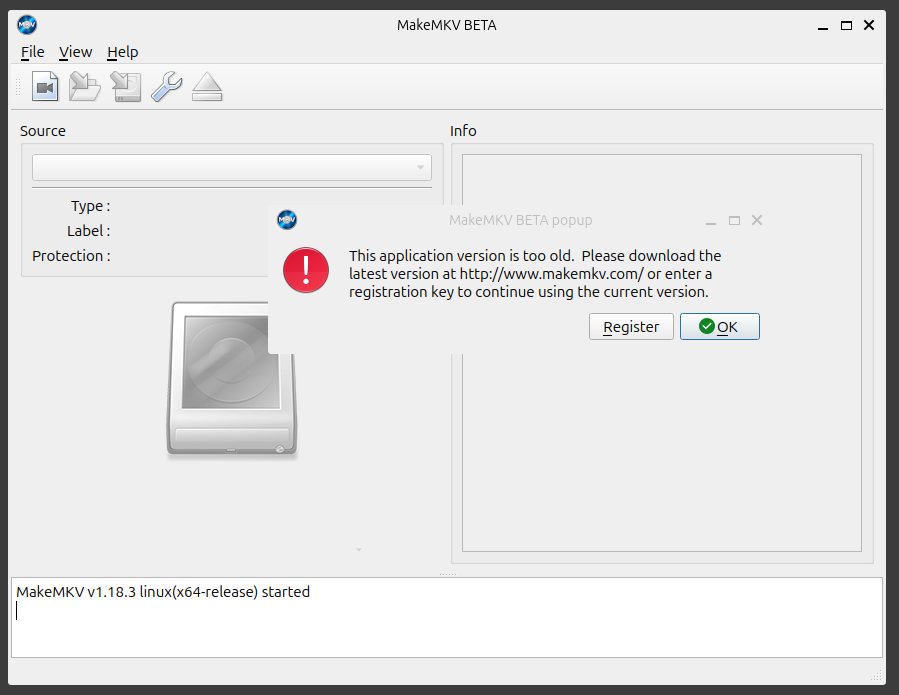
I clicked on Register and put the registration key below in the license key field. I got the license code below from the MakeMKV is free while in beta webpage on the MKV support forum website. The page stated the code is valid until end of July 2026 and advised checking again for an updated key on the same page after that date.
T-BSaJ6gwgMx4eIggWkVYXiVP_6zehm7WAO9dEydvzOHFHoZ6YQ82BL5cGpYDxvyRWnS
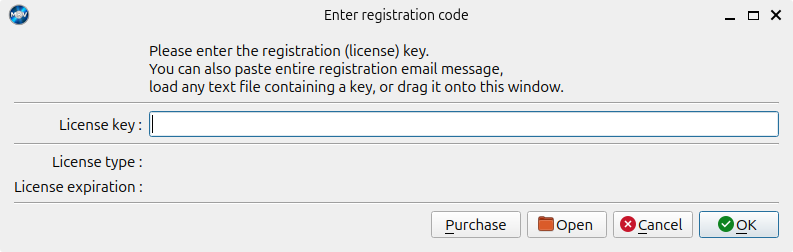
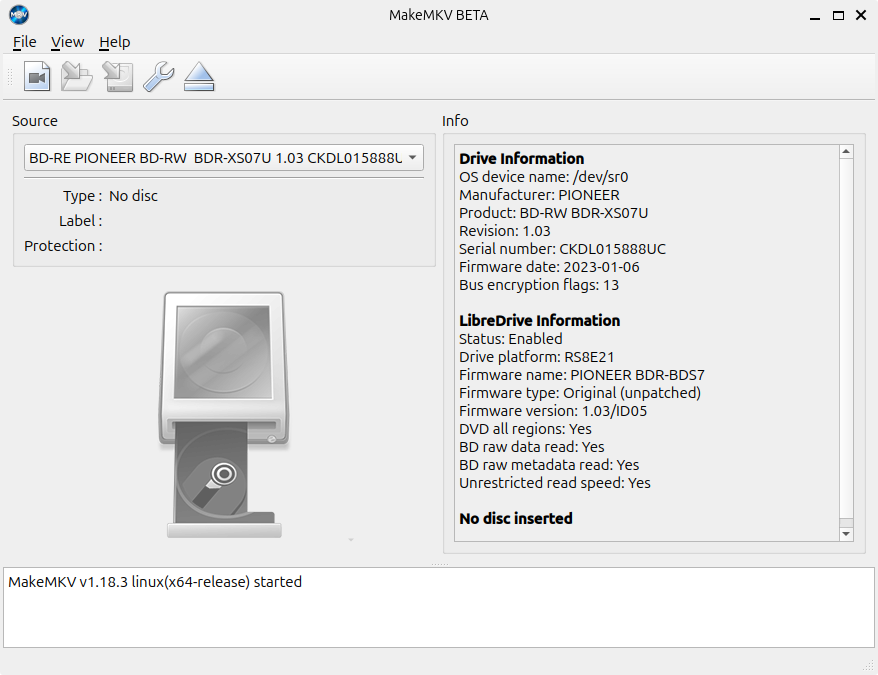
I then saw "Thank you. Please restart the application for changes to take effect." When I restarted the application, it opened normally.
References: