
A couple of days ago, when my wife tried to play
Disney
Dreamlight Valley under
Steam on her
Ubuntu Linux system, when
she clicked on "Play" it would appear that the game was going to start,
but it never did. When I checked on whether the executable program for
the game, ddv.exe, was running using the
ps command and
piping its output through
grep with ps -aux | grep -i 'ddv.exe' | grep -v grep
in a Terminal window,
I could see it ran briefly, but when I reissued the command a few moments
later, it was no longer running. To troubleshoot the problem, I closed
Steam and then killed all running instances of it with
pkill command, i.e.,
pkill Steam, in a Terminal window. I then reopened it
and right-clicked on Disney Dreamlight Valley and chose
Properties. In the Launch Options field, I put
PROTON_LOG=1 %command%.
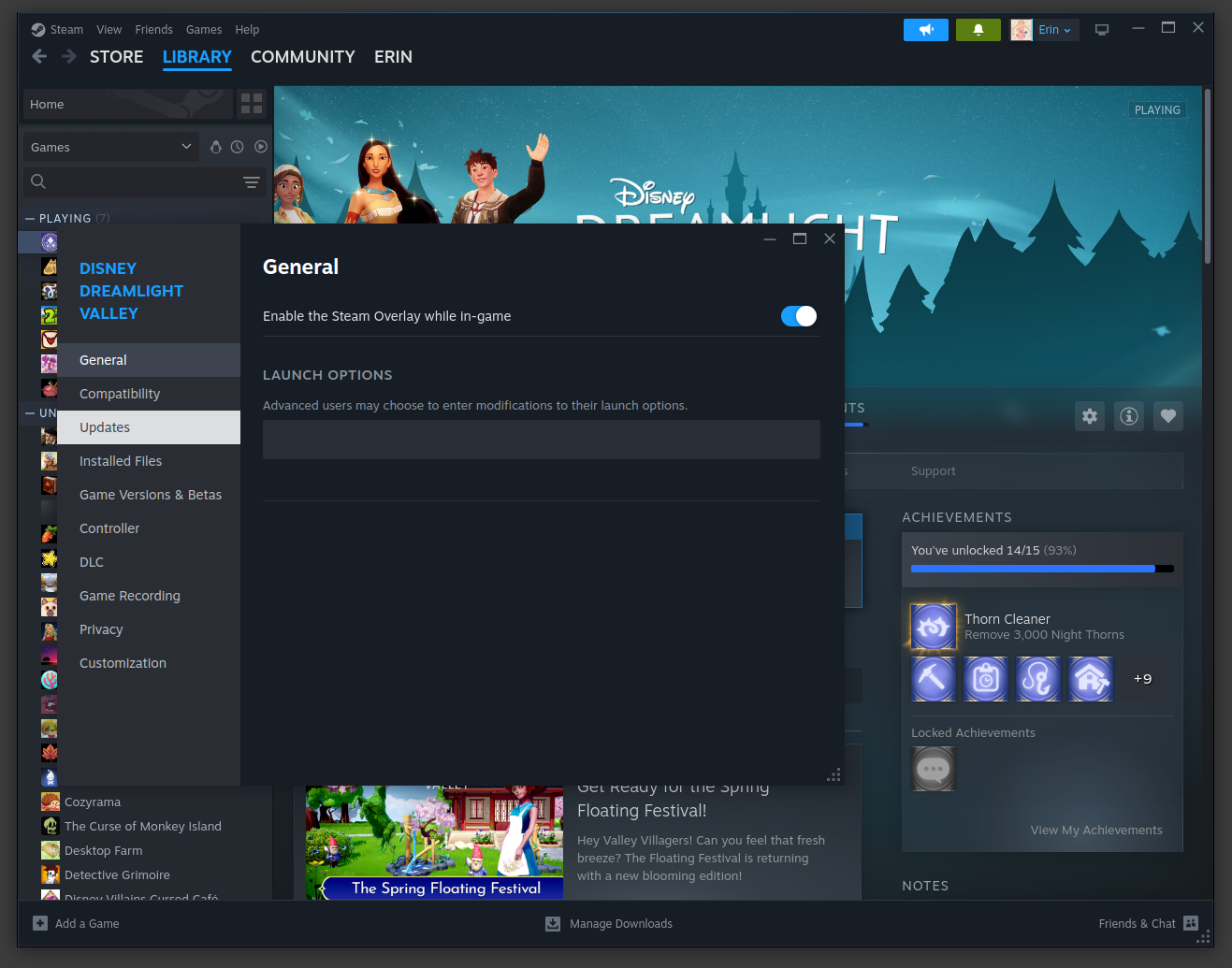
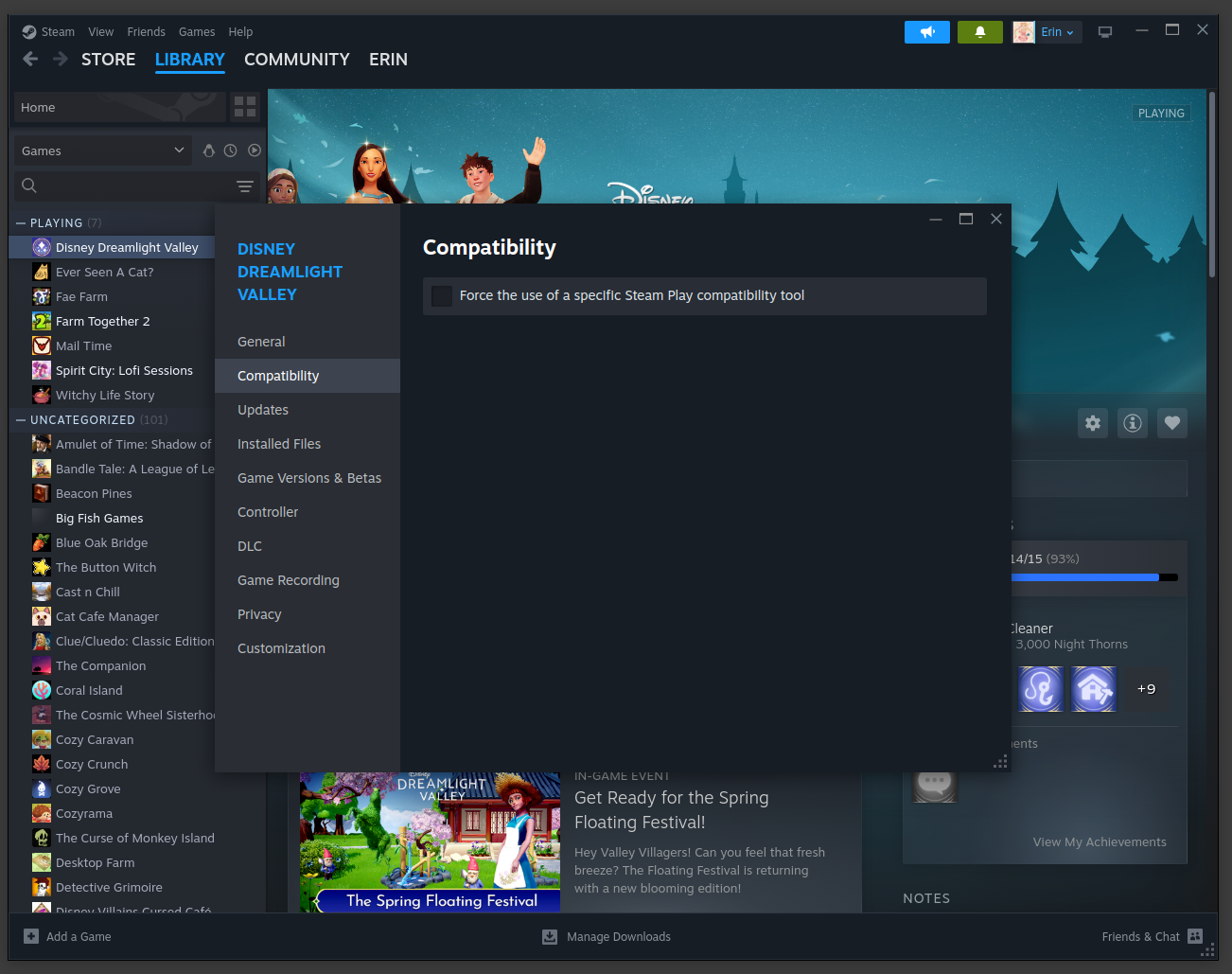
After adding that option, I clicked on the "X" for the Launch Options window and then started Disney Dreamlight Valley. I expected a Steam .log file to be created in her home directory, but there was none there nor could I find one elsewhere when I searched. So I then right-clicked on Disney Dreamlight Valley in Steam again and clicked on Compatibility. The option to "Force the use of a specific Steam Play compatibility tool" was not checked. I checked it.
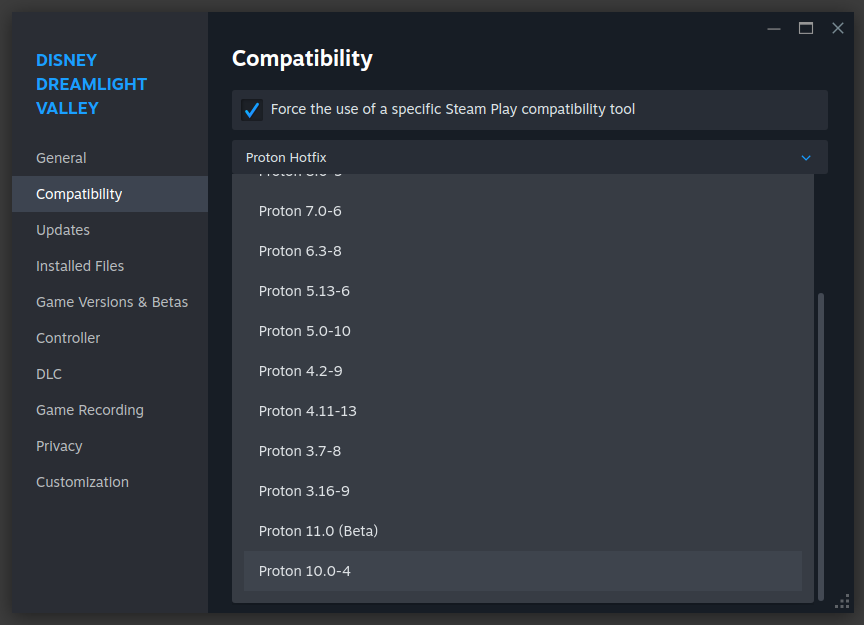
I tried setting the version of Proton to 10.0-4 and then relaunching Disney Dreamlight Valley, but that didn't change the result and I still didn't see a Steam log file. Nor did changing the version to 9.0.4 or Proton Experimental.
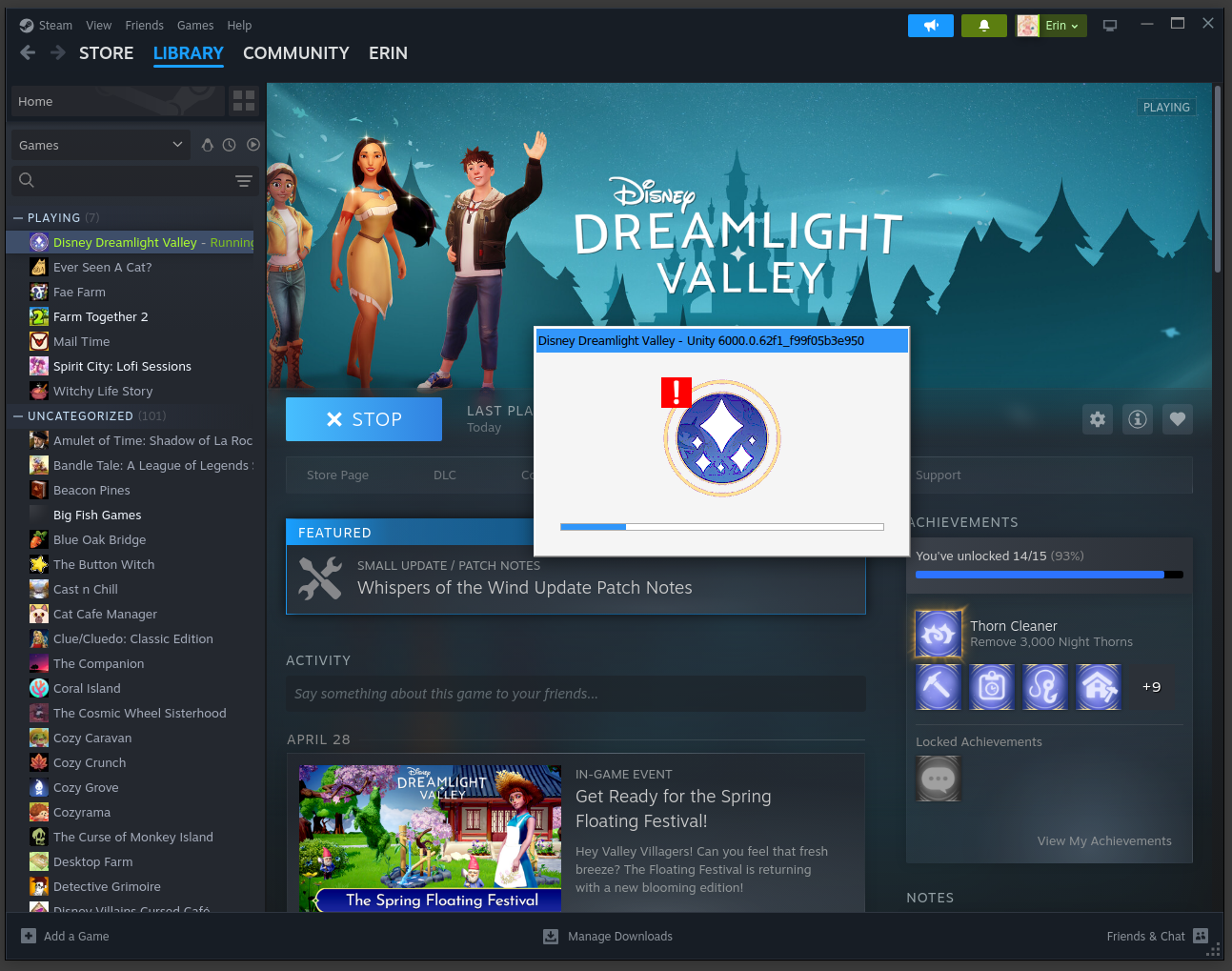
When I clicked on "Play", a window with "Disney Dreamlight Valley - Unity 6000.0.62f1_f99f05b3e950" would appear very briefly and then disappear.
I tried removing what I had in the Launch Options field and
putting PROTON_ENABLE_WAYLAND=1 %command% in there, instead,
using a suggestion I found at
PSA: Fix for Unity engine (and other) games not launching on Wayland
but that also didn't change the behavior.
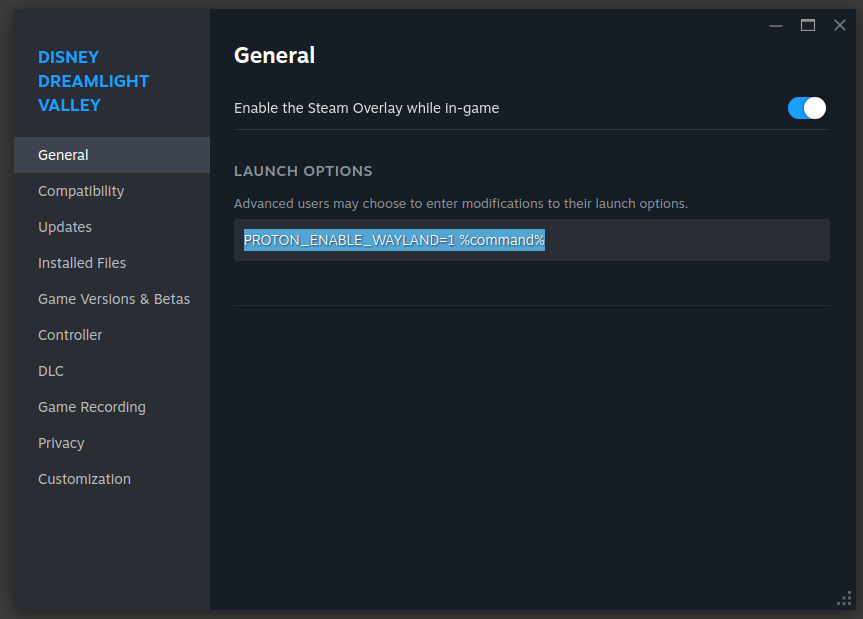
I then put the PROTON_LOG=1 %command% option back in the
launch options field (I didn't put any other options there), clicked on
Play again for Disney Dreamlight Valley. I then used
the
find command, i.e.,
find ~ -iname "*1401590*.log" to
look for the Steam log and found steam-1401590.log under
the snap directory — Steam was installed as a
Snap package
beneath her home directory — 1401590 is Dreamlight Valley’s Steam App
ID.
alice@Wonderland:~$ find ~ -iname "*1401590*.log"
/home/lisa@ad.moonwillowwoods.com/snap/steam/common/steam-1401590.log
/home/lisa@ad.moonwillowwoods.com/snap/steam/common/.local/share/Steam/steamapps/common/SteamLinuxRuntime_4/var/slr-app1401590-t20260521T141941.log
/home/lisa@ad.moonwillowwoods.com/snap/steam/common/.local/share/Steam/steamapps/common/SteamLinuxRuntime_sniper/var/slr-app1401590-t20260521T132737.log
alice@Wonderland:~$
I uploaded the steam-1401590.log file to ChatGPT and asked it to analyze it. ChatGPT gave the following reply:
Yes. The log clearly shows the root cause.
The important error is:
err:vulkan:init_physical_devices Failed to enumerate physical devices, res -3
err:wgl:X11DRV_WineGL_InitOpenglInfo couldn't initialize OpenGL, expect problemsThere are also secondary filesystem/path issues:
wine: failed to update ... wine.inf: No such file or directory
wine: could not open working directory ...But the Vulkan failure is the real blocker.
What this usually means
On Ubuntu, this commonly happens after:
- NVIDIA driver mismatch after a kernel update
- broken Mesa/Vulkan packages
- Steam Snap sandbox issues
- missing Vulkan ICD files
- GPU driver partially unloaded
- switching between integrated/discrete GPUs
Your log also shows:
Kernel: Linux 6.17.0-23-generic
and:
/home/.../snap/steam/...
So you are using the Snap version of Steam, which is frequently involved in Vulkan permission/runtime issues.
The system has a
NVIDIA Quadro P2000 and the nvidia-smi command showed the
following:
alice@Wonderland:~/Documents$ nvidia-smi
Sat May 23 18:18:57 2026
+-----------------------------------------------------------------------------------------+
| NVIDIA-SMI 580.159.03             Driver Version: 580.159.03     CUDA Version: 13.0     |
+-----------------------------------------+------------------------+----------------------+
| GPU  Name                 Persistence-M | Bus-Id          Disp.A | Volatile Uncorr. ECC |
| Fan  Temp   Perf          Pwr:Usage/Cap |           Memory-Usage | GPU-Util  Compute M. |
|                                         |                        |               MIG M. |
|=========================================+========================+======================|
|   0  Quadro P2000                   Off |   00000000:21:00.0  On |                  N/A |
| 53%   47C    P0             19W /   75W |     689MiB /   5120MiB |      0%      Default |
|                                         |                        |                  N/A |
+-----------------------------------------+------------------------+----------------------+

+-----------------------------------------------------------------------------------------+
| Processes:                                                                              |
|  GPU   GI   CI              PID   Type   Process name                        GPU Memory |
|        ID   ID                                                               Usage      |
|=========================================================================================|
|    0   N/A  N/A           11493      G   /usr/bin/gnome-shell                    379MiB |
|    0   N/A  N/A           12466      G   /usr/bin/Xwayland                         1MiB |
|    0   N/A  N/A           22458    C+G   /usr/bin/ptyxis                          61MiB |
|    0   N/A  N/A           23510      G   ...share/Steam/ubuntu12_32/steam          2MiB |
|    0   N/A  N/A           23698      G   ./steamwebhelper                         21MiB |
|    0   N/A  N/A           23736    C+G   ...am/ubuntu12_64/steamwebhelper          4MiB |
|    0   N/A  N/A           33124      G   /usr/bin/evolution                        1MiB |
|    0   N/A  N/A           35812    C+G   /usr/bin/nautilus                       118MiB |
+-----------------------------------------------------------------------------------------+
alice@Wonderland:~/Documents$
The system has Vulkan graphics software on it and I had installed application and operating system updates, some of which required a reboot to become operational, but hadn't yet rebooted. The system was running Ubuntu 25.10 (Questing Quokka). I installed all available updates and upgraded the system to Ubuntu 26.04 LTS (Resolute Raccoon) and then enabled Ubuntu Pro. After rebooting the system and logging in, the problem with Disney Dreamlight Valley no longer occurred. When I first started the game, I saw a "Processing Vulkan shaders" window.

References: