If you need to change the password, i.e., the encryption key, used to encrypt
a partition with
Linux Unified
Key Setup (LUKS) on a Linux system, you can open a terminal window and use
the command sudo cryptsetup luksChangeKey /dev/sdaX where
sdaX is the relevant partition. E.g., I needed to
change the password on a Ubuntu
Linux system where the user's data was stored on /dev/sda3.
jim@Firefly:~$ sudo cryptsetup luksChangeKey /dev/sda3
Enter passphrase to be changed:
Enter new passphrase:
Verify passphrase:
jim@Firefly:~$
If you don't know the designation for the encrypted partition, e.g., if I
didn't know it was sda3, I could use the lsblk
command (it is part of the
util-linux package) to determine it. E.g.:
From the above output, I can see that the disk drive in the system is
designated as sda and the encrypted partition is
sda3 (it is listed as type "crypt").
A couple of users notified me that they were receiving warning messages
regarding the security certificate on their email server when they were
checking email with
Microsoft Outlook. I checked the expiration date on the security
certificate for the email server with the
OpenSSL command
openssl s_client -connect pop3.moonpoint.com:995 (the
system is using
Dovecot, which
is an
open-sourceIMAP/POP3
software program providing users with the ability to download their email).
Dovecot listens on
TCP
port 995 for
POP3S secure
email connections for downloading email.
I could see the certificae was expired and I issued the quit
command when I saw the "OK Dovecot ready" prompt.
The email security certificate on the system is provided by
Let's Encrypt,
so I then tried renewing the certificate from the root account with the
letsencrypt renew command, but was unsuccessful.
I found the solution was to stop the
Apache web server
software running on the system, thanks to a post by JuergenAuer at
Renewing certificate getting error: Problem binding to port 80: Could not bind
to IPv4 or IPv6. After I stopped the web server software, I was able to
reissue the letsencrypt command to renew the certificate without the
"Problem binding to port 80" error message. I then restarted the Apache web
server software and Dovecot.
You can verify a website's security certificate from a command line
interface (CLI), such as a shell prompt, by using
OpenSSL, which is
available for Linux, macOS, Microsoft Windows and other operating systems
— for a Windows version, see the instructions at
How to install the most recent version of OpenSSL on Windows 10 in 64 Bit.
To check a certificate, you can issue the command openssl s_client
-connect example.com:443 -showcerts, substituting the
fully
qualified domain name (FQDN) of the site you wish to check for
example.com. The output for example.com is shown below.
$ openssl s_client -connect example.com:443 -showcerts         CONNECTED(00000003)
depth=2 C = US, O = DigiCert Inc, OU = www.digicert.com, CN = DigiCert Global Root CA
verify return:1
depth=1 C = US, O = DigiCert Inc, CN = DigiCert SHA2 Secure Server CA
verify return:1
depth=0 C = US, ST = California, L = Los Angeles, O = Internet Corporation for Assigned Names and Numbers, OU = Technology, CN = www.example.org
verify return:1
---
Certificate chain
 0 s:/C=US/ST=California/L=Los Angeles/O=Internet Corporation for Assigned Names and Numbers/OU=Technology/CN=www.example.org
   i:/C=US/O=DigiCert Inc/CN=DigiCert SHA2 Secure Server CA
-----BEGIN CERTIFICATE-----
MIIHQDCCBiigAwIBAgIQD9B43Ujxor1NDyupa2A4/jANBgkqhkiG9w0BAQsFADBN
<text snipped>
SSL-Session:
    Protocol  : TLSv1.2
    Cipher    : ECDHE-RSA-AES128-GCM-SHA256
    Session-ID: 907C391C745555481A141A04D65B7CD175BD5E052FF39EFD17B30848D535F0D1
    Session-ID-ctx:
    Master-Key: 9DC337D789BB8DB7CCE82BBC3EAD28C4A9E98016C98D35AD9A6B737C0B76AE3118881303F7E7890BEE0567FFC402B5F9
    Key-Arg   : None
    Krb5 Principal: None
    PSK identity: None
    PSK identity hint: None
    TLS session ticket lifetime hint: 7200 (seconds)
    TLS session ticket:
    0000 - b1 7d 3a 56 0e 17 8f 5a-37 b0 4b 03 dd de 8d 98   .}:V...Z7.K.....
    0010 - 59 36 bb 73 43 e2 95 2a-9b 2e de ef 99 5e 92 d8   Y6.sC..*.....^..
    0020 - 3a 16 b6 4d 78 2b c6 a4-58 a5 5b 2e c0 8a 1f a6   :..Mx+..X.[.....
    0030 - e6 35 dd 8d 77 fb 4e 09-82 94 c0 8c 6e f8 56 41   .5..w.N.....n.VA
    0040 - 9a bb 82 a6 b1 30 5d bc-38 24 00 9c a6 a3 10 c5   .....0].8$......
    0050 - 6f cc e8 c8 25 62 6f e0-8f 7d 1a d9 18 6a db 32   o...%bo..}...j.2
    0060 - 48 07 df b0 15 fc 98 a0-5d 27 93 df 20 4c 6c ae   H.......]'.. Ll.
    0070 - cf 95 23 49 d0 c0 57 10-c1 8b 12 fa b0 c4 33 41   ..#I..W.......3A
    0080 - 2f 21 cf df dc 9a 1f 44-68 a3 76 81 0f b8 04 ab   /!.....Dh.v.....
    0090 - 59 e7 c4 29 79 28 f9 45-43 82 b9 a0 5a e5 6d 5a   Y..)y(.EC...Z.mZ

    Start Time: 1592522720
    Timeout   : 300 (sec)
    Verify return code: 0 (ok)
---
closed
$
If you wish to check on whether a particular
cipher is supported, you
can use the command openssl s_client -cipher followed by the
particular cipher for which you wish to connect and then -connect
followed by the FQDN, a colon, and then the HTTPS port, port 443, as shown
below for example.com. If you see the response "handshake failure" as in the
example below, the cipher is not supported.
$ openssl s_client -cipher 'ECDHE-ECDSA-AES256-SHA' -connect example.com:443
CONNECTED(00000003)
140497569793952:error:14077410:SSL routines:SSL23_GET_SERVER_HELLO:sslv3 alert handshake failure:s23_clnt.c:769:
---
no peer certificate available
---
No client certificate CA names sent
---
SSL handshake has read 7 bytes and written 121 bytes
---
New, (NONE), Cipher is (NONE)
Secure Renegotiation IS NOT supported
Compression: NONE
Expansion: NONE
No ALPN negotiated
SSL-Session:
    Protocol  : TLSv1.2
    Cipher    : 0000
    Session-ID:
    Session-ID-ctx:
    Master-Key:
    Key-Arg   : None
    Krb5 Principal: None
    PSK identity: None
    PSK identity hint: None
    Start Time: 1592522976
    Timeout   : 300 (sec)
    Verify return code: 0 (ok)
---
$
If the cipher is supported, you will see "connected" instead, as shown
below.
$ openssl s_client -cipher 'ECDHE-RSA-AES128-GCM-SHA256' -connect example.com:443
CONNECTED(00000003)
depth=2 C = US, O = DigiCert Inc, OU = www.digicert.com, CN = DigiCert Global Root CA
verify return:1
depth=1 C = US, O = DigiCert Inc, CN = DigiCert SHA2 Secure Server CA
verify return:1
depth=0 C = US, ST = California, L = Los Angeles, O = Internet Corporation for Assigned Names and Numbers, OU = Technology, CN = www.example.org
verify return:1
---
Certificate chain
 0 s:/C=US/ST=California/L=Los Angeles/O=Internet Corporation for Assigned Names and Numbers/OU=Technology/CN=www.example.org
   i:/C=US/O=DigiCert Inc/CN=DigiCert SHA2 Secure Server CA
<text snipped>
   Krb5 Principal: None
    PSK identity: None
    PSK identity hint: None
    TLS session ticket lifetime hint: 7200 (seconds)
    TLS session ticket:
    0000 - 27 d3 5d a3 cf ac 34 0b-92 af c6 00 17 0d 15 bc   '.]...4.........
    0010 - 6b be b4 92 dc 1a 01 97-98 9c f4 2b 68 f7 fd 69   k..........+h..i
    0020 - 1c fd 25 16 21 ba aa f9-43 2b 1a 4b 54 d8 48 37   ..%.!...C+.KT.H7
    0030 - 90 f7 2f 3f 76 d1 88 22-cf db 43 77 55 40 d2 41   ../?v.."..CwU@.A
    0040 - c8 3a 8c f5 75 02 9b 88-92 92 38 f3 53 46 e7 48   .:..u.....8.SF.H
    0050 - 9a bf 2d db 78 00 cd 12-2c 30 fc f8 81 20 e9 89   ..-.x...,0... ..
    0060 - c0 8f 3c e3 e6 22 69 af-cb cd b0 ec dd 06 1b c9   ..<.."i.........
    0070 - f3 82 cb ee 85 f1 c8 6a-27 29 5b 42 7e bb 87 60   .......j')[B~..`
    0080 - c3 17 4a ff 54 41 b3 1a-8e 3b e3 30 b6 48 fa 9d   ..J.TA...;.0.H..
    0090 - b3 50 a5 2b 73 8d 59 16-4c fd b4 24 54 48 14 08   .P.+s.Y.L..$TH..

    Start Time: 1592523392
    Timeout   : 300 (sec)
    Verify return code: 0 (ok)
---

closed
$
You have not specified an encryption
certificate for this account. Once you send
this encrypted message, you will not be
able to read it. Do you still want to send this
encrypted message?
If I click on Continue the email will be sent encrypted so that it
is readable by the recipients when their email clients decrypt it using their
private keys, but I am unable to read the message I sent when it is placed in
my Sent folder. To resolve the problem, I clicked on Tools on the
Outlook menu bar, then selected Accounts, then clicked on the
Advanced button. I then clicked on the Security tab and selected a
certificate in the Encryption section. It had been set to "None
Selected".
A couple of days ago, a user showed me a message she saw on her system about a
security
certificate issue. When I looked at the message, I realized it was due
to the expiration of the
Let's
Encrypt certificate on the email server used by her system. I logged into
that system and queried the server with the
openssl command to
check the expiration date. I saw it had expired that day, March 10.
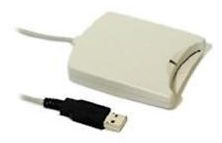
If I attached the PIV card reader and clicked on the Apple icon at the
top, left-hand corner of the screen and selected About This Mac
then clicked on System Report, if I clicked on USB under
Hardware, I would see the system recognized the card reader was
attached. E.g., I saw "SCRx31 USB Smart Card Reader" for an SCR331 (that
is a number on the underside of the device which appears to be its model
number with a part number of 904875 listed there, also) PIV card reader
I attached to the system via a USB port.
You can use
OpenSSL, which is commonly installed on Mac OS X and Linux systems and which
is also available for other operating systems (the source code can be downloaded
from OpenSSL Downloads and
a Windows implementation is available at
OpenSSL for
Windows), to check the security certificate of a website using an
openssl command in the
form openssl s_client -showcerts -connect fqdn:port where
fqdn is the
fully qualified domain name (FQDN) of the website and
port is the
port that the website is listening on for
HTTPS
connections, which is usually
well-known port 443, though it may sometimes be another port, such as the
registered port 8443. The showcerts option instructs openssl
to show all certificates in the
public key certificate chain.
The X.509
standard is used to manage
digital certificates used for
public key encryption. One of the
filename extensions used for X.509 certificates is .pem,
which stands for
"Privacy
Enhanced Mail". These certificates are
Base64
encoded DER certificates. If you have a .pem certificate and want to
view information about the contents of the certificate, you can do so with
OpenSSL
software, which is commonly found on Linux and Mac OS X systems, but is
available for other operating systems as well. If you just want to view the
expiration date for a certificate you can use an
openssl command like the one
below:
You can use an
OpenSSL
s_client -connect command to check a certificate on a remote server by
specifying the remote system in the form x.x.x.x:port
where x.x.x.x is the IP address of the remote system and port is
the relevant port or you can use the
fully qualified domain name (FQDN) in place of the IP
address. E.g., I used the command below to check the status of a certificate I
obtained from Let's Encrypt, a
"certificate authority that
launched on April 12, 2016 that provides free
X.509
certificates for
Transport Layer Security (TLS) encryption via an automated
process designed to eliminate the current complex process of manual
creation, validation,
signing, installation, and renewal of certificates for secure websites."
The server I checked functions as a
POP3S server using port 995, so that was the port I
specified.