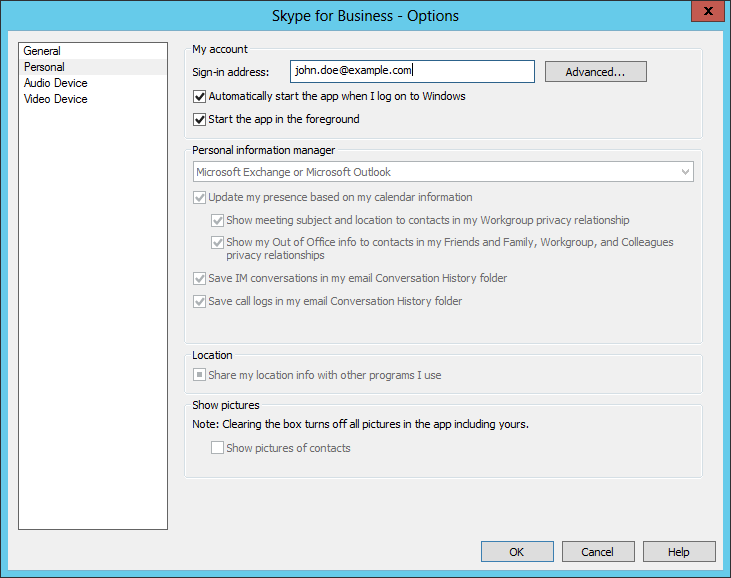
I found Microsoft's Skype for Business application was automatically staring on a Microsoft Windows system where it was not being used. Microsoft retired the product on May 5, 2025, replacing it with Microsoft Teams, and is no longer providing security updates or bug fixes for the software. Though Microsoft ended official support for Skype for Business Server on October 14, 2025 and is no longer providing cloud service for the product, companies that installed their own servers can still run it locally. If there is a need to retain the software on a system, but no need to have it start automatically when the system boots, one can stop it from starting whenever the system is rebooted by taking the following steps:
-
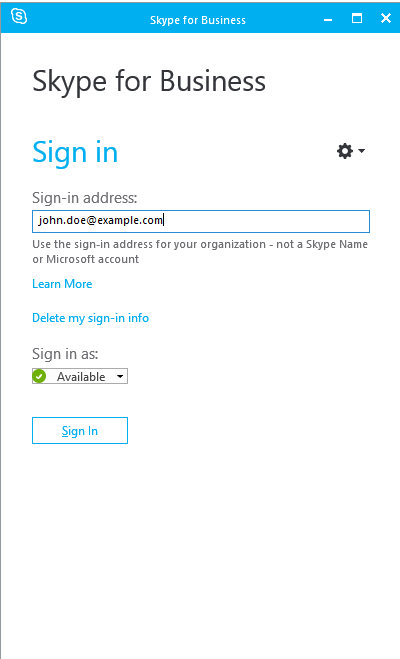
Open the program and then click on the gear icon near the top, right side of
the window.
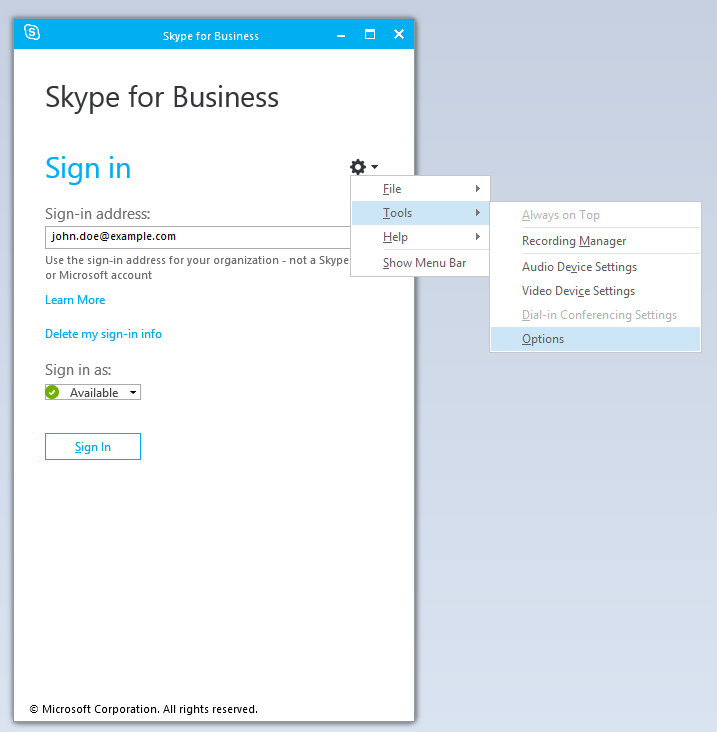
- Choose Tools and Options.
-
Uncheck the option for "Automatically start the app
when I log on to Windows" under the Personal options to prevent
the program from restarting automatically upon a login to the system,
then click on OK to apply the change after unchecking that
option.