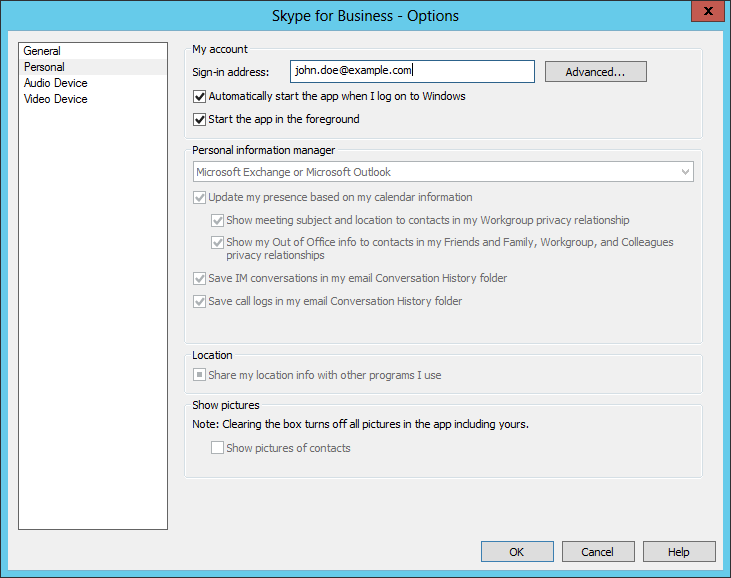
Microsoft's Skype for Business application was automatically staring on a Microsoft Windows system where it was not needed and will never be used (Microsoft retired the product on May 5, 2025). To stop it from starting whenever the system was rebooted, I opened the program and then clicked on the gear icon near the top, right side of the window.
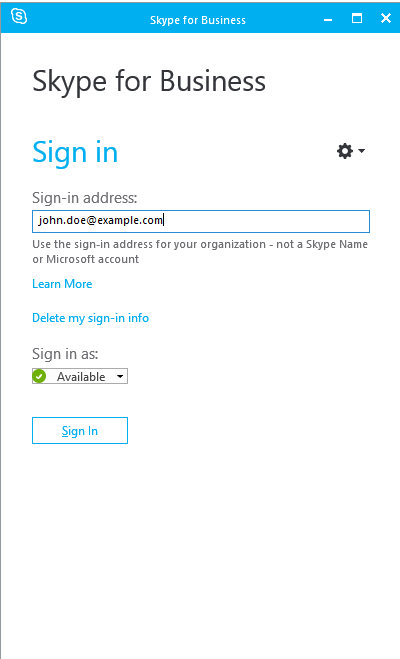
I then chose Tools and Options.
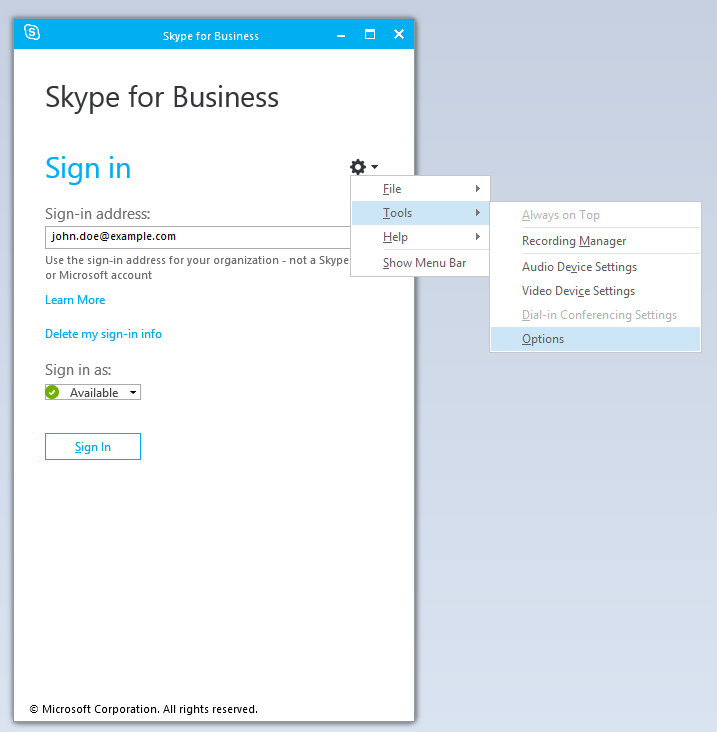
I was then able to uncheck the option for "Automatically start the app when I log on to Windows" under the Personal options to prevent the program from restarting automatically upon a login to the system. I clicked on OK to apply the change after unchecking that option.