
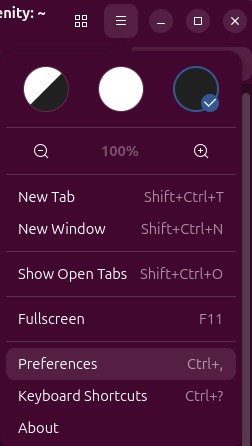
I needed to scroll back through a tab I had open in a Terminal window on an Ubuntu Linux system, but there was no scrollbar on the right side of the tab in which I had run the command, though a scrollbar was open in other Terminal tabs. I was able to get the scrollbar to appear by clicking on the icon with 3 horizontal bars at the top of the Terminal window and then selecting Preferences.
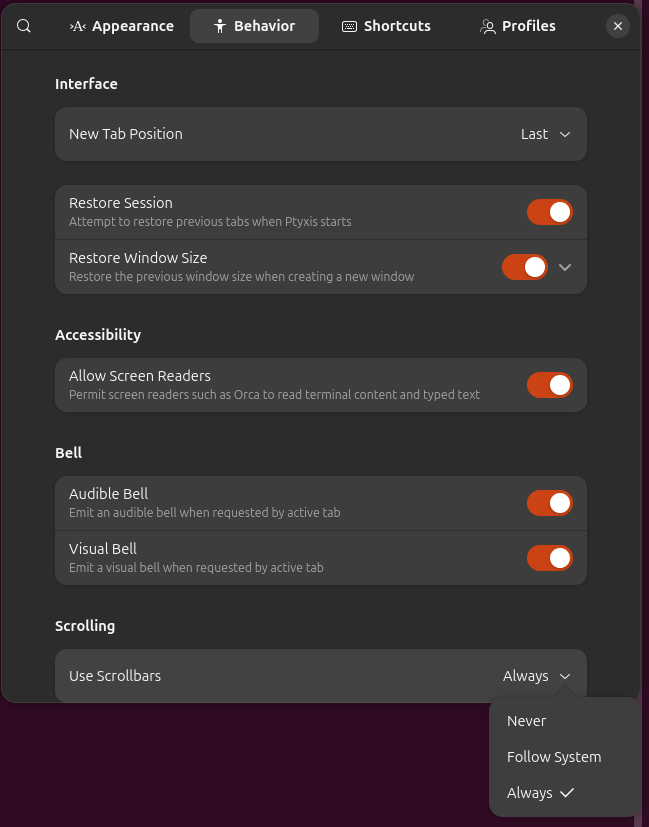
Then from the Behavior tab, I changed the setting from Follow System to Always, which resulted in the scrollbar appearing where it had been missing, but I could not scroll back any further than the text that had been appearing in the tab before I changed the settiing and that remained the same whenever I issued another command and text moved upwards, so that I could no longer see it or scroll back to see it, so I closed the tab.
When I opened another tab, the scrollbar was there and operated as expected.

