Addressing a problem with Disney Dreamlight Valley crashing under Steam
A couple of days ago, when my wife tried to play
Disney
Dreamlight Valley under
Steam on her
Ubuntu Linux system, when
she clicked on "Play" it would appear that the game was going to start,
but it never did. When I checked on whether the executable program for
the game, ddv.exe, was running using the
ps command and
piping its output through
grep with ps -aux | grep -i 'ddv.exe' | grep -v grep
in a Terminal window,
I could see it ran briefly, but when I reissued the command a few moments
later, it was no longer running. To troubleshoot the problem, I closed
Steam and then killed all running instances of it with
pkill command, i.e.,
pkill Steam, in a Terminal window. The system has a
NVIDIA Quadro P2000 and the problem seems to have
been an issue related to
Vulkan
graphics software on the system. When I upgraded the
operating system and rebooted, the problem disappeared.
[
More Info ]
[/os/unix/linux/wine]
permanent link
Creating an arrow in the Drawing program
Drawing is a simple
raster
image editor for
Linux systems that is
similar to Microsoft
Paint. The program is
free
and open-source software (FOSS) released under the GNU
General Public License, version 3. It is available as a
Snap package
for the GNOME desktop on
Ubuntu and other Linux
systems and on Ubuntu systems can be installed by opening the
App Center and searcing for Drawing.
To create an arrow in the Drawing application, take the following steps:
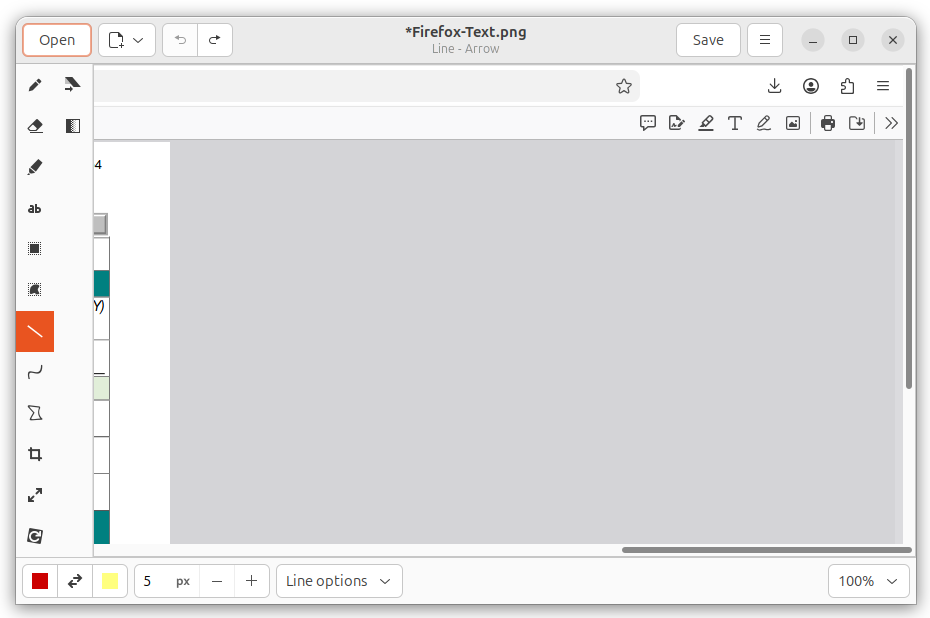
- With the file containing the image you wish to
edit open, click on the line tool on the menu bar on the left side of
the Drawing window.
-
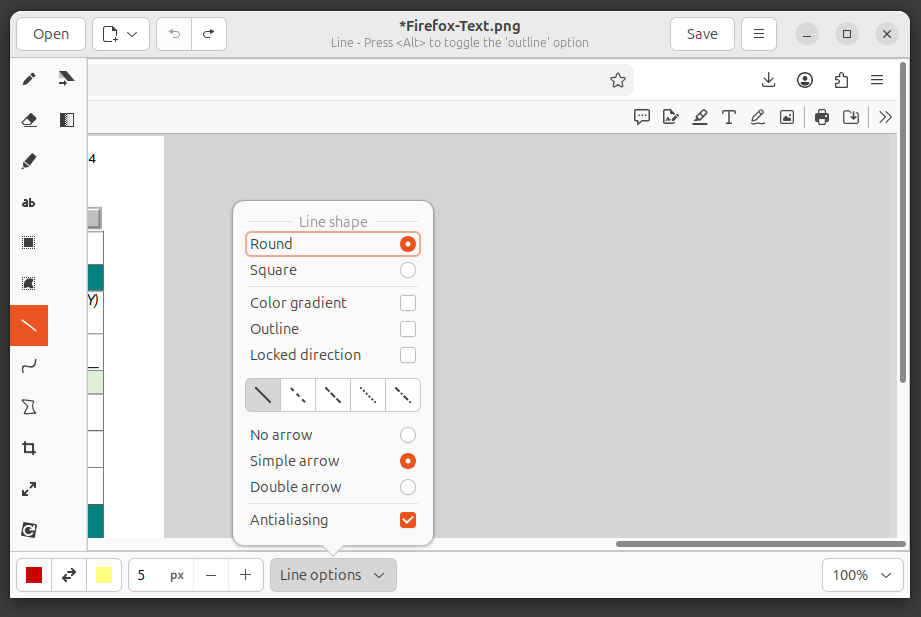
Click on Line options, which you will find at the bottom of the
window, and select simple arrow.
-
You can adjust the width of the line and arrowhead by changing the
value of the number you see to the left of Line options by
clicking on the plus or minus buttons (the value is in
pixels) or
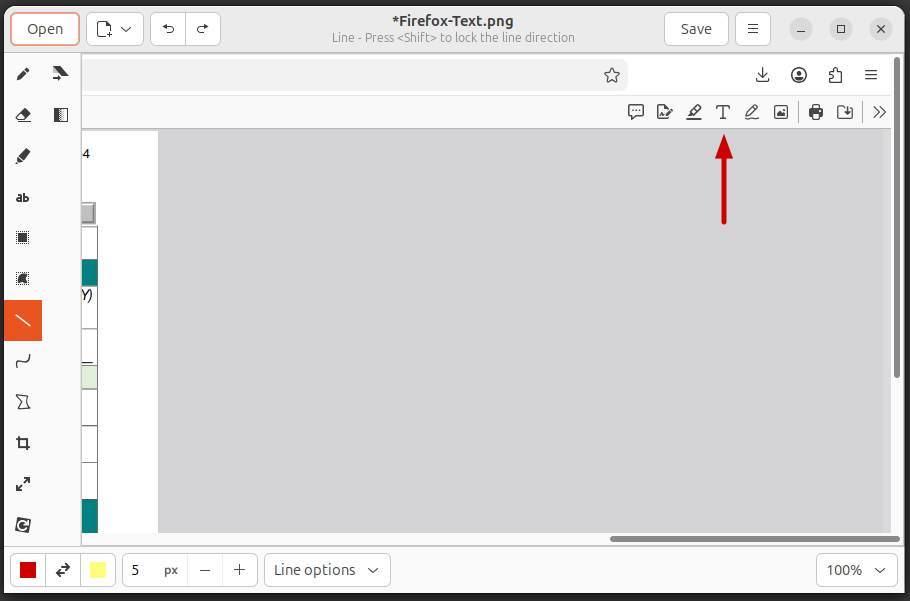
you can type the number you want in the field. With the color you wish
for the arrow selected (you will see the color in a square near the
lower, left-corner of the window, click at a point where you wish the
back end of the arrow to be located and, while holding down the left
mouse button, move the mouse pointer upwards to where you wish the arrow
to end. Then release the mouse button. You should then have a line with
an arrowhead at the end.
[/software/graphics/drawing]
permanent link
Repairing Microsoft Edge
A user reported that she could not access her email from her
Windows 11 system, which she normally would do by clicking
on a shortcut on her desktop which would open the Microsoft
Edge
browser to the webpage where she could log into
her email account on outlook.com. When I clicked on the
shortcut, I saw a blank, white area appear above the taskbar. I found
statements online about opening Microsoft Edge in a restricted "Safe
Mode" that disables extensions and custom settings, by starting it in
InPrivate mode by openng the Windows Run dialog, which you can do by
pressing the Windows
key and the "R" key. Then type msedge --inprivate
in the Run dialog window and then pressng Enter (I wasn't
certain whether there should be one dash or two before "inprivate"
since I found both listed when I searched online for a method to open
the browser in safe mode). However, with either option, Edge still
crashed shortly after opening with a blank, white window.
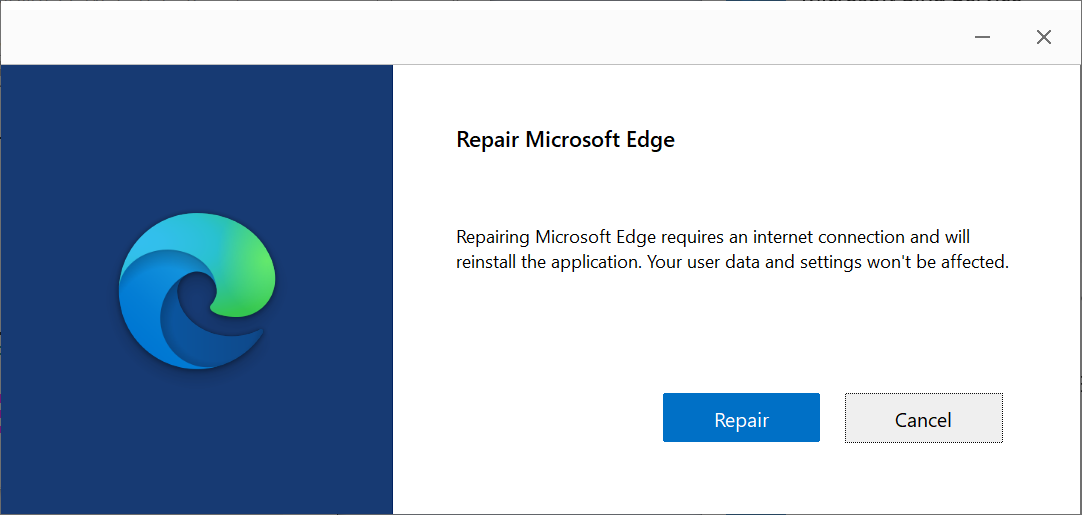
I was able to correct the problem by repairing the application, which
can be done through the following steps:
-
Type
settings in the Windows "Type here to search" field and
press Enter.
-
When you see Settings returned, click on it.
-
Select Apps.
-
Select Apps & features.
-
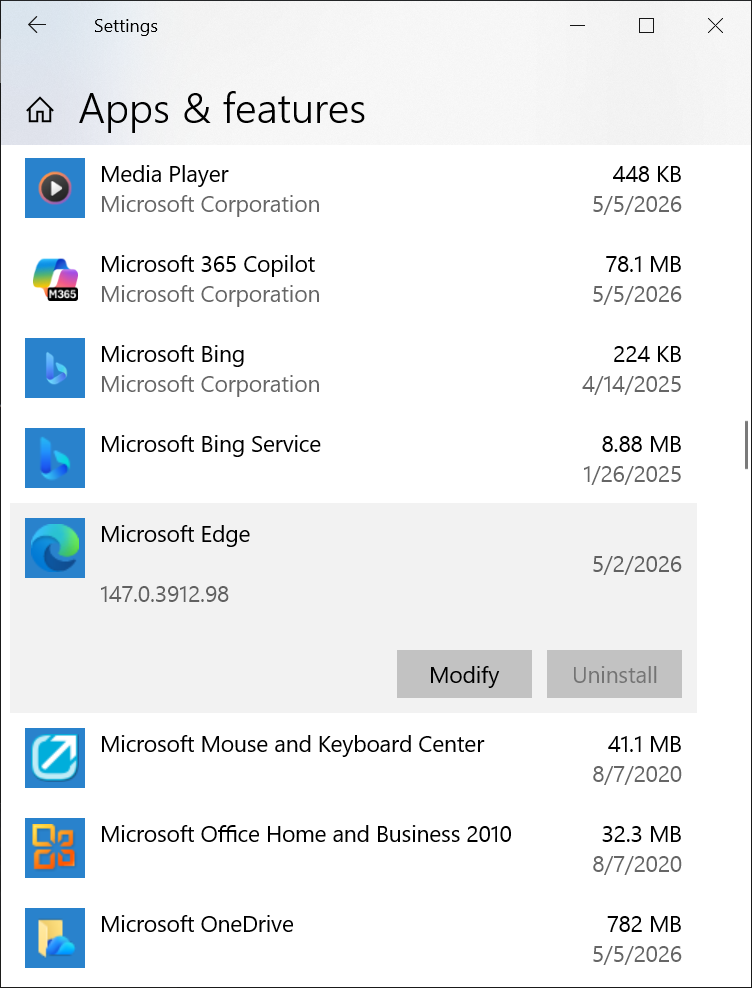
Scroll down through the list of applications until you see
Microsoft Edge and then select it and click on Modify.
-
Provide the credentials for an administrator account when prompted
for a userid and password.
-
Click on Repair.
[/network/web/browser/edge]
permanent link
Disney Dreamlight Valley Cloud Save Problem Under Ubuntu
My wife had been playing
Disney
Dreamlight Valley under
Windows 11. When
I installed
Ubuntu
25.10, I installed
Wine, then
Steam
as a Snap
package, and then installed Disney Dreamlight Valley under Steam. She
was able to use the Cloud Save option to log into the game with all of the
progress she had made under Windows. She needed to switch back to Windows for
a while and didn't switch back to Ubuntu for several weeks. When I started
Steam and Disney Dreamlight Valley again under
Ubuntu and then tried
the Cloud Save option, it did not work with the message below displayed
when I was prompted to provide login credentials:
Login Error
Cannot connect to online services. Continue playing in offline
mode
If I entered the wrong password, I got a response indicating that
the system was able to check the credentials, which I presumed were being
checked on a remote server. And I was able to successfully use the
change password option, which sent a password reset code to my wife's
email address. I was able to resolve the problem by uninstalling
Disney Dreamlight Valley under Steam and then reinstalling it.
[ More Info ]
[/os/unix/linux/wine]
permanent link



