
I needed to check the version and some other values for the Collectorz Windows desktop version of its Movie Collector database program which was running under Wine on a Linux system. You can view values that are stored in the Windows Registry under a Wine prefix by entering a command similar to
WINEPREFIX=$HOME/wineprefix wine
regedit
where wineprefix is the name of the Wine prefix. E.g.,
WINEPREFIX=$HOME/.wine-collectorz wine regedit. You
can find the registry keys for Movie Collector under
HKEY_CURRENT_USER\Software\Collectorz.com\Movie
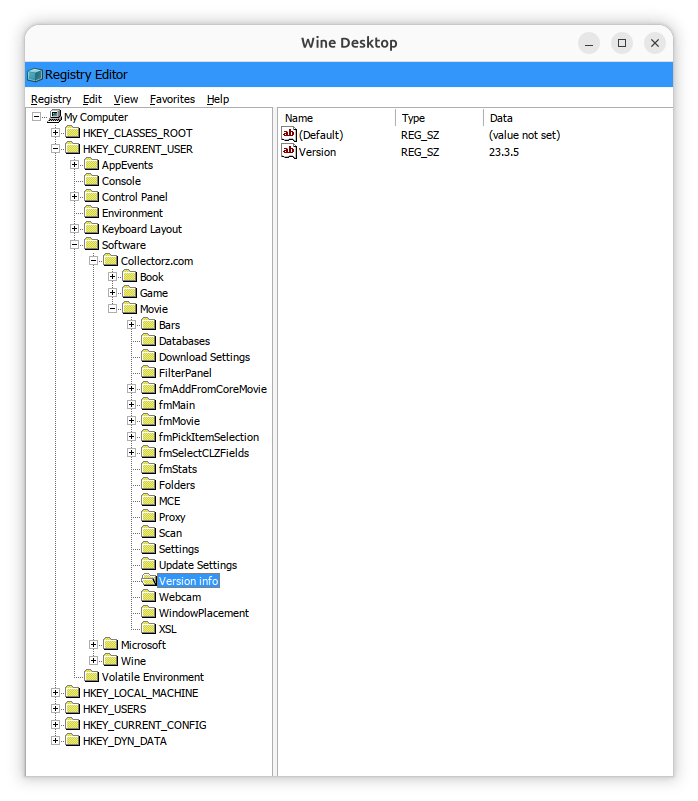
You can check specific keys with
reg query commands like the
ones below, where the Wine prefix is .wine-collectorz,
which show the version of Movie Collector, the location of the currently
specified database, and the location where backups will be stored.
alice@Wonderland:~$ WINEPREFIX=$HOME/.wine-collectorz wine reg query "HKCU\Software\Collectorz.com\Movie\Version info" /v Version

HKEY_CURRENT_USER\Software\Collectorz.com\Movie\Version info
    Version    REG_SZ    23.3.5

alice@Wonderland:~$ WINEPREFIX=$HOME/.wine-collectorz wine reg query "HKCU\Software\Collectorz.com\Movie\Databases" /v CurrentDatabase

HKEY_CURRENT_USER\Software\Collectorz.com\Movie\Databases
    CurrentDatabase    REG_SZ    T:\Movie Collector\Movies.mvc

alice@Wonderland:~$ WINEPREFIX=$HOME/.wine-collectorz wine reg query "HKCU\Software\Collectorz.com\Movie\Folders" /v Backup

HKEY_CURRENT_USER\Software\Collectorz.com\Movie\Folders
    Backup    REG_SZ    I:\Movie Collector\Backup\

alice@Wonderland:~$
References:
Related:
-
Creating and using a Wine prefix on an Ubuntu Linux system
Date: July 31, 2026 -
Windows Reg Query Command
Date: October 1, 2016

