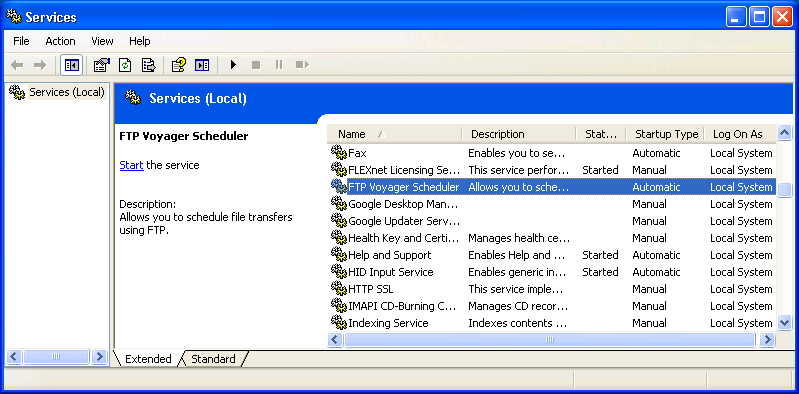
Initially I couldn't get Second Life to work on my wife's desktop system, which has Windows 7 and an ATI Radeon 9250 AGP video adapter. I was eventually able to resolve the problem, though.
[ More Info ]

|
| |||||||||||||||||||||||||||||||||||||||||||||||||||||||||
[ More Info ]
wpkg.js script from the command line, but when
run that way the %SOFTWARE% variable is not
set to point to the location where I store the software
I am going to install with WPKG. The value can be set
from the command line, however, with set SOFTWARE=\\server\share.
When using the WPKG-client program, the variable is set by it. If you
run the wpkg.js script manually with \\server\share\wpkg.js,
you need to set it manually. You can create a batch file, such as wpkg.cmd
to do so.
@echo off
set SOFTWARE=\\server\share
set SETTINGS=\\server\share2
cscript wpkg.js [whatever parameter you like]
References:
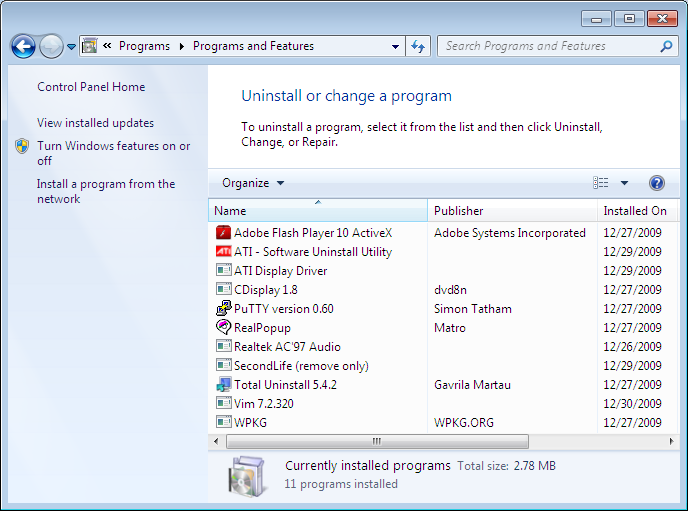
Uninstall
registry keys that are found at
HKEY_LOCAL_MACHINE\SOFTWARE\Microsoft\Windows\CurrentVersion\Uninstall
in the
Windows registry.
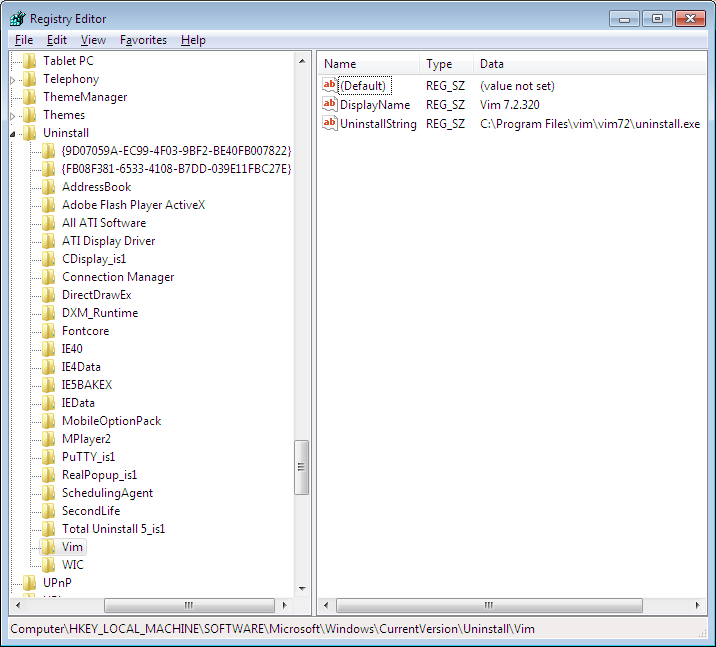
I created a batch file to query the registry to show all of the
programs that have such an Uninstall key and that will
accept a program name and return the uninstall command found under that
key for the program.
C:\Users\JDoe\Downloads>uninstallstring
AddressBook
Adobe Flash Player ActiveX
All ATI Software
ATI Display Driver
CDisplay_is1
Connection Manager
DirectDrawEx
DXM_Runtime
Fontcore
IE40
IE4Data
IE5BAKEX
IEData
MobileOptionPack
MPlayer2
PuTTY_is1
RealPopup_is1
SchedulingAgent
SecondLife
Total Uninstall 5_is1
Vim
WIC
{9D07059A-EC99-4F03-9BF2-BE40FB007822}
{FB08F381-6533-4108-B7DD-039E11FBC27E}
C:\Users\JDoe\Downloads>uninstallstring vim
C:\Program Files\vim\vim72\uninstall.exe
C:\Users\JDoe\Downloads>uninstallstring gvim
ERROR: The system was unable to find the specified registry key or value.
C:\Users\JDoe\Downloads>uninstallstring Adobe Flash Player ActiveX
C:\Windows\system32\Macromed\Flash\uninstall_activeX.exe
The batch file is as follows:
@echo off

REM uninstallstring.bat
REM
REM Written By: Jim Cameron
REM Created: 2009-12-29
REM Last Modified: 2009-12-30
REM Version: 1.0
REM
REM Usage:
REM
REM uninstallstring
REM uninstallstring program
REM
REM Purpose: If no arguments are given to the batch file on the command line,
REM it will display a list of all the programs with UninstallString values,
REM i.e., all the registry keys under
REM HKEY_LOCAL_MACHINE\SOFTWARE\Microsoft\Windows\CurrentVersion\Uninstall. If
REM an argument appears on the command line, it should be one of the values
REM reported when no arguments are given to the script, i.e. a program name,
REM such as "vim" or "Adobe Flash Player ActiveX" (don't actually put the quotes
REM around the names, even if there are spaces in the name. E.g. for the latter
REM case you would use the following:
REM
REM uninstallstring Adobe Flash Player Activex
REM
REM When a program name is included on the command line, uninstallstring.bat
REM will determine the "UninstallString" value in the registry for that
REM particular program, i.e.  the location for the uninstall program for a
REM particular piece of software. It will return just that value. E.g., for
REM the "uninstallstring vim", it would return the following:
REM
REM C:\Program Files\vim\vim72\uninstall.exe
REM
REM If it can not find an uninstall registry value for the program listed it
REM will return the following:
REM
REM ERROR: The system was unable to find the specified registry key or value.

REM The following example shows a "reg query" command that could be issued from
REM the command line to determine the value of "UninstallString" for the Vim
REM editor software. The last line of output contains the "value name",
REM "value type", and "value data", which is the part of the output of interest.

REM C:\>reg query HKEY_LOCAL_MACHINE\SOFTWARE\Microsoft\Windows\CurrentVersion\Uninstall\Vim /v UninstallString
REM
REM HKEY_LOCAL_MACHINE\SOFTWARE\Microsoft\Windows\CurrentVersion\Uninstall\Vim
REM    UninstallString    REG_SZ    C:\Program Files\vim\vim72\uninstall.exe

REM First, display the UninstallString values present in the registry.
REM Values returned by the reg query command will be in the following format:
REM
REM HKEY_LOCAL_MACHINE\SOFTWARE\Microsoft\Windows\CurrentVersion\Uninstall\Vim

IF "%1"=="" (
 GOTO Show_All
) ELSE (
 GOTO Find_String )

:Show_ALL

set _All=reg query HKEY_LOCAL_MACHINE\SOFTWARE\Microsoft\Windows\CurrentVersion\Uninstall
FOR /f "tokens=6* delims=\" %%A IN ('%_All%') Do echo %%B
GOTO End

:Find_String

REM Set _Program to be the parameter entered on the command line.
REM Use %* rather than %1 to cover cases where the program has spaces in the
REM name.
set _Program=%*

REM Set the variable _UninstallString_Query to the reg query command to be issued.

set _UninstallString_Query=reg query "HKEY_LOCAL_MACHINE\SOFTWARE\Microsoft\Windows\CurrentVersion\Uninstall\%_Program%" /v  UninstallString

REM There are two parts at the beginning of the line, the "value name" and the
REM "value type" that aren't relevant, By specifying "2*" the "value name" is
REM ignored, the "value type" goes into %%A and %%B holds everything else on
REM the line.

FOR /f "skip=2 tokens=2*" %%A IN ('%_UninstallString_Query%') Do echo %%B

:EndReferences:
<?xml version="1.0" encoding="UTF-8"?>

<packages>

<package
  id="Sysinternals"
  name="Sysinternals"
  revision="1"
  reboot="false"
  priority="1">

  <check type="file" condition="exists" path="%PROGRAMFILES%\Utilities\Sysinternals\handle.exe" />
  <!-- Test first to see if the Sysinternals directory already exists.
  Otherwise, if it exists and an attempt is made to create it, which
  will fail, the entire installation process will fail as well.
  Note: the double quotes must appear around the file name used as
  a test for "if not exist", since %PROGRAMFILES% expands to a directory
  path with a space in it. -->
  <install cmd='cmd /c if not exist "%PROGRAMFILES%\Utilities\Sysinternals" mkdir %PROGRAMFILES%\Utilities\Sysinternals' />
  <install cmd='cmd /c copy %SOFTWARE%\Utilities\Sysinternals\handle.exe "%PROGRAMFILES%\Utilities\sysinternals\."' />
  <remove cmd='cmd /c rmdir /s /q "%PROGRAMFILES%\Utilities\Sysinternals"' />
  <upgrade cmd='' />

</package>

</packages>
When handle.exe is first run, it prompts for the acceptance of
the End User License Agreement (EULA). You can avoid the prompt by running
the command with the /accepteula parameter, e.g.
handle /accepteula. It has to be run from from any
account under which you want to use the program. It creates the registry key
HKEY_USERS\SID\Software\Sysinternals\Handle, where
SID
is the Security Identifier for the user under which it is being run.
Within the key, it creates the value below:
| Name | Type | Data |
|---|---|---|
| EulaAccepted | REG_DWORD | 0x00000001 (1) |
You can just use handle /accepteula or you can use
REG ADD HKCU\Software\Sysinternals\Handle /v EulaAccepted /t REG_DWORD
/d 1 /f
under the relevant account to create the registry key.
References:
THe WPKG page for Vim, noted that the Windows installer from vim.org doesn't have a silent installer, bu the installer created by Steve Hall, which is the one I downloaded from the sourceforge.net site does have one. The author of the WPKG webpage for Vim also noted that Steve's Vim installers from 7.0.146 onwards work correctly for silent installs; however, silent uninstalls still do not work correctly.
The WPKG webpage author created the following removal batch file:
@echo off


if exist "C:\Program Files\vim\vim70\uninstall.exe" %comspec% /c start "Vim" /wait /d %WINDIR% "C:\program files\vim\vim70\uninstall.exe" /S


exit 0
His batch file presumed that Vim would be installed in
C:\program files\vim. I wanted to specify a different
directory for the installation directory, so I created a batch file
that will check the
Windows registry for the location where Vim is installed and then
uninstall the software based on the location found for it under the
UninstallString for Vim in the registry.
@echo off


REM The following example shows a "reg query" command that could be issued

REM from the command line to determine the value of "UninstallString" for

REM the Vim editor software. The last line of output contains the "value name",


REM  "value type", and "value data", which is the part of the output of

REM interest.


REM C:\>reg query HKEY_LOCAL_MACHINE\SOFTWARE\Microsoft\Windows\CurrentVersion\Uninstall\Vim /v UninstallString

REM

REM HKEY_LOCAL_MACHINE\SOFTWARE\Microsoft\Windows\CurrentVersion\Uninstall\Vim

REM     UninstallString    REG_SZ    C:\Program Files\vim\vim72\uninstall.exe


REM Set the variable _UninstallString_Query to the reg query command to be

REM issued.


set _UninstallString_Query=reg query HKEY_LOCAL_MACHINE\SOFTWARE\Microsoft\Windows\CurrentVersion\Uninstall\Vim /v UninstallString


REM There are two parts at the beginning of the line, the "value name" and

REM the "value type" that aren't relevant. By specifying "2*" the "value name"

REM is ignored, the "value type" goes into %%A and %%B holds everything else

REM on the line.


FOR /f "tokens=2*" %%A IN ('%_UninstallString_Query%') Do set _Uninstall_program=%%B


%comspec% /c start "Vim" /wait /d %WINDIR% "%_uninstall_program%" /S


exit 0
The installation file, gvim-7-2-320.exe was built with the
Nullsoft Scriptable Install
System (NSIS) as I could see by analyzing the file with
FileAlyzer and
searching for text in the binary file and also when I tried running the
file without the /S option for a silent install. When I ran
the file without the /S option, I saw "Nullsoft Install System
v2.45" displayed on one of the installation windows.
An installation package created with NSIS should accept a
/D=dir parameter to allow one to specify the
installation directory, but no matter what I tried the software always
installed in the default location of C:\Program Files\vim. I
did put the option at the end of the installation line and used a capital
"D" for the parameter, since the parameters are case sensitive. For the WPKG
install line I first tried the following:
<install cmd='%SOFTWARE%\Editors\gvim-7-2-320.exe /S' /D=%PROGRAMFILES%\Editors\vim/>
That didn't work. the WPKG webpage for NSIS stated
"It must be the last parameter used in the command line and must not contain
any quotes, even if the path contains spaces. Only absolute paths are
supported." So I tried the following variations in place of the environment
variable %PROGRAMFILES%, but the results were always the same.
\Program Files\Editors\vim

C:\Program Files\Editors\vim

C:\Progra~1\Editors\vim

\Progra~1\Editors\vim
I.e. Vim was installed in C:\Program Files\vim no matter what
I used. I thought that perhaps I had to use the 8.3 form for directores
with a space in them, but using Progra~1 for Program Files
did not help. It didn't matter that the directory Editors
already existed, i.e. that I wasn't expecting it to create multiple
directory levels. I finally just left it in that location.
The package file I used with WPKG for gvim, gvim.xml contains
the following lines:
<?xml version="1.0" encoding="UTF-8"?>

<packages>

<package id="gvim" name="gvim" revision="1" reboot="false" priority="0">
   <check type="uninstall" condition="exists" path="Vim 7.2.320" />
   <!-- Though it uses the NSIS installer, the program won't accept
   the /D=dir option that allows you to specify the installation
   directory. It insists on installing itself in C:\Program Files\vim. -->

  <install cmd='%SOFTWARE%\Editors\gvim-7-2-320.exe /S' />
  <upgrade cmd='%SOFTWARE%\Editors\vim-remove.bat' />
  <upgrade cmd='%SOFTWARE%\Editors\gvim-7-2-320.exe /S'  />
  <remove cmd='%SOFTWARE%\Editors\vim-remove.bat' />
</package>


</packages>realpopup.xml file which I placed in WPGK's
packages directory on the server from which I install
software. The realpopup.xml file contained the following
commands:
<?xml version="1.0" encoding="UTF-8"?>

<packages>

<package
   id="RealPopup"
   name="RealPopup"
   revision="1"
   priority="3"
   reboot="false">

   <check type="uninstall" condition="exists" path="RealPopup"/>

   <install cmd='%SOFTWARE%\Network\Chat\RealPopup\realp26_167.exe /sp- /verysilent /Dir="%PROGRAMFILES%\Network\Chat\RealPopup"'/>

   <upgrade cmd='%SOFTWARE%\Metwork\Chat\RealPopup\realp26_167.exe /sp- /verysilent /Dir="%PROGRAMFILES%\Network\Chat\RealPopup"'/>

   <remove cmd='"%PROGRAMFILES%\Network\Chat\RealPopup\unins000.exe" /sp- /verysilent /norestart'/>

</package>

</packages>
%SOFTWARE% is a variable representing the directory on
the server where software to be installed is located. I was able to specify
the directory where the software should be installed with
/Dir="%PROGRAMFILES%\Network\Chat\RealPopup" rather than having
to accept the default installation directory, since RealPopup uses
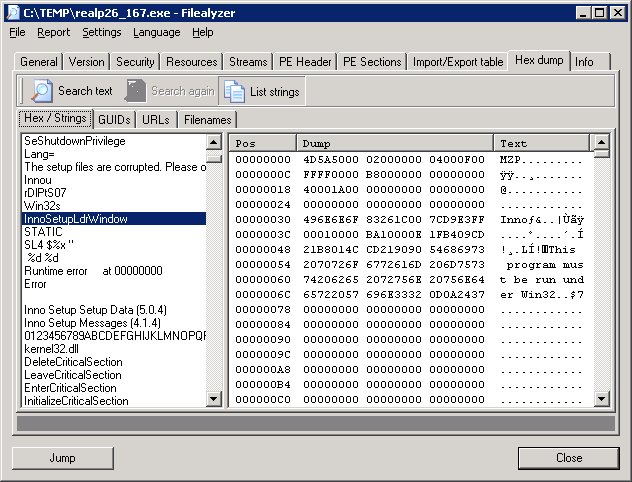
Inno Setup, an open source
installer, to install RealPopup. I could tell beforehand
that it uses Inno Setup by analyzing it with
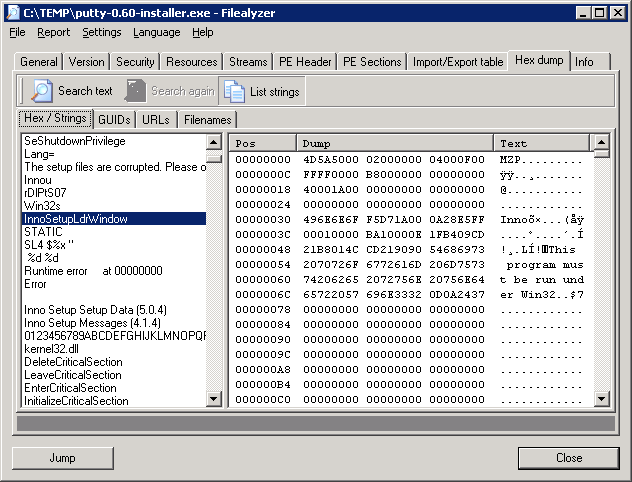
Filealyzer.
The developer's website no longer exists, but I found the software still works under Windows 7. The program provides a capability to chat with other users on the same LAN. It supports many useful features such as options for users and groups, an internal network browser, names auto complete, and so on. RealPopup is available in more than 12 languages.
putty.xml file which I placed in WPGK's
packages directory on the server from which I install software.
The putty.xml file contained the following commands:
<?xml version="1.0" encoding="UTF-8"?>

<packages>

<package
   id="PuTTY"
   name="PuTTY"
   revision="0600"
   priority="1"
   reboot="false">

   <check type="uninstall" condition="exists" path="PuTTY version 0.60"/>

   <install cmd='%SOFTWARE%\network\ssh\putty-0.60-installer.exe /sp- /verysilent /Dir="%PROGRAMFILES%\Network\SSH\PuTTY"'/>

   <upgrade cmd='%SOFTWARE%\network\ssh\putty-0.60-installer.exe /sp- /verysilent'/>

   <remove cmd='"%PROGRAMFILES%\Network\SSH\PuTTY\unins000.exe" /sp- /verysilent /norestart'/>

</package>
%SOFTWARE% is a variable representing the directory on
the server where software to be installed is located. I was able to specify
the directory where the software should be installed with
/Dir="%PROGRAMFILES%\Network\SSH\PuTTY" rather than having
to accept the default installation directory of %PROGRAMFILES%\PuTTY
, since PuTTY uses Inno
Setup, an open source installer, to install PuTTY. I could tell beforehand
that it uses Inno Setup by analyzing it with
Filealyzer.
[ More Info ]
monitor command can be used to have all of the data
to and from a particular port copied to another port of your choosing
on the switch.
bash-2.03$ /usr/local/bin/elogd -c /home/elog/elogd.cfg -d /home/elog/logbooks -n localhost -D
ld.so.1: /usr/local/bin/elogd: fatal: libssl.so.0.9.8: open failed: No such file
 or directory
I had been running the program before without a problem, so I looked for
libssl.so.0.9.8. It was present on the system.
bash-2.03$ find / -name libssl.so.0.9.8 -print 2>/dev/null
/usr/local/ssl/lib/libssl.so.0.9.8
# ls -l /usr/local/ssl/lib
total 8950
drwxr-xr-x   2 bin      bin          512 Jun 22 15:46 engines
-r--r--r--   1 bin      bin         5396 Mar 29  2009 fips_premain.c
-r--r--r--   1 bin      bin           68 Mar 29  2009 fips_premain.c.sha1
-rw-r--r--   1 bin      bin      2263212 Mar 29  2009 libcrypto.a
lrwxrwxrwx   1 root     other         18 Oct 16  2007 libcrypto.so -> libcrypto.
so.0.9.8
-r-xr-xr-x   1 bin      bin      1525564 Mar 29  2009 libcrypto.so.0.9.8
-rw-r--r--   1 bin      bin       416204 Mar 29  2009 libssl.a
lrwxrwxrwx   1 root     other         15 Oct 16  2007 libssl.so -> libssl.so.0.9
.8
-r-xr-xr-x   1 bin      bin       313176 Mar 29  2009 libssl.so.0.9.8
drwxr-xr-x   2 bin      bin          512 Jun 22 15:46 pkgconfig
So I checked to see what libraries elogd was using with the ldd
command.
bash-2.03$ ldd /usr/local/bin/elogd
        libsocket.so.1 =>        /usr/lib/libsocket.so.1
        libnsl.so.1 =>   /usr/lib/libnsl.so.1
        libssl.so.0.9.8 =>       (file not found)
        libc.so.1 =>     /usr/lib/libc.so.1
        libdl.so.1 =>    /usr/lib/libdl.so.1
        libmp.so.2 =>    /usr/lib/libmp.so.2
        /usr/platform/SUNW,Ultra-5_10/lib/libc_psr.so.1
So I then logged into the root account and checked the elogd file with the ldd command from that account.
bash-2.03$ su - root
Password:
Sun Microsystems Inc.   SunOS 5.7       Generic October 1998
# ldd /usr/local/bin/elogd
        libsocket.so.1 =>        /usr/lib/libsocket.so.1
        libnsl.so.1 =>   /usr/lib/libnsl.so.1
        libssl.so.0.9.8 =>       /usr/local/ssl/lib/libssl.so.0.9.8
        libc.so.1 =>     /usr/lib/libc.so.1
        libdl.so.1 =>    /usr/lib/libdl.so.1
        libmp.so.2 =>    /usr/lib/libmp.so.2
        libcrypto.so.0.9.8 =>    /usr/local/ssl/lib/libcrypto.so.0.9.8
        libgcc_s.so.1 =>         /usr/local/lib/libgcc_s.so.1
        /usr/platform/SUNW,Ultra-5_10/lib/libc_psr.so.1
From that account, I did not see "file not found" for
libssl.so.0.9.8.
At an FAQ page on the Electrical and Computer Engineering Department website for the University of Toronto I found the following advice:
Q. When I try to run "svn" on Solaris, I get the error:
ld.so.1: svn: fatal: libssl.so.0.9.8: open failed: No such file or directory
Killed
How can I get svn to work on Solaris?A. Add /local/openssl-0.9.8a/lib to the LD_LIBRARY_PATH env var before you \start:
i.e., setenv LD_LIBRARY_PATH /local/openssl-0.9.8a/lib
I checked the LD_LIBRARY_PATH setting for the root command.
# echo $LD_LIBRARY_PATH
/usr/lib:/usr/local/lib:/usr/local/ssl/lib
I then checked the value for the variable for the user account.
bash-2.03$ echo $LD_LIBRARY_PATH

bash-2.03$
On Solaris systems, you can use the -s option to show the full
library search path.
bash-2.03$ ldd -s /usr/local/bin/elogd

   find object=libsocket.so.1; required by /usr/local/bin/elogd
    search path=/usr/lib  (default)
    trying path=/usr/lib/libsocket.so.1
        libsocket.so.1 =>        /usr/lib/libsocket.so.1

   find object=libnsl.so.1; required by /usr/local/bin/elogd
    search path=/usr/lib  (default)
    trying path=/usr/lib/libnsl.so.1
        libnsl.so.1 =>   /usr/lib/libnsl.so.1

   find object=libssl.so.0.9.8; required by /usr/local/bin/elogd
    search path=/usr/lib  (default)
    trying path=/usr/lib/libssl.so.0.9.8
        libssl.so.0.9.8 =>       (file not found)

   find object=libc.so.1; required by /usr/local/bin/elogd
    search path=/usr/lib  (default)
    trying path=/usr/lib/libc.so.1
        libc.so.1 =>     /usr/lib/libc.so.1

   find object=libnsl.so.1; required by /usr/lib/libsocket.so.1

   find object=libc.so.1; required by /usr/lib/libsocket.so.1

   find object=libdl.so.1; required by /usr/lib/libnsl.so.1
    search path=/usr/lib  (default)
    trying path=/usr/lib/libdl.so.1
        libdl.so.1 =>    /usr/lib/libdl.so.1

   find object=libc.so.1; required by /usr/lib/libnsl.so.1

   find object=libmp.so.2; required by /usr/lib/libnsl.so.1
    search path=/usr/lib  (default)
    trying path=/usr/lib/libmp.so.2
        libmp.so.2 =>    /usr/lib/libmp.so.2

   find object=libdl.so.1; required by /usr/lib/libc.so.1

   find object=libc.so.1; required by /usr/lib/libmp.so.2

   find object=/usr/platform/SUNW,Ultra-5_10/lib/libc_psr.so.1; required by /usr/lib/libc.so.1
        /usr/platform/SUNW,Ultra-5_10/lib/libc_psr.so.1
bash-2.03$
So, when attempting to run elogd from the user account, the system was
only checking /usr/lib for libssl.so.0.9.8. Since
the file wasn't in that location, I got the "fatal: libssl.so.0.9.8: open
failed: No such file or directory" message. So, though I thought I had
been running the program from that user account, I must have always previously
been running it from the root account, since I didn't ever see the error message
before when running elogd.
So, while logged into the user account, I set LD_LIBRARY_PATH
to /usr/local/ssl/lib. I was then able to run elogd from the user
account without an error message appearing.
bash-2.03$ LD_LIBRARY_PATH=/usr/local/ssl/lib
bash-2.03$ export LD_LIBRARY_PATH
bash-2.03$ /usr/local/bin/elogd -c /home/elog/elogd.cfg -d /home/elog/logbooks -
n localhost -D
bash-2.03$ ps -ef | grep elogd | grep -v grep
jsmith  7961     1  0 14:13:05 ?        0:00 /usr/local/bin/elogd -c /home/elog/
elogd.cfg -d /home/elog/logbooks -n localhos
References:
For egg safety - to stay healthy and avoid foodborne illness — USDA advises:
- Always buy eggs from a refrigerated case. Choose eggs with clean, uncracked shells.
- Buy eggs before the "Sell-By" or "EXP" (expiration) date on the carton.
- Take eggs straight home from the grocery store and refrigerate them right away. Check to be sure your refrigerator is set at 40°F or below. Don't take eggs out of the carton to put them in the refrigerator -- the carton protects them. Keep the eggs in the coldest part of the refrigerator — not on the door.
- Raw shell eggs in the carton can stay in your refrigerator for three to five weeks from the purchase date. Although the "Sell-By" date might pass during that time, the eggs are still safe to use. (The date is not required by federal law, but some states may require it.)
- Always wash your hands with warm water and soap before and after handling raw eggs. To avoid cross-contamination, you should also wash forks, knives, spoons and all counters and other surfaces that touch the eggs with hot water and soap.
- Don't keep raw or cooked eggs out of the refrigerator more than two hours.
- Egg dishes such as deviled eggs or egg salad should be used within 3 to 4 days.
Since the recommendation from the FSIS site was not to use egg sald after 3 to 4 days, I threw away the egg salad.
It took me awhile to figure out that the problem was simply due to an image resizing option being set to "percent" rather than "pixels". I should have spotted that fairly quickly, but didn't.
[ More Info ]
I tried a couple of memory sticks, but the result was the same. She could sometimes move files from a memory stick, but then attempting to access the memory stick again would cause the Windows Explorer to stop responding.
I downloaded and installed the Realtek USB 2.0 Card Reader driver, which appears to have resolved the problem.| Released: | 2009-08-28 |
| Version: | 6.1.7100.30093 A |
| Compatibility: | Microsoft Windows 7 (32-bit), Microsoft Windows 7 Home Premium (64-bit), Microsoft Windows 7 (64-bit), Microsoft Windows 7 Professional (64-bit), Microsoft Windows 7 Ultimate (64-bit), Microsoft Windows 7 Home Basic (32-bit), Microsoft Windows 7 Home Premium (32-bit), Microsoft Windows 7 Professional (32-bit), Microsoft Windows 7 Ultimate (32-bit), Microsoft Windows 7 Starter (32-bit), Microsoft Windows 7 Home Basic (64-bit) |
| System requirements: | No additional prerequisites |
| Description: | This driver enable card reader read/write functionalities. |
| Enhancements: | Original Software/Drivers |
Download Site: HP
Download URL:
Realtek USB 2.0 Card Reader
[ More Info ]
[ More Info ]
SecuROM:
X:\Documents and Settings\Amy\Application Data>dir /ah
 Volume in drive X is Sun
 Volume Serial Number is 4E62-15B2

 Directory of X:\Documents and Settings\Amy\Application Data

09/08/2009  06:49 PM    <DIR>          .
09/08/2009  06:49 PM    <DIR>          ..
08/30/2005  08:52 AM                62 desktop.ini
08/27/2007  04:54 PM    <DIR>          SecuROM
               1 File(s)             62 bytes
               3 Dir(s)  173,915,779,072 bytes free

X:\Documents and Settings\Amy\Application Data>dir /ah SecuROM
 Volume in drive X is Sun
 Volume Serial Number is 4E62-15B2

 Directory of X:\Documents and Settings\Amy\Application Data\SecuROM

08/27/2007  04:54 PM    <DIR>          .
08/27/2007  04:54 PM    <DIR>          ..
08/27/2007  04:54 PM    <DIR>          UserData
               0 File(s)              0 bytes
               3 Dir(s)  173,915,779,072 bytes free

X:\Documents and Settings\Amy\Application Data>dir /ah SecuROM\UserData
 Volume in drive X is Sun
 Volume Serial Number is 4E62-15B2

 Directory of X:\Documents and Settings\Amy\Application Data\SecuROM\UserData

08/27/2007  04:54 PM    <DIR>          .
08/27/2007  04:54 PM    <DIR>          ..
08/27/2007  04:55 PM               444 securom_v7_01.bak
08/27/2007  04:55 PM               444 ???????????p?????????
08/27/2007  04:55 PM                16 ???????????p?????????
               3 File(s)            904 bytes
               2 Dir(s)  173,915,680,768 bytes free
Checking on what SecuROM might be, I found
a Wikipedia webpage on it
at SecuROM.
SecuROM is a CD/DVD copy protection product, most often used for commercial computer games running under Microsoft Windows, developed by Sony DADC. SecuROM aims to resist home media duplication devices, professional duplicators, and attempts at reverse engineering the game. The use of SecuROM has generated controversy due to the fact that it is not uninstalled upon removal of the game. In 2008, consumers filed a class-action lawsuit against Electronic Arts for its use of SecuROM in the video game Spore.
I found the following information in the article troubling, since I sometimes use Process Explorer on systems for troubleshooting purposes.
I checked to see what software was installed on the system on August 27, 2007, which is the date the SecuROM directory and files within it were created. The family member installed a lot of games that day. The SecuROM directory was created at 4:54 P.M. that day. I saw she installed Jewel Logic shortly before the SecuROM directory was created. Jewel Logic is produced by Cosmi Corporation. Since the timestamp on the Jewel Logic directory on her system was 4:53 P.M., I suspect that when she installed Jewel Logic, it used the SecuROM copy protection scheme and as a result the SecuROM files were placed on her system during the installation of Jewel Logic.Disk drive emulators and some debugging software will also cause the launch of the game to fail and a security module error to be generated. In fact a reboot of the entire system was required if Process Explorer prior to version 11 was used before an attempt to run the protected software. That problem was caused by a driver that was kept in memory after Process Explorer was closed.
References:
[ More Info ]
Initially, I thought the program stored the default world file
directory location in the Windows registry, but I found that, though
there was a DefaultWorldFileDirectory value in the registry,
the program actually used an SQLite database, instead of the registry
entry.
[ More Info ]
HKEY_CURRENT_USER\Software\DataViz\PasswordsPlusThe key will have a DaggerFolder value.
| Value name: | DaggerFolder |
| Value data: | C:\Users\Jane\Documents\Passwords Plus |
The directory listed will be the location where Passwords Plus creates its user folders where it will store individual password databases
Passwords Plus allows a user to have multiple databases specified
by user. For instance, Jane Smith could create one with
a username of Jane for her personal passwords and another one
JSmith for her work-related passwords.
HKEY_CURRENT_USER\Software\DataViz\PasswordsPlus registry
entry, you would find the following:
HKEY_CURRENT_USER\Software\DataViz\PasswordsPlus\Users\Jane
And the following value would be found within that key:
| Value name: | DBPath |
| Value data: | C:\Users\Jane\Documents\Passwords Plus\Jane\PassPlusDB.PDB |
The value would specify exactly where the Passwords Plus database would be located.
If Jane created another user within Passwords Plus, named JSmith,
the following would also be found within a
HKEY_CURRENT_USER\Software\DataViz\PasswordsPlus\Users\JSmith
key:
| Value name: | DBPath |
| Value data: | C:\Users\Jane\Documents\Passwords Plus\JSmith\PassPlusDB.PDB |
If you want to have multiple systems share the same databases, which
will be accessible through a shared folder on a server, you could change
the DaggerFolder and DBPath values. E.g.,
suppose there is a folder shared from MyServer with a share
name of Shared and underneath that shared folder is a
directory named Passwords with holds the various usernames
created for Passwords Plus. Then you could have the following value
for DaggerFolder
| Value name: | DaggerFolder |
| Value data: | \\MyServer\Shared\Passwords |
And you could use the following for a Passwords Plus username of Jane:
| Value name: | DBPath |
| Value data: | \\MyServer\Shared\Passwords\Jane\PassPlusDB.PDB |
If you wanted to copy these settings from one system to
another, so that you don't have to manually edit the registry
values on the second system, you can run regedit
and navigate to HKEY_CURRENT_USER\Software\DataViz,
click on it to select it, then select File and
Export the registry settings to a file,
say Passwords-Plus-Users.reg. You can then
take that registry file to another system and double-click
on it to enter the same values into the registry on that
system.
Note: these notes were written for Passwords Plus for Windows 1.006 and 1.007 and may or may not apply to other versions.
HKEY_LOCAL_MACHINE\SOFTWARE\Sierra OnLine\Hallmark Card
Studio\Deluxe\1\Paths
might have the following information
for a default installation.| Value name: | DataPath |
| Value data: | c:\SIERRA\CardStudio\Data |
On a Windows XP system, you would find the PLANR32.DAT
file it uses at that location. However, on a Windows 7 system,
the data might actually be stored in PLANR32.DAT
in another location specific to the user account from which
the data is accessed, .e.g for a user with an account name
of Liza, the data directory would be
C:\Users\Liza\AppData\Local\VirtualStore\SIERRA\CardStudio\Data,
assuming you selected the default location for installing the software
rather than putting it under C:\Program Files\SIERRA\CardStudio
as I would do. The PLANR32.BAK backup file it creates when you
update the data would be in the same location.
Note: the VirtualStore registry entry is an example of
Registry virtualization. According to Microsoft, "Registry
virtualization is an application compatibility technology that
enables registry write operations that have global impact to be redirected
to per-user locations. This redirection is transparent to applications
reading from or writing to the registry. It is supported starting with
Windows Vista."
But, you can have Card Studio look elsewhere by changing the
regsitry value for DataPath. E.g. you could have the program
on two systems look in a directory at a network location for
the data, so that the two systems would share the same data.
For instance you could put
\\MyServer\Shared\Sierra\CardStudio\Data in that registry
entry to have it look on a system named MyServer with
a directory shared as Shared. Note: you will have to
run regedit from an administrator's account to
be able to update the registry entry.
HKEY_LOCAL_MACHINE\SOFTWARE\Sierra OnLine\Hallmark Card
Studio\Deluxe\1\Paths
| Value name: | DataPath |
| Value data: | \\MyServer\Shared\Sierra\CardStudio\Data |
References:
Mon 11/16/2009

0 	 McFadden Associates E-mail Blacklist
70 	 Spamhaus Block List
4687 	 Passive Spam Block List (PSBL)
2496 	 Spam and Open Relay Blocking System (SORBS)
50 	 Swinog DNSRBL
14 	 Not Just Another Bogus List (NJABL)

7317 	 Total
The McFadden blacklist hasn't been working for quite some time; I should
have removed it from sendmail's /etc/mail/sendmail.mc file
previously. I removed it today and added the
SpamCop Blocking List (SCBL).
I decided to add that list after reading a comment at Blocking Spam That Are In A Foreign Language by Low Jeremy about its usefulness in blocking messages in a foreign language. I've been getting a lot of messages that appear to be in Russian. Since I can't read Russian, such messages are of no avail to the spammers and are exceedingly annoying to me, since they clutter my inbox every day.
I'm using sendmail on the server, so I replaced the reference to the
defunct McFadden Associates E-mail Blacklist in
/etc/mail/sendmail.mc with
FEATURE(`enhdnsbl', `bl.spamcop.net', `"Spam blocked see:
http://spamcop.net/bl.shtml?"$&{client_addr}', `t')dnl
.
There are instructions for incorporating an SCBL check into various email server programs at How do I configure my mailserver to reject mail based on the blocklist? Specific instructions for sendmail are at SpamCop FAQ: Sendmail.
I followed the suggestion of using enhdnsbl, an enhanced
version of DNSBL, rather than
dnsbl as I'm using in /etc/mail/sendmail.mc for other
blacklists on
the system, because I have a recent version of sendmail and because the
SpamCop site had the following information:
Some problems have been found with later versions of Sendmail.
The easiest fix may be to use the second method above, enhdnsblk instead of dnsbl.
SpamCop uses 'rbldns' to serve it's blacklist information. Rbldns does not yet have support for IPv6, but newer versions of sendmail (8.12.0 and greater) try IPv6 before IPv4. Sendmail asks for an AAAA record instead of an A record and SpamCop rejectes the query - resulting in spam slipping through the filters.
There are instructions for disabling AAAA (IPv6) queries from sendmail at
Disable AAAA (IPv6) lookups without recompiling Sendmail, and
the sendmail.org site states the
following, but I decided to just use the enhdnsbl approach.
Some DNS based rejection lists cause failures if asked for AAAA records. If your sendmail version is compiled with IPv6 support (NETINET6) and you experience this problem, add
define(`DNSBL_MAP', `dns -R A')
before the first use of this feature. Alternatively you can use enhdnsbl instead (see below).
I deleted the McFadden blacklist entry and added the SCBL entry to the end
of the list of blacklists I check. I now have the following in
/etc/mail/sendmail.mc:
FEATURE(local_procmail, `', `procmail -t -Y -a $h -d $u')dnl
FEATURE(`access_db', `hash -T<TMPF> -o /etc/mail/access.db')dnl
FEATURE(`blacklist_recipients')dnl
FEATURE(`dnsbl', `sbl.spamhaus.org', `550 Spam Block: mail from $&{client_addr} refused - See http://www.spamhaus.org/sbl/')dnl
FEATURE(`dnsbl', `psbl.surriel.com', `550 Spam Block: mail from $&{client_addr} refused - see http://psbl.surriel.com/')dnl
FEATURE(`dnsbl',`dnsbl.sorbs.net',`550 Spam Block: mail from $&{client_addr} refused - see http://dnsbl.sorbs.net/')dnl
FEATURE(`dnsbl',`dnsrbl.swinog.ch',`550 Spam Block: mail from $&{client_addr} refused - see http://antispam.imp.ch/spamikaze/remove.php')dnl
FEATURE(`dnsbl',`dnsbl.njabl.org',`550 Spam Block: mail from $&{client_addr} refused - see http://njabl.org/lookup?$&{client_addr}')dnl
FEATURE(`enhdnsbl', `bl.spamcop.net', `"Spam blocked see: http://spamcop.net/bl.shtml?"$&{client_addr}', `t')dnl
I regenerated sendmail.cf with m4 /etc/mail/sendmail.mc >
/etc/mail/sendmail.cf and then restarted sendmail with
/etc/init.d/sendmail restart.
A few minutes after I restarted sendmail, I checked
/var/log/maillog to see whether the SCBL had blocked any spam
and found it had already blocked 21 messages.
# grep spamcop /var/log/maillog | wc -l
21
References:
C:\$WINDOWS.~Q\DATA\Users\admin\Desktop\desktop.ini: Worm.Autorun-2190 FOUND
C:\$WINDOWS.~Q\DATA\Windows\System32\config\systemprofile\Desktop\desktop.ini: Worm.Autorun-2190 FOUND
C:\Users\admin\Desktop\desktop.ini: Worm.Autorun-2190 FOUND
C:\Users\Liza\Desktop\desktop.ini: Worm.Autorun-2190 FOUND
C:\Windows\SoftwareDistribution\Download\d16f45aa864340ccf36504588c6fae4b\excel.cab: W32.Virut.Gen.D-163 FOUND
C:\Windows\SoftwareDistribution\Download\daa4e3a0ea4e94aba329bc28d3b354b1\xlconv.cab: W32.Virut.Gen.D-163 FOUND
But, I believe all of those were false positives.
[ More Info ]
[ More Info ]
[ More Info ]
Seen a font in use and want to know what it is?
Submit an image to WhatTheFont to find the closest matches in our database. Or, let cloak-draped font enthusiasts lend a hand in the WhatTheFont Forum
You can upload an image file to the site for analysis or specify a URL.
You can also search for and buy fonts from the site at MyFonts.
Documents and Settings\All Users\Start Menu\Programs
folder where I would add a new folder under Windows XP. Instead,
you add a folder under C:\ProgramData\Microsoft\Windows\Start
Menu\Programs. To see this folder you will have to turn on the
display of hidden files and folders, which you do under Windows 7
by selecting "Organize" from the Windows Explorer, then
selecting "Folder and search options", and then
clicking on the "View tab". Then under "Hidden files and folders",
select "Show hidden files, folders, and drives". You will then be able to see
the C:\ProgramData\Microsoft\Windows\Start Menu\Programs folder
and create a new folder within it.
Once I had created the Utilities folder by right-clicking and
selecting "New" and "Folder" within the
C:\ProgramData\Microsoft\Windows\Start Menu\Programs, I then
expected to just be able to right-click again within the Utilities
folder and select "New" and "Shortcut". But the only option under "New" was
"Folder". So I next opened another Windows Explorer window, thinking I could
create a shortcut by just going to the folder where the program was located
that I wanted to add to the Utilities folder and then clicking
on the program, in this case procmon.exe, and then dragging
it over to C:\ProgramData\Microsoft\Windows\Start Menu\Programs\Utilities
while holding down the Alt key (if you just drag the program
from one location on the same drive to another, the progam is moved, but, if
you hold down the Alt key at the same time, you will get a shortcut,
aka "link"). But that didn't work either. I received the message
"Windows can't create a shorcut here. Do you want the shortcut to be placed on
the desktop instead?" I chose "yes". I was then able to move the shortcut
from the desktop to the C:\ProgramData\Microsoft\Windows\Start
Menu\Programs\Utilities, though I was told "You'll need to provide
administrator permission to move to this folder." I clicked on "Continue"
and the shortcut was moved. I was logged on under an account, admin, in
the administrator group throughout the process.
This seems like a far more cumbersome means of performing a fairly simple task under Windows 7 than it was under Windows XP.
Apparently, you can have at most 70 folders under "All Programs" in Windows 7. Tim Long posted the following at Windows 7 Blank ‘All Programs’ Menu:
I’ve run into a problem in Windows 7 RC where the ‘All Programs’ menu goes completely blank, making it a pain to access installed programs. The search feature still works and programs can be accessed that way.
This happens when there are more than about 70 folders in the ‘All Programs’ menu. The workaround I have come up with is:
- Uninstall programs until there is <70 folders in the All Programs menu.
- Use Explorer to browse the All Programs folder (typically C:\ProgramData\Microsoft\Windows\Start Menu\Programs) and reorganise some of the folders into a subfolder. For example, create a Utilities folder and drag some of the other folders inside it. There must be <70 folders in the top level.
So you can use either method 1 or method 2 above to resolve the problem.
References:
According to Wikipedia, the Semantic Web is "is an evolving development of the World Wide Web in which the meaning (semantics) of information and services on the web is defined, making it possible for the web to understand and satisfy the requests of people and machines to use the web content.It derives from World Wide Web Consortium director Sir Tim Berners-Lee's vision of the Web as a universal medium for data, information, and knowledge exchange."
The Rennsselaer Polytechnic Institute researchers' goal, according to Li Ding, was to "make the whole thing shareable and replicable for others to reuse." Ding said that rendering data into RDF, which is used to create the Linked Data necessary to the Semantic Web, can make it easier to interpose it with other sets of data to create entirely new datasets and visualizations, Ding said. He showed a Google Map graphic that interposed RDF versions of two different data sources from the Environmental Protection Agency, originally rendered in CSV files.
The White House recently deployed the Drupal Content Management System (CMS) for the whitehouse.gov webiste. According to David Lantner, editor of the "Clear Type Press" blog, Drupal could give the White House a good start in annotating its data in a machine-readable way, since it "enables authors to add semantic metadata.to their markup using attributes that are both machine-readable and human-friendly."
At the ISWC gathering, Stephanie Corlosquet, a former researcher at the National University of Ireland's Digital Enterprise Research Institute, demonstrated a set of four interrelated new modules he helped develop for Drupal to ease the use of RDF. The modules were written to "expose the site structure in an RDF format automatically, so site administrators or users don't have to care about RDF or do anything with RDF," he said.
Mr. Corlosquet stated "Drupal has a very modular design, so we can plug [the modules] into the system very easily." He said these modules will be incorporated into the next core version of the system, Drupal 7.
References:
show mac address-table
command to view the MAC addresses of devices connected to the switch.
[ More Info ]
The default setting results in a reduction of prompts -- the prompts continue, yet security is eviscerated. Though protecting administrative credentials is clearly a secure measure, Microsoft is trying to have it both ways – arguing that UAC is not a security boundary. The purpose of UAC is to protect against malware. Even if it's not a “security boundary” the message is about defending your PC against “hackers and malicious software.” If it doesn't do that, what's the point of the remaining prompts?
In my opinion the decision to configure users this way by default violates Microsoft's “Secure by Default” principle, which says that, “software should run with the least necessary privilege.” Clearly, the operating system should support a standard user or administrator with UAC fully enabled. The proof-of-concept code to exploit this shortcoming has already been published.
Windows 7 is great stuff, just don't forget to go to the control panel and turn security on.
References:
Another of the patches issued by Microsoft on Tuesday, MS09-067 addresses eight flaws in Microsoft Office that can lead to remote code execution should a user open an Excel file that has been crafted to exploit one of the flaws.
References:
So when I installed Turbo Lister 2 (version 8.2.101.7 was shown when
I clicked on Help and About Turbo Lister after installing the
software) on her laptop running Windows 7,
I checked to see what registry value it was using, after I ran the
program once, to point to the location it uses for its data directory. There was
no option for specifying the location for the program's data when
I checked under Tools and Options in the program, so
I had to find the location in the registry. On the Windows 7 laptop,
I saw the following registry value under
HKEY_CURRENT_USER\Software\eBay\Turbo Lister2:
| Name | Type | Data |
|---|---|---|
| DataDir | REG_SZ | C:\ProgramData\eBay\Turbo Lister2 |
I checked the contents of that directory from a command prompt and
saw there were 3 .tdb files within that directory, an App.tdb, a
user000.tdb and one associated with a name
matching her eBay store.
Note: you may not see the directory from the Windows Explorer,
since C:\ProgramData is a hidden directory, if
you don't have it configured to show hidden folders. But, if you
get a command prompt and issue the command,
dir "C:\ProgramData\eBay\Turbo Lister2", you
should see its contents.
On her Windows XP desktop system, I found the following registry value for the location of Turbo Lister's databases:
| Name | Type | Data |
|---|---|---|
| DataDir | REG_SZ | C:\Documents and Settings\All Users\eBay\Turbo Lister2 |
I copied the contents of the directory C:\Documents and Settings\All
Users\eBay\Turbo Lister2 from the desktop system to a shared network
folder. Then on both systems I changed the registry value for
DataDir to point to that location. E.g., you could use the
following, if the system that was sharing the folder was named
MyServer and the shared folder was shared as
Auctions with a Turbo Lister2
directory created within it.
| Name | Type | Data |
|---|---|---|
| DataDir | REG_SZ | \\MyServer\Auctions\Turbo Lister2 |
Note: don't make the registry changes while Turbo Lister is open.
[ More Info ]
[/software/database/collectorz/MC-Customization] permanent link
wget --help | grep HTTPS.
Output on a system where wget has SSL support:
$ wget --help | grep HTTPS
HTTPS (SSL/TLS) options:
Output on a system where wget does not have SSL support:
$ wget --help | grep HTTPS
$The service might not be suitable for someone who receives large attachments to messages, because of the 10 MB limit on the size of a message.
| Program | Version | Free | Errors Detected |
|---|---|---|---|
| Windows Memory Diagnostic | Beta 0.4 | Yes | Yes |
| MemScope | 1.10 | Yes | Yes |
| QuickTech Pro | 4.11 | No | No |
| Memtest86+ | 1.70 | Yes | No |
| Memtest86 | 3.3 | Yes | No |
| DocMemory | 3.1beta | Yes | No |
Line 165, Column 4: document type does not allow element "HR" here; missing one of "MAP", "IFRAME", "BUTTON" start-tag
<hr>The mentioned element is not allowed to appear in the context in which you've placed it; the other mentioned elements are the only ones that are both allowed there and can contain the element mentioned. This might mean that you need a containing element, or possibly that you've forgotten to close a previous element.
One possible cause for this message is that you have attempted to put a block-level element (such as "<p>" or "<table>") inside an inline element (such as "<a>", "<span>", or "<font>").
The problem occurred because I had placed <hr> between
<pre> and </pre> tags.
I had something like the following:
<pre>
This is some text
<hr>
This is some more text
</pre>
I eliminated the error by placing a end pre tag after the
first block of text and a begin pre tag before the second
block of text.
<pre>
This is some text
</pre>
<hr>
<pre>
This is some more text
</pre>
References:
When I tried pinging the internal email server, mail.example.com, from
her system, instead of its internal address, 192.168.0.25, being used, I saw
the external address for the firewall was being used. I checked her
/windows/system32/drivers/etc/hosts file first. I didn't see
any entry for mail.example.com there. Nor did I see the address cached
on her system when I entered the command ipconfig /displaydns |
find /i "mail.example.com" at a command prompt. So I used a
sniffer to observe
the network traffic from/to her system. I saw that her system was
querying the DNS server configured as the secondary name server for her
system, which was an external DNS server provided by her Internet Service
Provider (ISP) rather than the internal name server on her
LAN.
I tried ipconfig /flushdns, but that made no difference.
Her system continued to query the secondary name server and didn't seem
to ever cache the address for mail.example.com. When I tried
ipconfig /registerdns, the system then queried the primary
DNS server again.
The /registerdns argument to the ipconfig command
"refreshes all DHCP leases and re-registers DNS names." The system had
a static IP address, so the "re-registers DNS names" function of the
command must have fixed the problem.
When she tried sending her email message again, though,
it was rejected by the internal mail server. I had her restart her email
client, Microsoft Outlook, and that resolved the problem. Apparently, Outlook
also maintains its own cached information for the mail server it uses. I
still didn't see the internal mail server's address cached when I issued
an ipconfig /displaydns command, though.
The long term solution, though, to prevent the problem recurring would be to set up another internal DNS server to use as the secondary DNS server.
References:
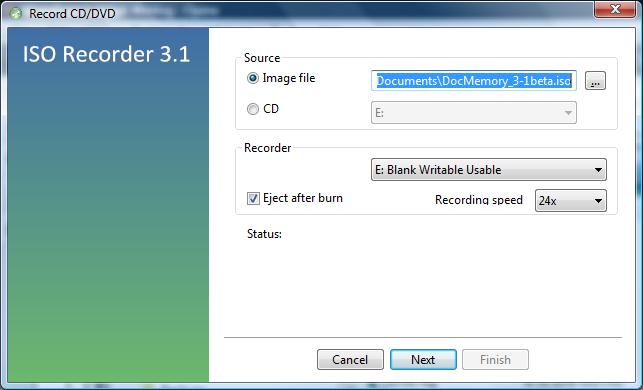
ISO Recorder also then allowed me to right-click on the ISO file and choose "Copy image to CD/DVD" to create another copy of the CD.
[/os/windows/software/utilities/cd-dvd/ISO_Recorder] permanent link
The syntax for the DATEDIF function is as follows:
=DATEDIF(Date1, Date2, Interval)
Where:
Date1 is the first date,
Date2 is the second date,
Interval is the interval type to return.
If Date1 is later than
Date2, DATEDIF
will return a #NUM! error. If either
Date1 or Date2
is not a valid date, DATEDIF will return a
#VALUE error.
The Interval value should be one of
the following:
| Interval | Meaning | Description |
m |
Months | Complete calendar months between the dates. |
d |
Days | Number of days between the dates. |
y |
Years | Complete calendar years between the dates. |
| ym | Months Excluding Years | Complete calendar months between the dates as if they were of the same year. |
yd |
Days Excluding Years | Complete calendar days between the dates as if they were of the same year. |
md |
Days Excluding Years And Months | Complete calendar days between the dates as if they were of the same month and same year. |
If Interval is not one of the items listed in
above, DATEDIF will return a
#NUM error.
I was unable to backup a disk drive to an external drive attached to a system via a USB connection using the NTBackup program. The backup failed once the backup file reached 4 GB in size, which is the maximum size for the FAT32 file system, which was the file system on the Western Digital My Book USB external drive when I purchased it. So I decided to change the file system to NTFS by reformatting the drive. But I received an error message when I tried to convert the file system.
C:\>format f: /fs:ntfs
NTFS file system is not supported on this device optimized for removal.
To change the way this device is optimized, select the Policies tab in
the device's property sheet.
To change the file system, I right-clicked on the drive under My Computer, then chose Properties.
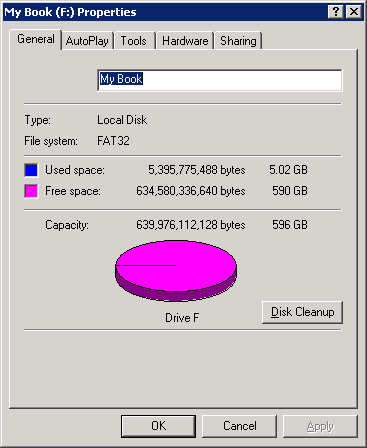
I then clicked on the Hardware tab and selected the drive.
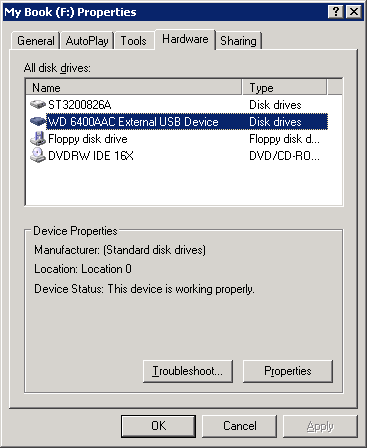
I then clicked on the Properties button and then the Policies tab. I changed the setting from "Optimize for quick removal" to "Optimize for performance". The "optimize for quick removal" setting disables write caching on the disk and in Windows, so you can disconnect the device without using the Safe Removal icon. The "optimize for performance" setting enables write caching in Windows to improve disk performance. When you choose this option, to disconnect the device from the computer, you should click the "Safely Remove Hardware" icon in the taskbar notification area."
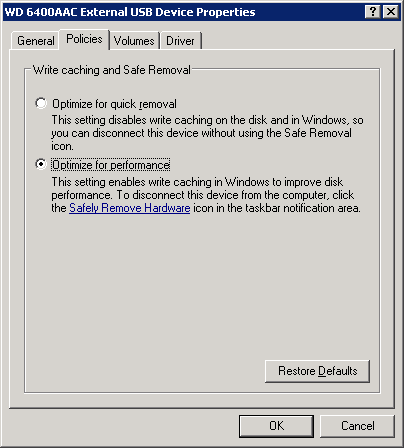
I then clicked on the OK button. I clicked on a second OK button to close the window.
I was then able to reformat the drive from the FAT32 file system to the NTFS file system.
C:\>format f: /fs:ntfs
The type of the file system is FAT32.
The new file system is NTFS.
Enter current volume label for drive F: My Book

WARNING, ALL DATA ON NON-REMOVABLE DISK
DRIVE F: WILL BE LOST!
Proceed with Format (Y/N)? y
Verifying 610477M
Volume label (32 characters, ENTER for none)? ACI-3
Creating file system structures.
Format complete.
 625129280 KB total disk space.
 625044456 KB are available.
HKO_Downloader.exe. After she downloaded
the file, I had her submit it to Virustotal
, a site that checks files for malware with multiple antivirus programs.
The
Virustotal analysis of the file showed 2 of the 41 programs it used
to check the file reporting a potential issue with the file. Note: someone
else had uploaded a file named HKO_Island_of_Fun.exe on
September 3, 2009 that Virustotal identified as being an identical file
because that file had an identical
hash
value.
File HKO_Island_of_Fun.exe received on
2009.09.03 20:55:55 (UTC)
Current status: finished
Result: 2/41 (4.88%)
The two that identified the file as potentially being malware were as follows:
| Antivirus | Version | Last Update | Result |
|---|---|---|---|
| McAfee+Artemis | 5730 | 2009.09.03 | Suspect-29!4A5CA8AF0ECD |
| Sunbelt | 3.2.1858.2 | 2009.09.03 | Trojan.Win32.Generic!BT |
Information on Mcafee+Artemis is available at McAfee Artemis Technology. An evaluation of McAfee+Artemis is available at Anti-Virus Comparative Technology Preview Report McAfee Artemis.
Sunbelt's Trojan.Win32.Generic!BT Information and Removal webpage shows the following:
| Threat Name | Trojan.Win32.Generic!BT |
| Summary | Trojan.Win32.Generic!BT is a downloader associated with rogue security programs (also called “scareware.”) Once downloaded, the rogues pretend to scan a victim.s computer for malware then display false warnings that the machine is infected. It tries to convince victims to purchase useless security software. |
| Category | Trojan |
| Level | High |
| Advice | Remove |
| Description | Other names: F-Secure: Trojan-Downloader.Win32.FraudLoad.ffz Kaspersky: Trojan-Downloader.Win32.FraudLoad.ffz Microsoft: TrojanDownloader:Win32/FakeVimes |
| Release Date | Apr 7 2009 |
| Last Updated | Aug 7 2009 |
| File Traces | - No traces available. |
The HKO_Downloader.exe file downloads the actual software needed to participate in Hello Kitty Online, which is a site run by Aeria Games. I concluded that they may have licensed a downloading program that some others may use for nefarious purposes, but I didn't see sufficient reason to be concerned in this case and told her she could download the software and participate in the beta testing.
| Process | Memory |
|---|---|
| hpqste08.exe | 9,784K |
| hpqste08.exe | 5,128K |
| hpqnrs08.exe | 1,324K |
According to the Uniblue Process Library:
hpqste08.exe is a process installed alongside HP Imaging devices and provides additional configuration options for these devices. This program is a non-essential process, but should not be terminated unless suspected to be causing problems.
hpqste08.exe is a process installed alongside HP Imaging devices and provides additional configuration options for these devices. This program is a non-essential process, but should not be terminated unless suspected to be causing problems.
hpqnrs08.exe hpqnrs08.exe is a Network Monitor from Hewlett-Packard Development Company, L.P. belonging to HP Digital Imaging. This is a network device rediscovery service.
pump. As root, you can
issue the commands below:
ifconfig eth0 up

pump -i eth0
The options available for pump are shown below:
root@Knoppix:~# pump --help
Usage: pump [OPTION...]
  -c, --config-file=STRING     Configuration file to use instead of
                               /etc/pump.conf
  -h, --hostname=hostname      Hostname to request
  -i, --interface=iface        Interface to configure (normally eth0)
  -k, --kill                   Kill daemon (and disable all interfaces)
  -l, --lease=hours            Lease time to request (in hours)
  -L, --leasesecs=seconds      Lease time to request (in seconds)
  --lookup-hostname            Force lookup of hostname
  -r, --release                Release interface
  -R, --renew                  Force immediate lease renewal
  -v, --verbose                Log verbose debug info
  -s, --status                 Display interface status
  -d, --no-dns                 Don't update resolv.conf
  --no-gateway                 Don't set a gateway for this interface
  --no-setup                   Don't set up anything
  --no-resolvconf              Don't set up resolvconf
  --no-bootp                   Ignore non-DHCP BOOTP responses
  --script=STRING              Script to use
  --win-client-ident           Set the client identifier to match Window's

Help options:
-?, --help Show this help messageOS X assigns some UIDs for special purposes
| Number | Use | Comment |
|---|---|---|
| UID 0 | Reserved for the root user | Should not be deleted or modified except to change the password of the root user. |
| UIDs below 100 | Reserved for system use | Should not be deleted or modified. |
| UIDs 500 - 2,147,483,648 | Users | Should be unique on the system. If modified, the ownership of files and directories for the user must be changed. |
A user's name and UID can be viewed with
the dscl command utility.
To list users, within the terminal type:
dscl . list /users
To read a user account, within the terminal type:
dscl . read /users/
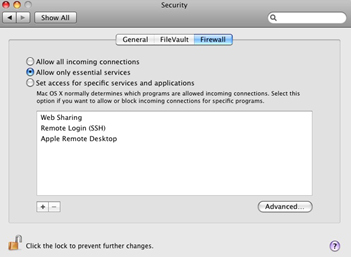
Turning on a service automatically reconfigures the built-in firewall to open the appropriate port(s) necessary for that service.
On Unix and Linux systems, the su command is used to assume the identity of
another user, typically root. Since the root account is normally disabled
on Mac OS X systems, su will not work. As an alternative to enabling the
root account, you can use sudo to run individual
commands as root, one at a time. If you need a root shell, you can get one by
running sudo -s. The sudo command requires an
administrator password.
[ More Info ]
References:
I was able to resolve the problem by putting a small 5-port hub between the switch and the Wii. Everything worked fine then, but I don't know why that worked. I thought there might a problem with autonegotiation of the duplex and speed settings, but on the switch side I tried all possible settings for the duplex setting, i.e. auto, full, and half, with all possible combinations of the speed setting, i.e. auto, 100 Mbs, 10 Mbs, but none of the nine combinations worked.
When I did get the Wii's Internet connectivity working, I captured the traffic from/to it, so I would have a better idea of how it determines whether it has Internet connectivity. I've recorded my notes here.
/var to allow me to install software.
# gunzip libidn-1.14-sol7-sparc-local.gz
# pkgadd -d ./libidn-1.14-sol7-sparc-local

The following packages are available:
  1  SMClibidn     libidn
                   (sparc) 1.14

Select package(s) you wish to process (or 'all' to process
all packages). (default: all) [?,??,q]:

Processing package instance <SMClibidn> from </tmp/libidn-1.14-sol7-sparc-local>

libidn
(sparc) 1.14
Simon Josefsson et al
Using </usr/local> as the package base directory.
## Processing package information.
## Processing system information.
   20 package pathnames are already properly installed.
## Verifying disk space requirements.
WARNING:
    The /var filesystem has 0 free blocks. The current installation requires 152
 blocks, which includes a required 150 block buffer for open deleted files. 152
more blocks are needed.

Do you want to continue with the installation of <SMClibidn> [y,n,?] n

Installation of <SMClibidn> was terminated due to user request.
No changes were made to the system.
When I checked the contents of /var/log, I found the
following:
# ls -l
total 139882
-rw-------   1 root     sys      26576205 Aug 12 15:11 authlog
-rw-------   1 root     other    14635403 Aug 12 15:41 maillog
-rw-r--r--   1 root     root     6605320 Aug 12 15:44 named_querylog
-rw-r--r--   1 root     root     5538180 Jul 11 06:23 named_querylog.0
-rw-r--r--   1 root     root        3651 Jun 15 16:58 named_querylog.1
-rw-r--r--   1 root     other     794523 Jun 15 15:39 named_querylog.2.gz
-rw-------   1 root     other    4106078 Jun 24 18:04 poplog
-rw-------   1 root     other    13249096 Aug 12 14:50 sshd.log
-rwxrwxrwx   1 root     other        240 Jul 27  2000 sysidconfig.log
I moved authlog, maillog, and sshd.log
to a a directory under /home, recreated the files in
/var/log with touch, set the permissions
to 600, and changed the group to what it had been
previously on authlog.
# touch authlog.log
# touch maillog.log
# touch sshd.log
# chmod 600 authlog
# chmod 600 maillog
# chmod 600 sshdlog
# chgrp sys authlog
# ls -l
total 33402
-rw-------   1 root     sys            0 Aug 12 15:52 authlog
-rw-------   1 root     other          0 Aug 12 15:49 maillog
-rw-r--r--   1 root     root     6610244 Aug 12 15:54 named_querylog
-rw-r--r--   1 root     root     5538180 Jul 11 06:23 named_querylog.0
-rw-r--r--   1 root     root        3651 Jun 15 16:58 named_querylog.1
-rw-r--r--   1 root     other     794523 Jun 15 15:39 named_querylog.2.gz
-rw-------   1 root     other    4106078 Jun 24 18:04 poplog
-rw-------   1 root     other          0 Aug 12 15:55 sshd.log
-rwxrwxrwx   1 root     other        240 Jul 27  2000 sysidconfig.log
I then restarted the syslog daemon so it would use the new files.
# /etc/init.d/syslog stop
# /etc/init.d/syslog start
syslog service starting.
When I then checked the free space for /var, 94% of
the capacity was used, whereas it had been 100% previously.
# df -k
Filesystem            kbytes    used   avail capacity  Mounted on
/proc                      0       0       0     0%    /proc
/dev/dsk/c0t0d0s0    2052750 1646775  344393    83%    /
fd                         0       0       0     0%    /dev/fd
/dev/dsk/c0t0d0s3    1015542  893738   60872    94%    /var
/dev/dsk/c0t0d0s4    5058110 4968663   38866   100%    /home
swap                  269872    6728  263144     3%    /tmp
References:
Since Mozilla Firefox understands how to use SOCKS proxies, you can configure it to go through the SOCKS proxy. You can configure it to use a SOCKS proxy by clicking on Edit, then Preferences, and then the Network tab. Click on Settings and then select Manual proxy configuration. For a SOCKS proxy, put the address of the SOCKS proxy server in the SOCKS Host field and the port that is being used on that server in the Port field.
If I establish a SOCKS proxy server using the ssh command,
e.g. ssh -D 8055 jdoe@192.168.1.1, then I'm tunneling connections
to the SOCKS proxy through the encrypted SSH connection and I will use
127.0.0.1 in the SOCKS host field and 8055
in the Port field, rather than the default SOCKS proxy port of
1080.
After downloading the proxychains package with Mozilla Firefox, aka iceweasel,
I used dpkg to install it.
root@Knoppix:/home/knoppix# dpkg --install proxychains_2.1-5_i386.deb
Selecting previously deselected package proxychains.
(Reading database ... 0 files and directories currently installed.)
Unpacking proxychains (from proxychains_2.1-5_i386.deb) ...
dpkg: dependency problems prevent configuration of proxychains:
 proxychains depends on libc6 (>= 2.3.2.ds1-21); however:
  Package libc6 is not installed.
dpkg: error processing proxychains (--install):
 dependency problems - leaving unconfigured
Errors were encountered while processing:
 proxychains
Proxychains looks for its configuration file in the following order:
I copied the sample file /etc/proxychains.conf.dpkg-new
to /etc/proxychains.conf.
root@Knoppix:/home/knoppix# cp /etc/proxychains.conf.dpkg-new /etc/proxychains.conf
The following default information appears in that file:
# ProxyList format
#       type  host  port [user pass]
#       (values separated by 'tab' or 'blank')
#
#
#        Examples:
#
#               socks5  192.168.67.78   1080    lamer  secret
#               http    192.168.89.3    8080    justu   hidden
#               socks4  192.168.1.49    1080
#               http    192.168.39.93   8080
#
#
#       proxy types: http, socks4, socks5
#        ( auth types supported: "basic"-http  "user/pass"-socks )
#
http    10.0.0.5 3128
http    10.0.0.3 3128
http    10.0.0.5 3128
#socks5 192.168.1.4 1080
#socks4 10.5.81.143 1080
#http   192.168.203.18 8080
I commented out the http lines with the 10.0.0.5
address by placing a "#" at the beginning of the line. I then removed
the "#" from the socks5 line and changed the address
from 192.168.1.4 to 127.0.0.1, since I was establishing a socks proxy
using the ssh command. I changed the port from the default SOCKS port of 1080
to the one I used when I established the SOCKS proxy with
ssh -D 8055 jdoe@192.68.1.1, i.e. port 8055.
I then had the following lines in proxychains.conf.
# http  10.0.0.5 3128
# http  10.0.0.3 3128
# http  10.0.0.5 3128
socks5 127.0.0.1 8055
#socks4 10.5.81.143 1080
#http   192.168.203.18 8080
I also commented out "random_chain" and "chain_len" and uncommented "strict_chain".
I was then able to use proxychains with gpg to
import a public key for a package repository into the public keyring for the
root account.
root@Knoppix:/home/knoppix# proxychains gpg --keyserver wwwkeys.eu.pgp.net --rec
v-keys 9AA38DCD55BE302B
gpg: requesting key 55BE302B from hkp server wwwkeys.eu.pgp.net
ProxyChains-2.1 (http://proxychains.sf.net)
random chain (1):....127.0.0.1:5555....194.171.167.98:11371..OK
gpg: /root/.gnupg/trustdb.gpg: trustdb created
gpg: key 55BE302B: public key "Debian Archive Automatic Signing Key (5.0/lenny)
<ftpmaster@debian.org>" imported
gpg: no ultimately trusted keys found
gpg: Total number processed: 1
gpg:               imported: 1  (RSA: 1)
I was also able to use proxychains for apt-get update
by using proxychains apt-get update.
References:
dpkg utility can be used to add additional software
once you have booted a system with a BitDefender Rescue CD, but first
you need to create a few directories and files.
root@Knoppix:~# mkdir /var/lib/dpkg
root@Knoppix:~# mkdir /var/lib/dpkg/info
root@Knoppix:~# mkdir /var/lib/dpkg/updates
root@Knoppix:~# touch /var/lib/dpkg/status
root@Knoppix:~# touch /var/lib/dpkg/available
Alternatively, you can use the apt-get utility to download
and install the packages you wish to use - see
Using
apt-get with BitDefender Rescue CD
[ More Info ]
/etc/debian_version.
root@Knoppix:~# cat /etc/debian_version
lenny/sid
[ More Info ]
To use the rescue CD, boot the system from the CD. You may need to configure the system's Basic Input Output System (BIOS) to attempt to boot from a CD before attempting to boot from the hard drive or hit a key that allows you to select the drive from which you want to boot. When you system starts booting from the CD, you will see an initial startup nenu.
Start knoppix in English (US)
Start knoppix in French
Start knoppix in console mode
Memory test
Boot from first hard disk
BitDefender Rescue CD
based on Knoppix
You must hit Enter when the menu appears or move the cursor up or down or the system will be booted from the hard drive rather than the boot process continuing from the CD.
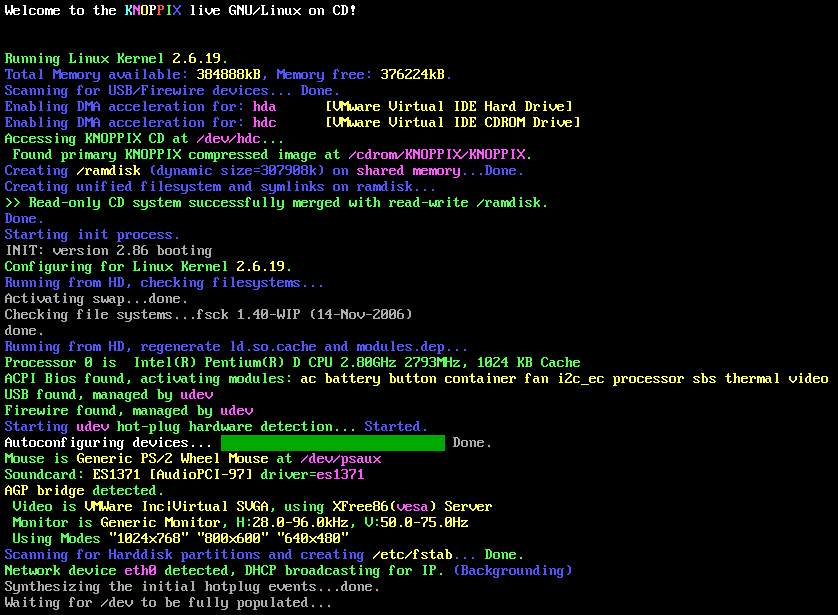
Click on the image to enlarge it
During the boot process, the virus definitions will be updated, if the system has an Internet connection. If the software has a problem updating the definitions it will hang for awhile at the stage where it tries to update the virus definitions and then you will see the message "Trying to update BitDefender-scanner...fail..check your network ?" When the BitDefender Rescue CD completes booting, you will have a Graphical User Interface (GUI). A BitDefender AntiVirus Scanner for Unices program will start automatically and start scanning the hard drive in the system.
By default, all partitions detected on the hard drive will be scanned. When the scan completes, you'll have to choose what actions to take on the infected file(s). You can choose one action for all files or select an action for each item.
If you right-click somewhere on the desktop, you will see a list of applications on the CD. You can get a terminal window by selecting Terminal or Terminal (as root) by selecting from the menu that appears when you right-click on the desktop. Don't pick Exit from this menu, until you are ready to shut down the system. I.e., wait until the scan has completed and you've chosen what to do with any infected files detected
The above steps will allow access from the "trust" side of the firewall, e.g. the Local Area Network (LAN) behind the firewall. If you want to permit access from the "untrust" side, i.e. from the outside interface of the firewall, you will have to take additional steps.
To permit access from the "unstrust" side using the web interface to the firewall, take the following steps.
[ More Info ]
C:\Program Files\X-Fonter\Collection with a lot of .xfl files.
I copied the contents of that folder to \Program Files
(x86)\X-Fonter\Collections on the new laptop.
An X-Fonter XFL file is just a text file that lists the location of fonts
that are in a font collection. For instance, my wife has a "Celtic" collection.
The information for that collection is stored in Celtic.xfl, which
on her old system, contained the following lines:
X-Fonter Collection
D:\Computer & Desktop\Fonts\Collection\A\ameruncn.ttf|AmericanUncD
D:\Computer & Desktop\Fonts\Collection\A\AONCC___.TTF|Aon Cari Celtic
D:\Computer & Desktop\Fonts\Collection\B\boyduncial.ttf|BoydUncial
D:\Computer & Desktop\Fonts\Collection\B\BUNCHLO.TTF|Bunchló\Computer & Desktop\Fonts\Collection\C\Celtasmigoria.ttf|Celtasmigoria
D:\Computer & Desktop\Fonts\Collection\C\celticmd.ttf|Celticmd Decorative w Drop Caps
D:\Computer & Desktop\Fonts\Collection\C\CELTICHD.TTF|CelticHand
D:\Computer & Desktop\Fonts\Collection\C\CelticEels.ttf|CelticEels
D:\Computer & Desktop\Fonts\Collection\C\CelticaBlack.ttf|Celtica Black
D:\Computer & Desktop\Fonts\Collection\C\CELTIC-1.TTF|Celtic101
D:\Computer & Desktop\Fonts\Collection\C\celti_er.ttf|Celtic-Extended Normal
D:\Computer & Desktop\Fonts\Collection\C\celti_eb.ttf|Celtic-Extended Bold
D:\Computer & Desktop\Fonts\Collection\C\celti_cr.ttf|Celtic-Condensed Normal
D:\Computer & Desktop\Fonts\Collection\C\celti_cb.ttf|Celtic-Condensed Bold
D:\Computer & Desktop\Fonts\Collection\C\CELTP___.TTF|Celtic Patterns
D:\Computer & Desktop\Fonts\Collection\C\celti__r.ttf|Celtic Normal
D:\Computer & Desktop\Fonts\Collection\C\Celtic Knot.TTF|Celtic Knot
D:\Computer & Desktop\Fonts\Collection\C\CELTG___.TTF|Celtic Garamond the 2nd
D:\Computer & Desktop\Fonts\Collection\C\CELTF___.TTF|Celtic Frames
D:\Computer & Desktop\Fonts\Collection\C\celti__b.ttf|Celtic Bold
D:\Computer & Desktop\Fonts\Collection\C\CelticB.ttf|Celtic Bold
D:\Computer & Desktop\Fonts\Collection\C\CRY.TTF|Cry Uncial
D:\Computer & Desktop\Fonts\Collection\D\dahaut__.ttf|Dahaut
D:\Computer & Desktop\Fonts\Collection\D\DS_Celtic_Border-1.ttf|DS_Celtic Border 1
D:\Computer & Desktop\Fonts\Collection\D\DS_Celtic-2.ttf|DS_Celtic 2
D:\Computer & Desktop\Fonts\Collection\D\DS_Celtic-1.ttf|DS_Celtic 1
D:\Computer & Desktop\Fonts\Collection\F\FAERIE__.TTF|Faerie
D:\Computer & Desktop\Fonts\Collection\F\FLORIMEL.TTF|Florimel.
D:\Computer & Desktop\Fonts\Collection\F\FULLMN1.TTF|Full Moon 1
D:\Computer & Desktop\Fonts\Collection\G\GAEIL1.TTF|Gaeilge 1 Normal
D:\Computer & Desktop\Fonts\Collection\G\Gaelic.ttf|Gaelic
D:\Computer & Desktop\Fonts\Collection\K\kelt__cr.ttf|Kelt-Condensed Normal
D:\Computer & Desktop\Fonts\Collection\K\kelt__ci.ttf|Kelt-Condensed Italic
D:\Computer & Desktop\Fonts\Collection\K\kelt___r.ttf|Kelt Normal
D:\Computer & Desktop\Fonts\Collection\K\kelt___i.ttf|Kelt Italic
D:\Computer & Desktop\Fonts\Collection\P\Pee's Celtic Plain.ttf|Pee's Celtic Plain
D:\Computer & Desktop\Fonts\Collection\P\Pee's Celtic outline.ttf|Pee's Celtic outline
D:\Computer & Desktop\Fonts\Collection\P\Pee's Celtic Italic.ttf|Pee's Celtic Italic
D:\Computer & Desktop\Fonts\Collection\N\NARROW.TTF|PR Celtic Narrow
D:\Computer & Desktop\Fonts\Collection\S\SPIRI___.TTF|Spiral Initials
D:\Computer & Desktop\Fonts\Collection\S\st______.ttf|Stonecross
D:\Computer & Desktop\Fonts\Collection\S\stonehen.ttf|Stonehenge Regular
D:\Computer & Desktop\Fonts\Collection\T\Tattoo No1.ttf|Tattoo No1
D:\Computer & Desktop\Fonts\Collection\T\Tattoo No2.ttf|Tattoo No2
D:\Computer & Desktop\Fonts\Collection\U\uncl1475.ttf|Uncial 1475
She had copied all of the fonts to her new laptop, but now they were in
a different location. Now they were in
C:\Users\Username\Documents\Computer & Desktop\Fonts\Collection\l
not D:\\Computer & Desktop\Fonts\Collection\l,
with l representing the letter at the beginning of the font name. That
was just the convention she used for organizing her fonts.
So I needed to update the location for all of her fonts in the XFL files on
the laptop. I wasn't able to edit the files from her account util I changed
the security permissions on the C:\Program Files
(x86)\X-Fonter\Collections directory. To change the security permisions
on the directory in Microsoft Vista, take the following steps.
You can then edit the XFL files from the account to make any needed changes, rather than being forced to only make changes from the administrator account.
I edited the .xfl files with Windows Notepad using its "replace" function to replace the old location with the current location for her fonts. Then when I opened X-Fonter, clicked on the Collections tab, and selected a collection by clicking on it, I could see the font listed under Font Example and the font was shown in the right pane of the X-Fonter window rather than seeing "Font not Found" under Font Exmple and just a default font in the right pane of the X-Fonter window. If X-Fonter is displaying "File not Found" in the Font Example field, you can right click on the "File not Found" message and choose Properties to see where X-Fonter is expecting to find the font.
Note: If you have X-Fonter open when you edit an XFL file, you will need to close X-Fonter and reopen it for it to see any changes you have made to the XFL file.
She also wanted her bookmarks copied. On her old Windows XP system, her
bookmarkes were stored in C:\Program Files\Winamp\Winamp.bm.
I couldn't find a file with that name on her new laptop running Windows Vista
after Winamp was installed on it. So I asked her to create a bookmark in Winamp
while she was logged into her account. I then searched the system again and
found a Winamp.bm file was created in
C:\Users\Username\AppData\Roaming\Winamp, where Username
was her account name on the laptop. I deleted that file and copied the one
from the old system to that location. Note: at first I left the just recently created
Winamp.bm file there and pasted in the one from the other system, but
that just created a shortcut to the one on the old system, so I deleted
the existing one and then copied in the other one. When I opened Winamp on the
new laptop, all of her bookmarks were accessible.
!}fmt to reformat the paragraph. But that doesn't work
when I'm using Vim on Windows.
But I can use gq at the beginning of the paragraph on a
Windows or Linux system to reformat a paragraph. When I then use the downward
arrow key to move down in the document, the paragraph reformats.
References:
Michael Jackson died on June 25. Spammers are already trying to capitalize on his death by referencing it in their spam messages. Mcafee's TrustedSource site reports the following at Michael Jackson News Affects Web Traffic
The announcement of Michael Jackson.s death has caused immediate effects on the Web 2.0 world. The impact ranged from the interruption on Facebook of coverage of Farrah Fawcett.s death to a surge experienced by Twitter. The Web 2.0 world is definitely abuzz with traffic regarding his passing.
Within hours the percentage of “long-tail” URL traffic associated with Michael Jackson was growing. It peaked around 1 p.m. Eastern time today and now seems to be dropping. These URLs contained mostly generic information about Jackson-blogs, posts, tributes, photos, and collections of his entertainment past. And, yes, some even contained links to malware or rogue anti-virus software.
How do people find these URLs? We.ve seen spam, tweets, blog postings, group postings, and even mobile phone alerts. In addition, as predicted by Avert Labs, we.ve seen search-engine optimization (SEO) in action. There were several attempts to capitalize on redirecting users to known malware-serving sites associated with other SEO campaigns. We found it interesting during our research to see how fast some of the search engines seemed to respond to this. One popular keyword search done around 9 p.m. yesterday showed seven of the top 10 links going to some of these well-known malicious servers. That same search done an hour later showed only one of the top 10 involved.
As the entertainment industry continues to pay tribute and homage to Jackson, we expect that spam and SEO efforts will grow over the weekend. Eventually a new piece of news will replace this event, and there will be a new story-with much the same results.
My wife got email this morning with a subject of "Michael Jackson dead? NO!!!". Withing the message was the following text:
Michael Jackson dead? NO!!!
Open attached file and read!!!
There was an attachment with the message, Michael Jackson Live!.html
. I saved the attachment to the hard drive and opened it with a text
editor. There was only one line in it, which is shown below:
<meta http-equiv='Refresh' content='0; url=http://addfamous.com/' />
If you opened the file in a web browser, that line would cause your
browser to "refresh" the webpage you opened, but using the
URL addfamous.com
.
The spam message my wife received was listed at Michael Jackson dead? NO!!! on Spam me! Send me your spam messages!, a site which states "In a normal situation you should definitelly not want such thing in your e-mail inbox, however, this website is meant to do exactly the opposite: get as many spam messages as possible, clean them of any harmful stuff (adult images, links to dubious websites and others) and present them to you to research or whatever you want them for."
I didn't visit the addfamous.com site, but out of curiosity, checked its reputation at various web reputation sites.
TrustedSource
I issued a
query for addfamous.com at TrustedSource. Unfortunately, that site
was experiencing difficulties when I checked and simply returned
"Service currently not available (3), please try again later!"
McAfee SiteAdvisor®
I issued a query
for addfamous.com at the McAfee SiteAdvisor® site.
It returned "Our analysis found that this site may be promoted through spammy
e-mail." It also reported "This site has been queued for testing. Please come
back soon for automated results."
Norton Safe Web
I issued a
query for addfamous.com at Symantec's
Norton Safe Web site. It reported "This site has not been tested yet."
Barracuda Central
I also checked the reputation of the site using
Barracuda Central's
IP / Domain Lookups tools. Barracuda Networks sells antspam appliances.
I clicked on the Domain Reputation tab and put in addfamous.com
. Barracuda Central reported "This domain name addfamous.com is listed
on Barracuda's Intent Block List."
Trend Micro Web
Reputation Query
I issued a query on http://addfamous.com.
The Trend Micro Web
Reputation Query site reported "This URL is not currently listed as
malicious."
BorderWare ReputationAuthority
I issued a
query on addfamous.com. The site reported the domain had a "good"
reputation.
pkginfo command can be used. If I wanted to check
the version number for the Apache Portable Runtime Libraries utilities
package, apr-util, I could issue the
pkginfo command with no options and grep for apr
to determine the package name.
# pkginfo | grep apr
application SMCapr         apr
application SMCapru        aprutil
I can then check the version number using the command
pkginfo -l SMCapru:
# pkginfo -l SMCapru
   PKGINST:  SMCapru
      NAME:  aprutil
  CATEGORY:  application
      ARCH:  sparc
   VERSION:  1.2.2
   BASEDIR:  /usr/local
    VENDOR:  Apache Software Foundation
    PSTAMP:  Steve Christensen
  INSTDATE:  Jun 25 2009 17:11
     EMAIL:  steve@smc.vnet.net
    STATUS:  completely installed
     FILES:     49 installed pathnames
                12 shared pathnames
                 8 directories
                 3 executables
              5750 blocks used (approx)
The version number listed is 1.2.2
[ More Info ]
[ More Info ]
[ More Info ]
[ More Info ]
MS-DOS LAN Manager v2.1 Netbind
IBM Netbind Version 2.1
Microsoft (R) Mouse Driver Version 8.20
Copyright (C) Microsoft Corp. 1983-1992.
Copyright (C) IBM Corp. 1992-1993.
Mouse driver installed
Network initialization failed: the DOS-mode client cannot proceed
Unable to obtain IP address via DHCP
Network initialization failed: the DOS-mode client cannot proceed
Unable to obtain IP address via DHCP
The last two lines continued to repeat. I hit Ctrl-C to break
out of the loop, which yielded a C:\GHOST> prompt.
I realized then that the
Ghost backup process
that normally runs on the weekend encountered a problem. A Ghost 7.5 server
normally starts a backup of the system on the weekend by contacting the
Ghost client software on the system and instructing it to reboot into
a Ghost virtual partition. When the backup process completes, the system
will reboot into Windows. But, in this case, something went wrong.
Apparently, when the system rebooted into the Ghost virtual partition, it couldn't obtain an IP address from the Ghost server via DHCP and then just continually looped as it tried to obtain an IP address via DHCP. When I later checked the DHCP server, I found that it had exhausted its pool of available IP addresses for handing out via DHCP.
At the prompt, I typed ngctdos -hide and hit Enter
to "hide" the Ghost virtual boot partition and restart the system normally.
References:
[ More Info ]
named.conf:
logging {
    channel query_logging {
         file "/var/log/named_querylog"
         versions 3 size 100M;
         print-time yes;                 // timestamp log entries
      };

      category queries {
          query_logging;
      };
};
To have the change take effect, you need to kill the named
process and restart it , e.g. kill `cat path_to/named.pid`
followed by /usr/sbin/in.named to restart the
service. You should then be able to view the log of DNS queries.
# cat /var/log/named_querylog
11-May-2009 17:00:34.885 XX /127.0.0.1/inbound.broadbandsupport.net/A
11-May-2009 17:00:36.097 XX /192.168.1.3/cisco.com/A
11-May-2009 17:00:39.883 XX /127.0.0.1/inbound.broadbandsupport.net/A
#
[ More Info ]
References:
<u style="border-bottom: solid 1px;">Windows XP Professional
Setup<u>
. The HTML code is shown below.
<div style="background-color: blue; color: white; width: 640px; padding: 2px;">
<pre>
<u style="border-bottom: solid 1px;">Windows XP Professional Setup</u>


</pre></div>
The code would produce the following:
Windows XP Professional Setup
References:
/etc/dfs/dfstab file. Place a share command in it using the
syntax share [-F FSType] [-o specific_options] [-d description]
[pathname].
The following shows an entry made
to that file. Folders are shared via NFS using the share
command. The options used are explained below:
| -F nfs | Specify the filesystem type for sharing to be NFS. |
| -o rw=PC1 | Allow read and write access from one one client system named PC1 |
| -d "share" | Use share as the description for the share
|
#       Place share(1M) commands here for automatic execution
#       on entering init state 3.
#
#       Issue the command 'svcadm enable network/nfs/server' to
#       run the NFS daemon processes and the share commands, after adding
#       the very first entry to this file.
#
#       share [-F fstype] [ -o options] [-d "<text>"] <pathname> [resource]
#       .e.g,
#       share  -F nfs  -o rw=engineering  -d "home dirs"  /export/home2

share -F nfs -o rw=PC1 -d "share" /export/home/jsmith/Documents/share
The options that can be specified with -o are as follows:
     -o specific_options

         The specific_options are used to control access  of  the
         shared resource. (See share_nfs(1M) for the NFS specific
         options.) They may be any of the following:

         rw

             pathname is shared read/write to all  clients.  This
             is also the default behavior.

         rw=client[:client]...

             pathname is shared read/write  only  to  the  listed
             clients. No other systems can access pathname.

         ro

             pathname is shared read-only to all clients.
Note: in the example above I used /export/home/jsmith/Documents/share
as the directory to be shared. I had to use
/export/home/jsmith/Documents/share
rather than /home/Documents/jsmith/shared, because
under Solaris the /home directory is a special directory.
For sharing something under it with NFS, you need to use
/export/home.
When I tried sharing the directory with the shareall
command when I used /home/jsmith/Documents/share, I received
an error message.
# shareall -F nfs
share_nfs: /home/jim/Documents/share: Operation not applicable
Once I used /export/home/jsmith/Documents/share in
/etc/dfs/dfstab, I did not receive any error
messages when running shareall.
# shareall -F nfs
#
Once the dfstab file has been edited, start the
NFS server with svcadm enable network/nfs/server.
You can check the state of the NFS server with the svc
command:
$ svcs network/nfs/server
STATE          STIME    FMRI
disabled       14:19:50 svc:/network/nfs/server:default
You can use the -v option with the svcadm to
get more verbose information. You can use the -r option to
enable other services on which it depends. Svcadm then enables each service
instance and recursively enables its dependencies.
If the -s option is specified, svcadm enables each service
instance and then waits for each service instance to enter the online or
degraded state. svcadm will return early if it determines that
the service cannot reach these states without administrator intervention.
# svcadm -v enable -r network/nfs/server
svc:/network/nfs/server:default enabled.
svc:/milestone/network enabled.
svc:/network/loopback enabled.
svc:/network/physical enabled.
svc:/network/nfs/nlockmgr enabled.
svc:/network/rpc/bind enabled.
svc:/system/filesystem/minimal enabled.
svc:/system/filesystem/usr enabled.
svc:/system/boot-archive enabled.
svc:/system/filesystem/root enabled.
svc:/system/device/local enabled.
svc:/system/identity:node enabled.
svc:/system/sysidtool:net enabled.
svc:/milestone/single-user:default enabled.
svc:/milestone/devices enabled.
svc:/system/device/fc-fabric enabled.
svc:/system/sysevent enabled.
svc:/system/manifest-import enabled.
svc:/system/filesystem/local:default enabled.
svc:/milestone/single-user enabled.
svc:/system/filesystem/minimal:default enabled.
svc:/system/identity:domain enabled.
svc:/network/nfs/status enabled.
svc:/system/filesystem/local enabled.
# svcadm enable -s /network/nfs/server
If the service is still marked as disabled, you can use the
-d option, which lists the services or service
instances upon which the given service instances depend.
# svcs /network/nfs/server
STATE          STIME    FMRI
disabled       14:55:55 svc:/network/nfs/server:default
# svcs -d /network/nfs/server
STATE          STIME    FMRI
disabled       Jul_28   svc:/network/rpc/keyserv:default
disabled       Jul_28   svc:/network/nfs/mapid:default
online         Jul_28   svc:/milestone/network:default
online         Jul_28   svc:/system/filesystem/local:default
online         Jul_28   svc:/network/rpc/bind:default
online         Jul_28   svc:/network/nfs/nlockmgr:default
online         Jul_28   svc:/network/rpc/gss:default
When I tried starting the NFS server software on a Solaris 10
system, I didn't see error messages when I ran svdadm enable -s
/network/nfs/server, but when I would check it afterwards with
svcs /network/nfs/server, the service was listed as disabled.
So I tried enabling the keyserv and mapid
services, which were listed as disabled.
# svcs keyserv
STATE          STIME    FMRI
disabled       Jul_28   svc:/network/rpc/keyserv:default
# svcadm enable keyserv
# svcs keyserv
STATE          STIME    FMRI
maintenance    15:43:56 svc:/network/rpc/keyserv:default
# svcadm enable mapid
# svcs mapid
STATE          STIME    FMRI
online         15:44:58 svc:/network/nfs/mapid:default
# svcs /network/nfs/server
STATE          STIME    FMRI
disabled       14:55:55 svc:/network/nfs/server:default
# svcadm enable -s /network/nfs/server
svcadm: Instance "svc:/network/nfs/server:default" has been disabled by another
entity.
# svcs -x  svc:/network/nfs/server
svc:/network/nfs/server:default (NFS server)
 State: disabled since Sun Apr 26 15:45:46 2009
Reason: Disabled by an administrator.
   See: http://sun.com/msg/SMF-8000-05
   See: nfsd(1M)
   See: /var/svc/log/network-nfs-server:default.log
Impact: This service is not running.
I finally realized that the NFS service won't start if there is no
valid directory share. I had used /home/jsmith/Documents/share
in /etc/dfs/dfstab instead of
/export/home/jsmith/Documents/share. Once I corrected that
problem, I was able to enable the /network/nfs/server service.
# svcs /network/nfs/server
STATE          STIME    FMRI
online         16:15:32 svc:/network/nfs/server:default
# svcadm enable -s /network/nfs/server
# svcs /network/nfs/server
STATE          STIME    FMRI
online         16:15:32 svc:/network/nfs/server:default
I had previously run svcadm enable -r /network/nfs/server to
recursively enable any other services that the NFS service depended upon.
Since the keyserv and mapid services had been listed
as disabled after I ran that command, but I had subsequenty enabled them when I
incorrectly concluded that the fact that they were disabled was keeping
the NFS server service from running, I disabled them again.
# svcadm disable keyserv
# svcadm disable mapid
# svcadm restart /network/nfs/server
# svcs /network/nfs/server
STATE          STIME    FMRI
online         16:41:38 svc:/network/nfs/server:default
I then checked to verify the system was listening on the default port for NFS, port 2049.
# netstat -an | grep 2049
      *.2049                              Idle
      *.2049                              Idle
      *.2049                                                        Idle
      *.2049               *.*                0      0 49152      0 LISTEN
      *.2049               *.*                0      0 49152      0 LISTEN
      *.2049                            *.*                             0      0 49152      0 LISTEN
# netstat -a | grep nfs
      *.nfsd                              Idle
      *.nfsd                              Idle
      *.nfsd                                                        Idle
References:
httpd.conf
file will be used as the default for any domain that doesn't have
its own virtualhost section in the configuration file, if you
use *:80 in the virtualhost section. E.g., suppose
the very first virtualhost listed in httpd.conf
is dummy-host.example.com as shown below.
<VirtualHost *:80>
    ServerAdmin webmaster@dummy-host.example.com
    DocumentRoot /www/docs/dummy-host.example.com
    ServerName dummy-host.example.com
    ErrorLog logs/dummy-host.example.com-error_log
    CustomLog logs/dummy-host.example.com-access_log common
</VirtualHost>
If the IP address for another.example.com, points to
the same webserver, but there is no virtualhost section for
another.example.com, then anyone who uses
http://another.example.com will see whatever homepage was set up
for dummy-host.example.com.
References:
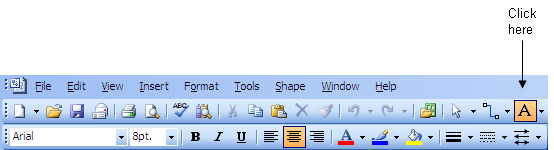
Hold the mouse button down and drag the mouse while holding the button down to create a text box. To insert a field into the text box, rather than typing text, click on Insert, then select Field. You can click on Date/Time to see options for inserting dates and times into the document. If you selected the Last Edit Date/Time, you could insert the date and/or time the document was last edited. If you later edited the drawing again, that value would be updated automatically in the area where you inserted it in the drawing.
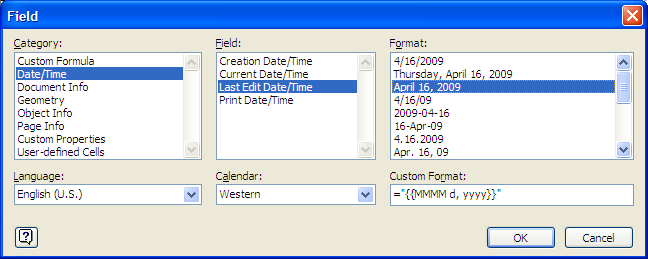
If you placed author and company information in the drawings "properties" by clicking on File then Properties, you could insert that information in the document as well.
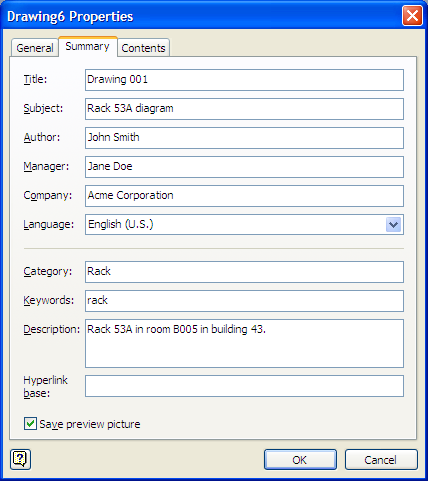
Instead of selecting Date/Time when choosing which information to insert in the document, you would then select Document Info for the field.
References:
^M (you have
to actually type Ctrl-V (i.e. the Ctrl and V
keys hit simultaneously) followed by Enter to get the ^M
to appear. For example, suppose that instead of commas separating elements
in a list you wish to put each element on a new line.
Original lines
Gold, Silver, Bronze
Desired lines
Gold
Silver
Bronze
You can use the following command in Vi to replace all commas
with the newline character starting from the first line in the file
to the last (represented by $):
1,$ s/,/^M/g
As noted above, you need to hit Ctrl-V Enter to put the
^M in the command.
References:
The W3C site provides information on character sets and encoding of webpages at Tutorial: Character sets & encodings in XHTML, HTML and CSS.No Character encoding declared at document level
No character encoding information was found within the document, either in an HTML meta element or an XML declaration. It is often recommended to declare the character encoding in the document itself, especially if there is a chance that the document will be read from or saved to disk, CD, etc.
There are, of course, many other useful references on the matter on the web. The Wikipedia article, Character encodings in HTML explains how browsers determine the character encoding of a webpage. Wikipedia provides information on issues related to the internationalization and localization, often abbreviated as i18n (where 18 stands for the number of letters between the i and the n in internationalization, a usage coined at DEC in the 1970s or 80s) and L10n respectively. The capital L in L10n helps to distinguish it from the lowercase i in i18n.
UTF-8: The Securet of Character Encoding has a good explanation of why it is advisable to specify the character encoding for your HTML documents and why using UTF-8 is recommended.
The webserver is providing information on the encoding of the webpages, i.e.
it is sending Content-Type: text/html; charset=UTF-8 in the
HTTP headers it sends to browsers, but I haven't been including a meta tag in
the pages specifying the encoding, i.e. I haven't been using
<meta http-equiv="Content-Type" content="text/html;
charset=UTF-8">
. I decided to add that immediately after the
<head> tag in the template I use for my webpages.
[ More Info ]
_vimrc file, which is in the
directory where you installed Vim, e.g. C:\Program Files\Vim.
For HTML files, i.e. any file with an extension of .htm or
.html, you can add the following two lines to stop the
autoindentation. Close Vim, add the lines, then reopen Vim and you should
no longer have the autoindenation in those files.
autocmd BufEnter *.html setlocal indentexpr=

autocmd BufEnter *.htm setlocal indentexpr=
You can enter similar lines to stop autoindentation in other files.
References:
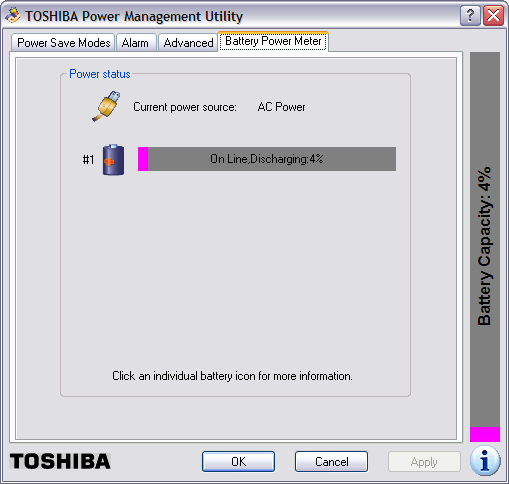
Eventually, the Toshiba Power Management Utility will show that the battery has fully discharged. Then within a minute or two, the system will power itself off.
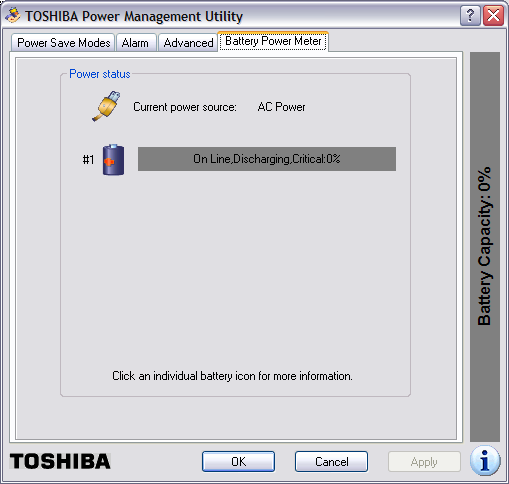
I had configured the Toshiba Power Management Utility to put the system in hibernate mode when the power got down to a a very low percentage, but it has never done so; the system just powers off. And, even though I had it configured to warn me when the battery power got down to 10%, I'm never warned either. The system just abrubtly powers itself off.
I had found other people reporting similar problems with this laptop when I searched for information on the problem previously - see Toshiba M35X Laptop Powers Off Randomly. The system had been showing 100% power yesterday evening and I hadn't noticed the charge state decreasing - I use Laptop Battery Power Monitor to constantly monitor the charge state of the battery - and I hadn't saved a lot of notes I had made regarding a problem I was working on. I know better than to use Windows Notepad, since it doesn't do any automatic file saving, but I had pasted output from a remote system and URLs related to the problem I was working on at the time into Notes. So I utterred a few curses when the laptop powered itself off, since all those notes were lost.
When the system is not charging, I see the two left-most LED's lit green on the front of the laptop. The left-most one indicates the laptop has A/C power. The middle one is lit green indicating the system is powered on. When the system is charging, the right-most one is lit amber when the battery is charging. And the Laptop Battery Power Monitor will have an orange arrow pointing out of it to notify me that the laptop battery is charging.

When the system powers itself off, I've found that if I power it back on immediately, it will show a zero percent charge and power itself back off within a couple of minutes. If I do nothing, but leave the system off for awhile, when I turn it back on, it may show the battery as fully charged or show it is in a charging state, depending on how long I've left it powered off. Sometimes, though, it shows the battery in a partially charged state and immediately starts discharging again.
Today, I found that if I tipped the laptop backwords, I could get the state to go from discharging to charging. If I put it back down, sometimes it would show that it was charging, other times it would be discharging the battery. I also found that if I pulled the A/C power plug from the back of the laptop and plugged it back in, sometimes I could get it to go to the charging state. Sometimes the Laptop Battery Monitor utility would show briefly that the battery was being charged, but would almost immediately switch to showing it was discharging. If I removed the power plug and put it back in multiple times, I could sometimes get it to stay in the charging state. At the moment it's charging again.
I did some more online searching with Google again today to see what others were saying about such problems with Toshiba laptops. I found others reporting similar problems with other Toshiba laptops. Many, like myself, stated they are unlikely to consider a Toshiba laptop for future laptop purchases. I found a lot of very informative postings on the problem by various people at Toshiba Satellite P25-s520 AC Power Problem. Some people had reported resolving the problem by simply opening the laptop and blowing out dust. Others fixed their problem by replacing the nib on the power adapter. Others replaced or adjusted the placement of components inside the laptop. For anyone experiencing similar problems, I would recommend reading the postings there. If those webpages ever disappear or the site is unavailable, the Internet Archive, aka the Wayback Machine, has them archived at Toshiba Satellite Ps5-s520 AC Power Problem. One of the posters even posted a link on how to disassemble a Toshiba Satellite P25 notebook, which you might want to try to get rid of dust inside the laptop or if you want to check the power connection to the motherboard. The link is Disassembling Toshiba Satellite P25 notebook. It may be helpful for those who need to disassemble other models of Toshiba Satellite laptops as well.
One poster even said he was able to rectify the problem by wrapping aluminum foil around the nib of the power plug that goes into the back of the laptop. I tried that; it didn't help and, when the foil comes off and remains inside the connector on the back of the laptop, it may be difficult to get all of it back out, so, personally, I can't recommend that solution, though, if you are desparate, you can try it.
FEATURE(`dnsbl',`dnsrbl.swinog.ch',`550 Spam Block: mail from
$&{client_addr} refused - see
http://antispam.imp.ch/spamikaze/remove.php')dnl
to
/etc/mail/sendmail.mc. I now have the following DNSBLs listed in
that file:
FEATURE(`blacklist_recipients')dnl
FEATURE(`dnsbl', `bl.csma.biz', `550 Spam Block: mail from $&{client_addr} refused - See http://bl.csma.biz/')dnl
FEATURE(`dnsbl', `sbl.spamhaus.org', `550 Spam Block: mail from $&{client_addr} refused - See http://www.spamhaus.org/sbl/')dnl
FEATURE(`dnsbl', `psbl.surriel.com', `550 Spam Block: mail from $&{client_addr} refused - see http://psbl.surriel.com/')dnl
FEATURE(`dnsbl',`dnsbl.sorbs.net',`550 Spam Block: mail from $&{client_addr} refused - see http://dnsbl.sorbs.net/')dnl
FEATURE(`dnsbl',`dnsrbl.swinog.ch',`550 Spam Block: mail from $&{client_addr} refused - see http://antispam.imp.ch/spamikaze/remove.php')dnl
After adding the entry for the Swinog RBL, I generated a
sendmail.cf file from sendmail.mc and restarted
sendmail.
# m4 /etc/mail/sendmail.mc > /etc/mail/sendmail.cf
# /etc/init.d/sendmail restart
I checked /var/log/maillog just moments after adding that
blacklist and found it had blocked spam:
# grep 'antispam.imp.ch' /var/log/maillog
Apr  8 21:16:57 frostdragon sendmail[15676]: n391GuGi015676: ruleset=check_rcpt,
 arg1=<broderbundxxxxxx@moonpoint.com>, relay=65-75-229-245.dsl.ctcn.net [65.75.
229.245] (may be forged), reject=550 5.7.1 <broderbundxxxxxx@moonpoint.com>... S
pam Block:mail from 65.75.229.245 refused - see http://antispam.imp.ch/spamikaze
/remove.php
The Swinog DNSBL blocked email to an email address that I used on December 8, 2004 when I registered software with Brøderbund Software. I never used the email for any other purpose. Usually, when I'm providing an email address to any company, I don't use my primary email address, but instead create an alias for that address that points to my primary email address. So, if I start getting a lot of spam addressed to the alias, I can just invalidate the alias. And, since the aliases I create are not ones a spammer would use if the spammer was employing a name dictionary attack, i.e. guessing likekly names, I know that the company has provided the email address I gave them to a spammer. So I know the spammer got the address above, which I've changed for any spam spiders that may crawl across this page, from Brøderbund Software or one of the companies that subsequently owned Brøderbund Software.
The Wikipedia article on the company at Brøderbund lists the following history of corporate ownership for Brøderbund.
Brøderbund was purchased by The Learning Company in 1998 for about USD$420 million in stock. Ironically, Brøderbund had initially attempted to purchase the original The Learning Company in 1995, but was outbid by Softkey, who purchased The Learning Company for $606 million in cash and then adopted its name. In a move to rationalize costs, The Learning Company promptly terminated 500 employees at Brøderbund the same year, representing 42% of the company's workforce. Then in 1999 the combined company was bought by Mattel for $3.6 billion. Mattel reeled from the financial impact of this transaction, and Jill Barad, the CEO, ended up being forced out in a climate of investor outrage. Mattel then gave away The Learning Company in September 2000 to Gores Technology Group, a private acquisitions firm, for a share of whatever Gores could obtain by selling the company. In 2001, Gores sold The Learning Company's entertainment holdings to Ubisoft, and most of the other holdings, including the Brøderbund name, to Irish company Riverdeep. Currently, all of Brøderbund's games, such as the Myst series, are published by Ubisoft.
I suspect that it wasn't just my email address that was sold to spammers. Probably Brøderbund's entire mailing list was sold by either Brøderbund or one of the companies that acquired it, though, of course there is a possibility it could just have been an employee of one of the companies trying to make some easy cash or one who was losing a job as his or her company was acquired by another company, who could have been looking to compensate for lost wages.
The address is still being used by spammers over four years later, even though the address has probably not been valid for over a year. Unfortunately, I don't remember when I first started getting spam addressed to that email address.
After having a hernia operation recently, I noticed I've been getting spam on a fairly regular basis suggesting I might want to use the legal services mentioned in the spam if I wanted to sue for any problems related to the patch used in the surgery. I don't remember seeing any of this type of message previously, though it's possible that I might have received such messages, but they never registered in my consciousness then as I deleted spam. But I'm wondering now if someone at the office of the doctor who performed the surgery sold my email address. I believe I did put my primary email address on a form I filled out at the doctor's office. If I had used an alias, I would know for certain, if that was the case.
The snoop commands provide functionality one might expect from a sniffer, but you can also use debug commands to see how the firewall is applying policies to the traffic it sees.
[ More Info ]
[ More Info ]
[ More Info ]
Since I needed to test whether UDP datagrams would reach the Windows
system on port 27900, I issued the command ncat -u 27900 -l
to have ncat listen (the "-l" argument) on UDP port 27900 (the -u 27900
argument). I then issued the command socat - udp-sendto:192.168.0.3:27900
on the Linux system. The - udp-sendto:192.168.0.3
allowed me to send data from the system socat was running on to
the the destination address 192.168.0.3. I was then able to type text,
e.g. the words "a test" on the Linux system. I saw them appear on the Windows
system indicating the firewall rule was functioning as needed.
Linux Sending System
$ socat - udp-sendto:192.168.2.3:27900
a test
Windows Listening System
C:\Program Files\Network\Nmap>ncat -u 27900 -l
a test
I then terminated the socat program on the Linux system with Ctrl-D and the ncat program on the Windows system with Ctrl-C.
References:
# rpm --install ncat-4.85BETA7-1.x86_64.rpm
error: Failed dependencies:
        libc.so.6(GLIBC_2.7)(64bit) is needed by ncat-4.85BETA7-1.x86_64
Yet, when I checked the system for the presence of libc.so.6,
I found it was present.
# locate libc.so
/lib/libc.so.6
/lib/i686/nosegneg/libc.so.6
/lib64/libc.so.6
/usr/lib/libc.so
/usr/lib/i386-redhat-linux4E/lib/libc.so
/usr/lib/x86_64-redhat-linux4E/lib64/libc.so
/usr/lib64/libc.so
I checked to see what package provided the file.
# rpm -qf /lib/libc.so.6
glibc-2.5-24
# rpm -qf /lib64/libc.so.6
glibc-2.5-24
When I checked the package, there appeared to be two glibc-2.5-24 packages
present, since when I ran the command rpm -qi glibc-2.5-24,
I saw the package listed twice, but with different sizes
# rpm -qi glibc-2.5-24
Name        : glibc                        Relocations: (not relocatable)
Version     : 2.5                               Vendor: CentOS
Release     : 24                            Build Date: Fri 23 May 2008 10:40:42 PM EDT
Install Date: Tue 29 Jul 2008 10:03:15 AM EDT      Build Host: builder15.centos.org
Group       : System Environment/Libraries   Source RPM: glibc-2.5-24.src.rpm
Size        : 11590290                         License: LGPL
Signature   : DSA/SHA1, Sun 15 Jun 2008 09:51:20 AM EDT, Key ID a8a447dce8562897
Summary     : The GNU libc libraries.
Description :
The glibc package contains standard libraries which are used by
multiple programs on the system. In order to save disk space and
memory, as well as to make upgrading easier, common system code is
kept in one place and shared between programs. This particular package
contains the most important sets of shared libraries: the standard C
library and the standard math library. Without these two libraries, a
Linux system will not function.
Name        : glibc                        Relocations: (not relocatable)
Version     : 2.5                               Vendor: CentOS
Release     : 24                            Build Date: Fri 23 May 2008 11:12:28 PM EDT
Install Date: Tue 29 Jul 2008 10:03:26 AM EDT      Build Host: builder15.centos.org
Group       : System Environment/Libraries   Source RPM: glibc-2.5-24.src.rpm
Size        : 12579066                         License: LGPL
Signature   : DSA/SHA1, Sun 15 Jun 2008 09:51:20 AM EDT, Key ID a8a447dce8562897
Summary     : The GNU libc libraries.
Description :
The glibc package contains standard libraries which are used by
multiple programs on the system. In order to save disk space and
memory, as well as to make upgrading easier, common system code is
kept in one place and shared between programs. This particular package
contains the most important sets of shared libraries: the standard C
library and the standard math library. Without these two libraries, a
Linux system will not function.
I tried updating the package.
# yum upgrade glibc
Loading "priorities" plugin
Loading "fastestmirror" plugin
Loading mirror speeds from cached hostfile
 * rpmforge: fr2.rpmfind.net
 * base: mirror.anl.gov
 * updates: ftp.lug.udel.edu
 * addons: centos.aol.com
 * extras: ftp.lug.udel.edu
338 packages excluded due to repository priority protections
Setting up Upgrade Process
Resolving Dependencies
--> Running transaction check
---> Package glibc.i686 0:2.5-34 set to be updated
--> Processing Dependency: glibc-common = 2.5-34 for package: glibc
--> Processing Dependency: glibc = 2.5-24 for package: glibc-devel
--> Processing Dependency: glibc = 2.5-24 for package: glibc-devel
--> Processing Dependency: glibc = 2.5-24 for package: glibc-headers
---> Package glibc.x86_64 0:2.5-34 set to be updated
--> Running transaction check
---> Package glibc-headers.x86_64 0:2.5-34 set to be updated
---> Package glibc-common.x86_64 0:2.5-34 set to be updated
---> Package glibc-devel.x86_64 0:2.5-34 set to be updated
--> Finished Dependency Resolution

Dependencies Resolved

=============================================================================
 Package                 Arch       Version          Repository        Size
=============================================================================
Updating:
 glibc                   x86_64     2.5-34           base              4.7 M
 glibc                   i686       2.5-34           base              5.2 M
 glibc-common            x86_64     2.5-34           base               16 M
Updating for dependencies:
 glibc-devel             x86_64     2.5-34           base              2.4 M
 glibc-headers           x86_64     2.5-34           base              589 k

Transaction Summary
=============================================================================
Install      0 Package(s)
Update       5 Package(s)
Remove       0 Package(s)

Total download size: 29 M
Is this ok [y/N]: y
Downloading Packages:
(1/5): glibc-devel-2.5-34 100% |=========================| 2.4 MB    00:04
(2/5): glibc-common-2.5-3 100% |=========================|  16 MB    00:32
(3/5): glibc-headers-2.5- 100% |=========================| 589 kB    00:01
(4/5): glibc-2.5-34.i686. 100% |=========================| 5.2 MB    00:09
(5/5): glibc-2.5-34.x86_6 100% |=========================| 4.7 MB    00:08
Running rpm_check_debug
ERROR with rpm_check_debug vs depsolve:
Package glibc-devel needs glibc = 2.5-24, this is not available.
Package glibc-devel needs glibc = 2.5-24, this is not available.
Package glibc-devel needs glibc-headers = 2.5-24, this is not available.
Package glibc-devel needs glibc-headers = 2.5-24, this is not available.
Complete!
When I ran rpm -qi glib afterwards, I saw version 2.5-24 still
listed. I tried yum update glibc as well, though I didn't
expect the results to be different; they weren't. I then checked for
glibc files in the yum cache. There appeared to be both 32-bit and 64-bit
versions present.
# ls /var/cache/yum/base/packages/glibc*
/var/cache/yum/base/packages/glibc-2.5-24.i686.rpm
/var/cache/yum/base/packages/glibc-2.5-24.x86_64.rpm
/var/cache/yum/base/packages/glibc-2.5-34.i686.rpm
/var/cache/yum/base/packages/glibc-2.5-34.x86_64.rpm
/var/cache/yum/base/packages/glibc-common-2.5-24.x86_64.rpm
/var/cache/yum/base/packages/glibc-common-2.5-34.x86_64.rpm
/var/cache/yum/base/packages/glibc-devel-2.5-24.i386.rpm
/var/cache/yum/base/packages/glibc-devel-2.5-24.x86_64.rpm
/var/cache/yum/base/packages/glibc-devel-2.5-34.x86_64.rpm
/var/cache/yum/base/packages/glibc-headers-2.5-24.x86_64.rpm
/var/cache/yum/base/packages/glibc-headers-2.5-34.x86_64.rpm
I removed all of them from the yum cache with rm -f
/var/cache/yum/base/packages/glibc*. When I tried
yum update glibc again, however, the results
were the same.
I checked the arch of the installed glibc packages.
# rpm -qa --qf  '%{name}-%{version}-%{release}.%{arch}\n'|grep glibc
glibc-devel-2.5-24.x86_64
compat-glibc-headers-2.3.4-2.26.x86_64
compat-glibc-2.3.4-2.26.i386
glibc-devel-2.5-24.i386
compat-glibc-2.3.4-2.26.x86_64
glibc-2.5-24.x86_64
glibc-2.5-24.i686
glibc-common-2.5-24.x86_64
glibc-headers-2.5-24.x86_64
I did have 32-bit and 64-bit versions installed. I decided to try
listing all of the glibc packages for the yum update command.
That worked much better.
# yum update glibc glibc-common glibc-devel glibc-headers
Loading "priorities" plugin
Loading "fastestmirror" plugin
Loading mirror speeds from cached hostfile
 * rpmforge: fr2.rpmfind.net
 * base: mirrors.rit.edu
 * updates: ftp.lug.udel.edu
 * addons: ftp.lug.udel.edu
 * extras: ftp.lug.udel.edu
338 packages excluded due to repository priority protections
Setting up Update Process
Resolving Dependencies
--> Running transaction check
---> Package glibc.x86_64 0:2.5-34 set to be updated
---> Package glibc-headers.x86_64 0:2.5-34 set to be updated
---> Package glibc-devel.i386 0:2.5-34 set to be updated
---> Package glibc-common.x86_64 0:2.5-34 set to be updated
---> Package glibc-devel.x86_64 0:2.5-34 set to be updated
---> Package glibc.i686 0:2.5-34 set to be updated
--> Finished Dependency Resolution

Dependencies Resolved

=============================================================================
 Package                 Arch       Version          Repository        Size
=============================================================================
Updating:
 glibc                   x86_64     2.5-34           base              4.7 M
 glibc                   i686       2.5-34           base              5.2 M
 glibc-common            x86_64     2.5-34           base               16 M
 glibc-devel             i386       2.5-34           base              2.0 M
 glibc-devel             x86_64     2.5-34           base              2.4 M
 glibc-headers           x86_64     2.5-34           base              589 k

Transaction Summary
=============================================================================
Install      0 Package(s)
Update       6 Package(s)
Remove       0 Package(s)

Total download size: 31 M
Is this ok [y/N]: y
Downloading Packages:
(1/1): glibc-devel-2.5-34 100% |=========================| 2.0 MB    00:03
Running rpm_check_debug
Running Transaction Test
Finished Transaction Test
Transaction Test Succeeded
Running Transaction
  Updating  : glibc-common                 ####################### [ 1/12]
  Updating  : glibc                        ####################### [ 2/12]
  Updating  : glibc                        ####################### [ 3/12]
warning: /etc/ld.so.conf created as /etc/ld.so.conf.rpmnew
warning: /etc/localtime created as /etc/localtime.rpmnew
warning: /etc/nsswitch.conf created as /etc/nsswitch.conf.rpmnew
  Updating  : glibc-headers                ####################### [ 4/12]
  Updating  : glibc-devel                  ####################### [ 5/12]
  Updating  : glibc-devel                  ####################### [ 6/12]
  Cleanup   : glibc                        ####################### [ 7/12]
  Cleanup   : glibc-headers                ####################### [ 8/12]
  Cleanup   : glibc-devel                  ####################### [ 9/12]
  Cleanup   : glibc-common                 ####################### [10/12]
  Cleanup   : glibc-devel                  ####################### [11/12]
  Cleanup   : glibc                        ####################### [12/12]

Updated: glibc.x86_64 0:2.5-34 glibc.i686 0:2.5-34 glibc-common.x86_64 0:2.5-34 glibc-devel.i386 0:2.5-34 glibc-devel.x86_64 0:2.5-34 glibc-headers.x86_64 0:2.5-34
Complete!
I then checked the architecture for the installed packages again:
# rpm -qa --qf  '%{name}-%{version}-%{release}.%{arch}\n'|grep glibc
glibc-devel-2.5-34.i386
glibc-2.5-34.x86_64
compat-glibc-headers-2.3.4-2.26.x86_64
compat-glibc-2.3.4-2.26.i386
glibc-headers-2.5-34.x86_64
glibc-common-2.5-34.x86_64
compat-glibc-2.3.4-2.26.x86_64
glibc-devel-2.5-34.x86_64
glibc-2.5-34.i686
But when I tried to install ncat again, I got the same error as before.
# rpm --install ncat-4.85BETA7-1.x86_64.rpm
error: Failed dependencies:
        libc.so.6(GLIBC_2.7)(64bit) is needed by ncat-4.85BETA7-1.x86_64
When I checked on what was required for the ncat package,
I saw the following:
# rpm --requires -qp ncat-4.85BETA7-1.x86_64.rpm
libc.so.6()(64bit)
libc.so.6(GLIBC_2.2.5)(64bit)
libc.so.6(GLIBC_2.3)(64bit)
libc.so.6(GLIBC_2.3.4)(64bit)
libc.so.6(GLIBC_2.4)(64bit)
libc.so.6(GLIBC_2.7)(64bit)
rpmlib(CompressedFileNames) <= 3.0.4-1
rpmlib(PayloadFilesHavePrefix) <= 4.0-1
rtld(GNU_HASH)
I then tried installing the 32-bit version of ncat, but that
attempt failed as well.
# rpm --install ncat-4.85BETA7-1.i386.rpm
error: Failed dependencies:
        libc.so.6(GLIBC_2.7) is needed by ncat-4.85BETA7-1.i386
Since I had already expended far more time than I anticipated in trying
to install netcat, I decided to try an alternative program with
similar capabilities,
socat, instead. I didn't have any problems installing it.
# yum install socat
Loading "priorities" plugin
Loading "fastestmirror" plugin
Loading mirror speeds from cached hostfile
 * rpmforge: fr2.rpmfind.net
 * base: mirrors.rit.edu
 * updates: ftp.lug.udel.edu
 * addons: centos.aol.com
 * extras: ftp.lug.udel.edu
338 packages excluded due to repository priority protections
Setting up Install Process
Parsing package install arguments
Resolving Dependencies
--> Running transaction check
---> Package socat.x86_64 0:1.7.1.0-1.el5.rf set to be updated
--> Finished Dependency Resolution

Dependencies Resolved

=============================================================================
 Package                 Arch       Version          Repository        Size
=============================================================================
Installing:
 socat                   x86_64     1.7.1.0-1.el5.rf  rpmforge          398 k

Transaction Summary
=============================================================================
Install      1 Package(s)
Update       0 Package(s)
Remove       0 Package(s)

Total download size: 398 k
Is this ok [y/N]: y
Downloading Packages:
(1/1): socat-1.7.1.0-1.el 100% |=========================| 398 kB    00:01
Running rpm_check_debug
Running Transaction Test
Finished Transaction Test
Transaction Test Succeeded
Running Transaction
  Installing: socat                        ######################### [1/1]

Installed: socat.x86_64 0:1.7.1.0-1.el5.rf
Complete!
References:
Each year in Japan and the U.S., as well as some other countries, there are Cherry Blossom Festivals held when the cherry blossoms appear.
Japan gave the U.S. 3,020 sakura trees, aka cherry trees, to the U.S. in 1912 as a gesture of friendship. Those trees were planted in Sakura Park in Manhattan and along the Tidal Basin in Washington, D.C. Japan sent another 3,800 trees to the U.S. in 1965. The annual National Cherry Blossom Festival in D.C. has been a popular tourist attraction in the early spring for many years.
Also on April 1, you can get a special gift, if you speak to Tortimer, the tortoise-like character. If you talk to him on other special days, you can get other items from him.
To get the following of Tortimer's goods, speak to him on the corresponding day noted below.
References:
scenes.mct file, usually in C:\Program
Files\Windows Live\Messenger. If you want to create your own
"scene" for use with Windows Live Messenger, you may want to create
the image in a size that matches what is used for the scenes in
scenes.mct, which is just a
CAB file
containing graphics files
[ More Info ]
Normally, you will see your default email client and web browser at the top of the start menu. There may also be other items already on the menu.
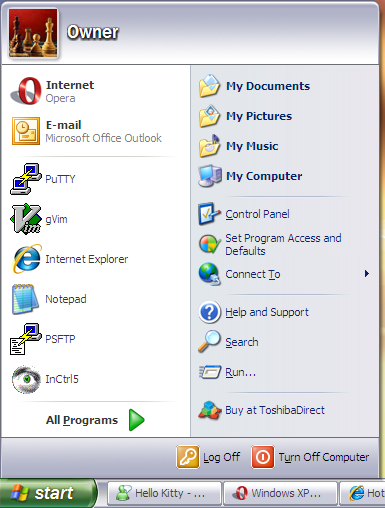
If you want to add another item at the top of the start menu in the same section as the shortcuts for your default email client and web browser, all you need to do is click on Start, select All Programs and then locate the the program you wish to add to the menu. Right-click on that program and select Pin to Start menu. In the example below, Windows Live Messenger has been selected to be added to the Start menu.
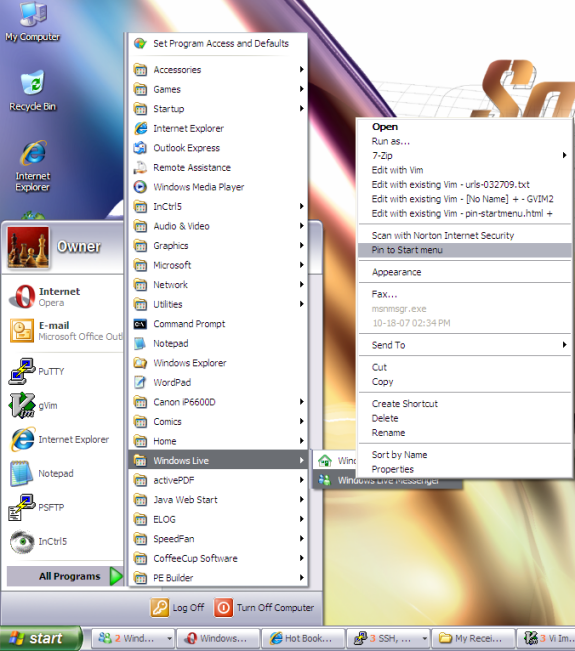
You will then see the program on the upper-left side of the Start menu. You can now run the program by clicking on the Start button and selecting the program from that location.
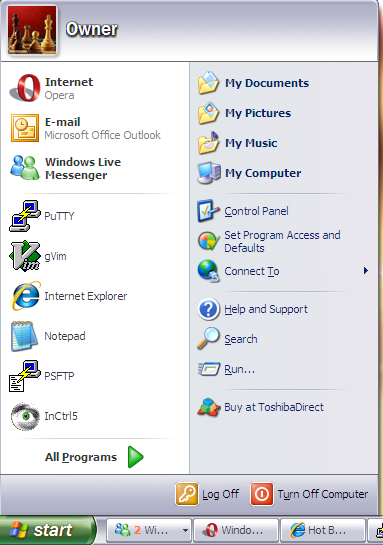
If you ever want to remove the program from the Start menu, click the Start button, right-click on the program, and choose Unpin from the Start menu.
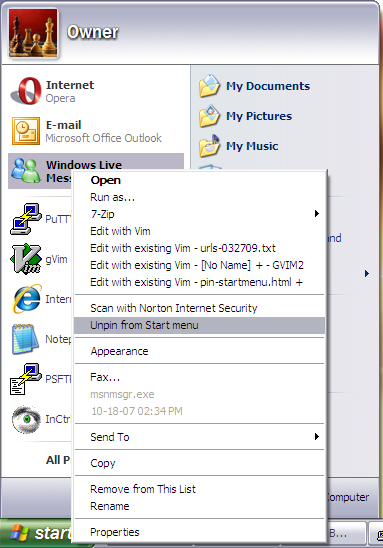
checking size of unsigned long int... configure: error: cannot compute
sizeof (unsigned long int), 77
error message at the
configure stage or seeing ld: fatal: Symbol referencing
errors at the make stage, try running
configure with CFLAGS=-gstabs+, i.e. try
./configure CFLAGS=-gstabs+. Since Solaris uses shadow
passwords, you should also use the --enable-specialauth option
as well, i.e. use the following configure command:
./configure --enable-specialauth CFLAGS=-gstabs+
configure step
allowed me to resolve issues I was having installing Qpopper 4.0.16 on a
Solaris 5.7 system.
[ More Info ]
I first checked to see whether the patch was already installed with
showrev -p. It was not installed.
# showrev -p | grep 108162
#
If a patch is installed, you would see something like the following:
# showrev -p | grep 106938-09
Patch: 106938-09 Obsoletes: 107018-04, 107332-04, 108412-01 Requires:  Incompati
bles:  Packages: SUNWcsu, SUNWcslx, SUNWcsl, SUNWarc, SUNWarcx, SUNWscpux, SUNWs
ra
I placed the .zip patch file I downloaded into /var/spool/patch,
unzipped it and installed the patch with patchadd.
# unzip 108162-08.zip
Archive:  108162-08.zip
   creating: 108162-08/
  inflating: 108162-08/.diPatch
  inflating: 108162-08/patchinfo
   creating: 108162-08/SUNWcsr/
  inflating: 108162-08/SUNWcsr/pkgmap
  inflating: 108162-08/SUNWcsr/pkginfo
   creating: 108162-08/SUNWcsr/install/
  inflating: 108162-08/SUNWcsr/install/checkinstall
  inflating: 108162-08/SUNWcsr/install/copyright
  inflating: 108162-08/SUNWcsr/install/i.none
  inflating: 108162-08/SUNWcsr/install/patch_checkinstall
  inflating: 108162-08/SUNWcsr/install/patch_postinstall
  inflating: 108162-08/SUNWcsr/install/postinstall
  inflating: 108162-08/SUNWcsr/install/preinstall
   creating: 108162-08/SUNWcsr/reloc/
   creating: 108162-08/SUNWcsr/reloc/sbin/
  inflating: 108162-08/SUNWcsr/reloc/sbin/jsh
   creating: 108162-08/SUNWcsu/
  inflating: 108162-08/SUNWcsu/pkgmap
  inflating: 108162-08/SUNWcsu/pkginfo
   creating: 108162-08/SUNWcsu/install/
  inflating: 108162-08/SUNWcsu/install/checkinstall
  inflating: 108162-08/SUNWcsu/install/copyright
  inflating: 108162-08/SUNWcsu/install/i.none
  inflating: 108162-08/SUNWcsu/install/patch_checkinstall
  inflating: 108162-08/SUNWcsu/install/patch_postinstall
  inflating: 108162-08/SUNWcsu/install/postinstall
  inflating: 108162-08/SUNWcsu/install/preinstall
   creating: 108162-08/SUNWcsu/reloc/
   creating: 108162-08/SUNWcsu/reloc/usr/
   creating: 108162-08/SUNWcsu/reloc/usr/bin/
  inflating: 108162-08/SUNWcsu/reloc/usr/bin/jsh
  inflating: 108162-08/SUNWcsu/reloc/usr/bin/ksh
  inflating: 108162-08/README.108162-08
# patchadd 108162-08

Checking installed patches...
Verifying sufficient filesystem capacity (dry run method)...
Installing patch packages...

Patch number 108162-08 has been successfully installed.
See /var/sadm/patch/108162-08/log for details

Patch packages installed:
  SUNWcsr
  SUNWcsu
I checked the installation log file in /var/sadm/108162-08
and saw the following.
# cat /var/sadm/patch/108162-08/log

This appears to be an attempt to install the same architecture and
version of a package which is already installed.  This installation
will attempt to overwrite this package.

Dryrun complete.
No changes were made to the system.

This appears to be an attempt to install the same architecture and
version of a package which is already installed.  This installation
will attempt to overwrite this package.

Dryrun complete.
No changes were made to the system.

This appears to be an attempt to install the same architecture and
version of a package which is already installed.  This installation
will attempt to overwrite this package.


Installation of <SUNWcsr> was successful.

This appears to be an attempt to install the same architecture and
version of a package which is already installed.  This installation
will attempt to overwrite this package.


Installation of <SUNWcsu> was successful.
I then checked on the patch with showrev -p.
# showrev -p | grep 108162-08
Patch: 108162-08 Obsoletes: 108416-02 Requires:  Incompatibles:  Packages: SUNWc
su, SUNWcsr
/var/spool/patch and then used patchadd to install it,
but received a message that another patch was required to be installed
prior to this one.
# unzip 107443-24.zip
Archive:  107443-24.zip
   creating: 107443-24/
  inflating: 107443-24/.diPatch
  inflating: 107443-24/patchinfo
   creating: 107443-24/SUNWarc/
  inflating: 107443-24/SUNWarc/pkgmap
  inflating: 107443-24/SUNWarc/pkginfo
   creating: 107443-24/SUNWarc/install/
  inflating: 107443-24/SUNWarc/install/checkinstall
  inflating: 107443-24/SUNWarc/install/copyright
  inflating: 107443-24/SUNWarc/install/i.none
  inflating: 107443-24/SUNWarc/install/patch_checkinstall
  inflating: 107443-24/SUNWarc/install/patch_postinstall
  inflating: 107443-24/SUNWarc/install/postinstall
  inflating: 107443-24/SUNWarc/install/preinstall
   creating: 107443-24/SUNWarc/reloc/
   creating: 107443-24/SUNWarc/reloc/usr/
   creating: 107443-24/SUNWarc/reloc/usr/lib/
  inflating: 107443-24/SUNWarc/reloc/usr/lib/libpkg.a
   creating: 107443-24/SUNWcsu/
  inflating: 107443-24/SUNWcsu/pkgmap
  inflating: 107443-24/SUNWcsu/pkginfo
   creating: 107443-24/SUNWcsu/install/
  inflating: 107443-24/SUNWcsu/install/checkinstall
  inflating: 107443-24/SUNWcsu/install/copyright
  inflating: 107443-24/SUNWcsu/install/i.none
  inflating: 107443-24/SUNWcsu/install/patch_checkinstall
  inflating: 107443-24/SUNWcsu/install/patch_postinstall
  inflating: 107443-24/SUNWcsu/install/postinstall
  inflating: 107443-24/SUNWcsu/install/preinstall
   creating: 107443-24/SUNWcsu/reloc/
   creating: 107443-24/SUNWcsu/reloc/usr/
   creating: 107443-24/SUNWcsu/reloc/usr/bin/
  inflating: 107443-24/SUNWcsu/reloc/usr/bin/pkginfo
  inflating: 107443-24/SUNWcsu/reloc/usr/bin/pkgmk
  inflating: 107443-24/SUNWcsu/reloc/usr/bin/pkgparam
  inflating: 107443-24/SUNWcsu/reloc/usr/bin/pkgproto
  inflating: 107443-24/SUNWcsu/reloc/usr/bin/pkgtrans
   creating: 107443-24/SUNWcsu/reloc/usr/sadm/
   creating: 107443-24/SUNWcsu/reloc/usr/sadm/install/
   creating: 107443-24/SUNWcsu/reloc/usr/sadm/install/bin/
  inflating: 107443-24/SUNWcsu/reloc/usr/sadm/install/bin/pkginstall
  inflating: 107443-24/SUNWcsu/reloc/usr/sadm/install/bin/pkgname
  inflating: 107443-24/SUNWcsu/reloc/usr/sadm/install/bin/pkgremove
   creating: 107443-24/SUNWcsu/reloc/usr/sadm/install/scripts/
  inflating: 107443-24/SUNWcsu/reloc/usr/sadm/install/scripts/cmdexec
  inflating: 107443-24/SUNWcsu/reloc/usr/sadm/install/scripts/i.awk
  inflating: 107443-24/SUNWcsu/reloc/usr/sadm/install/scripts/i.build
  inflating: 107443-24/SUNWcsu/reloc/usr/sadm/install/scripts/i.sed
  inflating: 107443-24/SUNWcsu/reloc/usr/sadm/install/scripts/r.awk
  inflating: 107443-24/SUNWcsu/reloc/usr/sadm/install/scripts/r.build
  inflating: 107443-24/SUNWcsu/reloc/usr/sadm/install/scripts/r.sed
   creating: 107443-24/SUNWcsu/reloc/usr/sbin/
  inflating: 107443-24/SUNWcsu/reloc/usr/sbin/installf
  inflating: 107443-24/SUNWcsu/reloc/usr/sbin/pkgadd
  inflating: 107443-24/SUNWcsu/reloc/usr/sbin/pkgchk
  inflating: 107443-24/SUNWcsu/reloc/usr/sbin/pkgmv
  inflating: 107443-24/SUNWcsu/reloc/usr/sbin/pkgrm
  inflating: 107443-24/README.107443-24
  inflating: 107443-24/LEGAL_LICENSE.TXT
# ls 107443-24
LEGAL_LICENSE.TXT  SUNWarc            patchinfo
README.107443-24   SUNWcsu
# patchadd /var/spool/patch/107443-24

Checking installed patches...
ERROR: This patch requires patch  107332-03
which has not been applied to the system.

Patchadd is terminating.
The 107332 patch was available from the SunSolve site, but its status was listed as "obsolete". That patch was obsoleted by patch 106938-07, which was in turn obsoleted by patch 106938-08, which was itself obsoleted by patch 106938-09, which has a title of "SunOS 5.7: libresolv, in.named, libadm, & nslookup patch".
I downloaded the
SunOS 5.7: libresolv, in.named, libadm, & nslookup patch into
/var/spool/patch and uncompressed it.
# unzip 106938-09.zip
Archive:  106938-09.zip
   creating: 106938-09/
  inflating: 106938-09/.diPatch
  inflating: 106938-09/patchinfo
   creating: 106938-09/SUNWarc/
  inflating: 106938-09/SUNWarc/pkgmap
  inflating: 106938-09/SUNWarc/pkginfo
   creating: 106938-09/SUNWarc/install/
  inflating: 106938-09/SUNWarc/install/checkinstall
  inflating: 106938-09/SUNWarc/install/copyright
  inflating: 106938-09/SUNWarc/install/i.none
  inflating: 106938-09/SUNWarc/install/patch_checkinstall
  inflating: 106938-09/SUNWarc/install/patch_postinstall
  inflating: 106938-09/SUNWarc/install/postinstall
  inflating: 106938-09/SUNWarc/install/preinstall
   creating: 106938-09/SUNWarc/reloc/
   creating: 106938-09/SUNWarc/reloc/usr/
   creating: 106938-09/SUNWarc/reloc/usr/lib/
  inflating: 106938-09/SUNWarc/reloc/usr/lib/libadm.a
  inflating: 106938-09/SUNWarc/reloc/usr/lib/llib-l300.ln
  inflating: 106938-09/SUNWarc/reloc/usr/lib/llib-l300s.ln
  inflating: 106938-09/SUNWarc/reloc/usr/lib/llib-l4014.ln
  inflating: 106938-09/SUNWarc/reloc/usr/lib/llib-l450.ln
  inflating: 106938-09/SUNWarc/reloc/usr/lib/llib-lTL.ln
  inflating: 106938-09/SUNWarc/reloc/usr/lib/llib-ladm
  inflating: 106938-09/SUNWarc/reloc/usr/lib/llib-ladm.ln
  inflating: 106938-09/SUNWarc/reloc/usr/lib/llib-laio.ln
  inflating: 106938-09/SUNWarc/reloc/usr/lib/llib-lauth.ln
  inflating: 106938-09/SUNWarc/reloc/usr/lib/llib-lbsm.ln
  inflating: 106938-09/SUNWarc/reloc/usr/lib/llib-lc.ln
  inflating: 106938-09/SUNWarc/reloc/usr/lib/llib-lc2stubs.ln
  inflating: 106938-09/SUNWarc/reloc/usr/lib/llib-lcmd.ln
  inflating: 106938-09/SUNWarc/reloc/usr/lib/llib-lcurses.ln
  inflating: 106938-09/SUNWarc/reloc/usr/lib/llib-ldevice.ln
  inflating: 106938-09/SUNWarc/reloc/usr/lib/llib-ldoor.ln
  inflating: 106938-09/SUNWarc/reloc/usr/lib/llib-lkstat.ln
  inflating: 106938-09/SUNWarc/reloc/usr/lib/llib-lkvm.ln
  inflating: 106938-09/SUNWarc/reloc/usr/lib/llib-lmtmalloc.ln
  inflating: 106938-09/SUNWarc/reloc/usr/lib/llib-lnls.ln
  inflating: 106938-09/SUNWarc/reloc/usr/lib/llib-lnsl
  inflating: 106938-09/SUNWarc/reloc/usr/lib/llib-lnsl.ln
  inflating: 106938-09/SUNWarc/reloc/usr/lib/llib-lpam.ln
  inflating: 106938-09/SUNWarc/reloc/usr/lib/llib-lplot.ln
  inflating: 106938-09/SUNWarc/reloc/usr/lib/llib-lrac.ln
  inflating: 106938-09/SUNWarc/reloc/usr/lib/llib-lresolv
  inflating: 106938-09/SUNWarc/reloc/usr/lib/llib-lresolv.ln
  inflating: 106938-09/SUNWarc/reloc/usr/lib/llib-lsec.ln
  inflating: 106938-09/SUNWarc/reloc/usr/lib/llib-lthread.ln
  inflating: 106938-09/SUNWarc/reloc/usr/lib/llib-lvolmgt.ln
  inflating: 106938-09/SUNWarc/reloc/usr/lib/llib-lvt0.ln
   creating: 106938-09/SUNWarc/reloc/usr/xpg4/
   creating: 106938-09/SUNWarc/reloc/usr/xpg4/lib/
  inflating: 106938-09/SUNWarc/reloc/usr/xpg4/lib/llib-lcurses.ln
   creating: 106938-09/SUNWarcx/
  inflating: 106938-09/SUNWarcx/pkgmap
  inflating: 106938-09/SUNWarcx/pkginfo
   creating: 106938-09/SUNWarcx/install/
  inflating: 106938-09/SUNWarcx/install/checkinstall
  inflating: 106938-09/SUNWarcx/install/copyright
  inflating: 106938-09/SUNWarcx/install/i.none
  inflating: 106938-09/SUNWarcx/install/patch_checkinstall
  inflating: 106938-09/SUNWarcx/install/patch_postinstall
  inflating: 106938-09/SUNWarcx/install/postinstall
  inflating: 106938-09/SUNWarcx/install/preinstall
   creating: 106938-09/SUNWarcx/reloc/
   creating: 106938-09/SUNWarcx/reloc/usr/
   creating: 106938-09/SUNWarcx/reloc/usr/lib/
   creating: 106938-09/SUNWarcx/reloc/usr/lib/sparcv9/
  inflating: 106938-09/SUNWarcx/reloc/usr/lib/sparcv9/llib-l300.ln
  inflating: 106938-09/SUNWarcx/reloc/usr/lib/sparcv9/llib-l300s.ln
  inflating: 106938-09/SUNWarcx/reloc/usr/lib/sparcv9/llib-l4014.ln
  inflating: 106938-09/SUNWarcx/reloc/usr/lib/sparcv9/llib-l450.ln
  inflating: 106938-09/SUNWarcx/reloc/usr/lib/sparcv9/llib-ladm.ln
  inflating: 106938-09/SUNWarcx/reloc/usr/lib/sparcv9/llib-laio.ln
  inflating: 106938-09/SUNWarcx/reloc/usr/lib/sparcv9/llib-lbsm.ln
  inflating: 106938-09/SUNWarcx/reloc/usr/lib/sparcv9/llib-lc.ln
  inflating: 106938-09/SUNWarcx/reloc/usr/lib/sparcv9/llib-lcmd.ln
  inflating: 106938-09/SUNWarcx/reloc/usr/lib/sparcv9/llib-lcurses.ln
  inflating: 106938-09/SUNWarcx/reloc/usr/lib/sparcv9/llib-ldevice.ln
  inflating: 106938-09/SUNWarcx/reloc/usr/lib/sparcv9/llib-ldoor.ln
  inflating: 106938-09/SUNWarcx/reloc/usr/lib/sparcv9/llib-lkstat.ln
  inflating: 106938-09/SUNWarcx/reloc/usr/lib/sparcv9/llib-lkvm.ln
  inflating: 106938-09/SUNWarcx/reloc/usr/lib/sparcv9/llib-lmtmalloc.ln
  inflating: 106938-09/SUNWarcx/reloc/usr/lib/sparcv9/llib-lnls.ln
  inflating: 106938-09/SUNWarcx/reloc/usr/lib/sparcv9/llib-lnsl.ln
  inflating: 106938-09/SUNWarcx/reloc/usr/lib/sparcv9/llib-lpam.ln
  inflating: 106938-09/SUNWarcx/reloc/usr/lib/sparcv9/llib-lplot.ln
  inflating: 106938-09/SUNWarcx/reloc/usr/lib/sparcv9/llib-lrac.ln
  inflating: 106938-09/SUNWarcx/reloc/usr/lib/sparcv9/llib-lresolv.ln
  inflating: 106938-09/SUNWarcx/reloc/usr/lib/sparcv9/llib-lsec.ln
  inflating: 106938-09/SUNWarcx/reloc/usr/lib/sparcv9/llib-lthread.ln
  inflating: 106938-09/SUNWarcx/reloc/usr/lib/sparcv9/llib-lvolmgt.ln
  inflating: 106938-09/SUNWarcx/reloc/usr/lib/sparcv9/llib-lvt0.ln
   creating: 106938-09/SUNWarcx/reloc/usr/xpg4/
   creating: 106938-09/SUNWarcx/reloc/usr/xpg4/lib/
   creating: 106938-09/SUNWarcx/reloc/usr/xpg4/lib/sparcv9/
  inflating: 106938-09/SUNWarcx/reloc/usr/xpg4/lib/sparcv9/llib-lcurses.ln
   creating: 106938-09/SUNWcsl/
  inflating: 106938-09/SUNWcsl/pkgmap
  inflating: 106938-09/SUNWcsl/pkginfo
   creating: 106938-09/SUNWcsl/install/
  inflating: 106938-09/SUNWcsl/install/checkinstall
  inflating: 106938-09/SUNWcsl/install/copyright
  inflating: 106938-09/SUNWcsl/install/i.none
  inflating: 106938-09/SUNWcsl/install/patch_checkinstall
  inflating: 106938-09/SUNWcsl/install/patch_postinstall
  inflating: 106938-09/SUNWcsl/install/postinstall
  inflating: 106938-09/SUNWcsl/install/preinstall
   creating: 106938-09/SUNWcsl/reloc/
   creating: 106938-09/SUNWcsl/reloc/usr/
   creating: 106938-09/SUNWcsl/reloc/usr/lib/
  inflating: 106938-09/SUNWcsl/reloc/usr/lib/libadm.so.1
  inflating: 106938-09/SUNWcsl/reloc/usr/lib/libresolv.so.1
  inflating: 106938-09/SUNWcsl/reloc/usr/lib/libresolv.so.2
   creating: 106938-09/SUNWcslx/
  inflating: 106938-09/SUNWcslx/pkgmap
  inflating: 106938-09/SUNWcslx/pkginfo
   creating: 106938-09/SUNWcslx/install/
  inflating: 106938-09/SUNWcslx/install/checkinstall
  inflating: 106938-09/SUNWcslx/install/copyright
  inflating: 106938-09/SUNWcslx/install/i.none
  inflating: 106938-09/SUNWcslx/install/patch_checkinstall
  inflating: 106938-09/SUNWcslx/install/patch_postinstall
  inflating: 106938-09/SUNWcslx/install/postinstall
  inflating: 106938-09/SUNWcslx/install/preinstall
   creating: 106938-09/SUNWcslx/reloc/
   creating: 106938-09/SUNWcslx/reloc/usr/
   creating: 106938-09/SUNWcslx/reloc/usr/lib/
   creating: 106938-09/SUNWcslx/reloc/usr/lib/sparcv9/
  inflating: 106938-09/SUNWcslx/reloc/usr/lib/sparcv9/libadm.so.1
  inflating: 106938-09/SUNWcslx/reloc/usr/lib/sparcv9/libresolv.so.2
   creating: 106938-09/SUNWcsu/
  inflating: 106938-09/SUNWcsu/pkgmap
  inflating: 106938-09/SUNWcsu/pkginfo
   creating: 106938-09/SUNWcsu/install/
  inflating: 106938-09/SUNWcsu/install/checkinstall
  inflating: 106938-09/SUNWcsu/install/copyright
  inflating: 106938-09/SUNWcsu/install/i.none
  inflating: 106938-09/SUNWcsu/install/patch_checkinstall
  inflating: 106938-09/SUNWcsu/install/patch_postinstall
  inflating: 106938-09/SUNWcsu/install/postinstall
  inflating: 106938-09/SUNWcsu/install/preinstall
   creating: 106938-09/SUNWcsu/reloc/
   creating: 106938-09/SUNWcsu/reloc/usr/
   creating: 106938-09/SUNWcsu/reloc/usr/sbin/
  inflating: 106938-09/SUNWcsu/reloc/usr/sbin/in.named
  inflating: 106938-09/SUNWcsu/reloc/usr/sbin/nslookup
   creating: 106938-09/SUNWscpux/
  inflating: 106938-09/SUNWscpux/pkgmap
  inflating: 106938-09/SUNWscpux/pkginfo
   creating: 106938-09/SUNWscpux/install/
  inflating: 106938-09/SUNWscpux/install/checkinstall
  inflating: 106938-09/SUNWscpux/install/copyright
  inflating: 106938-09/SUNWscpux/install/i.none
  inflating: 106938-09/SUNWscpux/install/patch_checkinstall
  inflating: 106938-09/SUNWscpux/install/patch_postinstall
  inflating: 106938-09/SUNWscpux/install/postinstall
  inflating: 106938-09/SUNWscpux/install/preinstall
   creating: 106938-09/SUNWscpux/reloc/
   creating: 106938-09/SUNWscpux/reloc/usr/
   creating: 106938-09/SUNWscpux/reloc/usr/ucblib/
   creating: 106938-09/SUNWscpux/reloc/usr/ucblib/sparcv9/
  inflating: 106938-09/SUNWscpux/reloc/usr/ucblib/sparcv9/llib-lucb.ln
   creating: 106938-09/SUNWsra/
  inflating: 106938-09/SUNWsra/pkgmap
  inflating: 106938-09/SUNWsra/pkginfo
   creating: 106938-09/SUNWsra/install/
  inflating: 106938-09/SUNWsra/install/checkinstall
  inflating: 106938-09/SUNWsra/install/copyright
  inflating: 106938-09/SUNWsra/install/i.none
  inflating: 106938-09/SUNWsra/install/patch_checkinstall
  inflating: 106938-09/SUNWsra/install/patch_postinstall
  inflating: 106938-09/SUNWsra/install/postinstall
  inflating: 106938-09/SUNWsra/install/preinstall
   creating: 106938-09/SUNWsra/reloc/
   creating: 106938-09/SUNWsra/reloc/usr/
   creating: 106938-09/SUNWsra/reloc/usr/ucblib/
  inflating: 106938-09/SUNWsra/reloc/usr/ucblib/llib-lucb.ln
  inflating: 106938-09/README.106938-09
I then installed both patches with patchadd.
# patchadd -M /var/spool/patch 106938-09 107443-24

Checking installed patches...
Verifying sufficient filesystem capacity (dry run method)...
Installing patch packages...

Patch number 106938-09 has been successfully installed.
See /var/sadm/patch/106938-09/log for details

Patch packages installed:
  SUNWarc
  SUNWarcx
  SUNWcsl
  SUNWcslx
  SUNWcsu
  SUNWscpux
  SUNWsra

Checking installed patches...
Verifying sufficient filesystem capacity (dry run method)...
Installing patch packages...

Patch number 107443-24 has been successfully installed.
See /var/sadm/patch/107443-24/log for details

Patch packages installed:
  SUNWarc
  SUNWcsu
When patchadd installs patches, it creates a directory of the form
/var/sadm/patch/patch_id, where patch_id
is the id for the patch, e.g 107443-24. It copies the
README file there and creates a log file for the patch installation
in that directory.
# ls /var/sadm/patch/107443-24
README.107443-24  log
# ls /var/sadm/patch/106938-09
README.106938-09  log
Files Included in the 107443-24 Patch:
/usr/bin/pkginfo
/usr/bin/pkgmk
/usr/bin/pkgparam
/usr/bin/pkgproto
/usr/bin/pkgtrans
/usr/lib/libpkg.a
/usr/sadm/install/bin/pkginstall
/usr/sadm/install/bin/pkgname
/usr/sadm/install/bin/pkgremove
/usr/sadm/install/scripts/cmdexec
/usr/sadm/install/scripts/i.awk
/usr/sadm/install/scripts/i.build
/usr/sadm/install/scripts/i.sed
/usr/sadm/install/scripts/r.awk
/usr/sadm/install/scripts/r.build
/usr/sadm/install/scripts/r.sed
/usr/sbin/installf
/usr/sbin/pkgadd
/usr/sbin/pkgask
/usr/sbin/pkgchk
/usr/sbin/pkgmv
/usr/sbin/pkgrm
/usr/sbin/removef
Files Included in the 106938-09 Patch: /usr/lib/libadm.a /usr/lib/libadm.so.1 /usr/lib/libresolv.so.1 /usr/lib/libresolv.so.2 /usr/lib/llib-l300.ln /usr/lib/llib-l300s.ln /usr/lib/llib-l4014.ln /usr/lib/llib-l450.ln /usr/lib/llib-lTL.ln /usr/lib/llib-ladm /usr/lib/llib-ladm.ln /usr/lib/llib-laio.ln /usr/lib/llib-lauth.ln /usr/lib/llib-lbsm.ln /usr/lib/llib-lc.ln /usr/lib/llib-lc2stubs.ln /usr/lib/llib-lcmd.ln /usr/lib/llib-lcurses.ln /usr/lib/llib-ldevice.ln /usr/lib/llib-ldoor.ln /usr/lib/llib-lkstat.ln /usr/lib/llib-lkvm.ln /usr/lib/llib-lmtmalloc.ln /usr/lib/llib-lnls.ln /usr/lib/llib-lnsl /usr/lib/llib-lnsl.ln /usr/lib/llib-lpam.ln /usr/lib/llib-lplot.ln /usr/lib/llib-lrac.ln /usr/lib/llib-lresolv /usr/lib/llib-lresolv.ln /usr/lib/llib-lsec.ln /usr/lib/llib-lthread.ln /usr/lib/llib-lvolmgt.ln /usr/lib/llib-lvt0.ln /usr/lib/sparcv9/libadm.so.1 /usr/lib/sparcv9/libresolv.so.2 /usr/lib/sparcv9/llib-l300.ln /usr/lib/sparcv9/llib-l300s.ln /usr/lib/sparcv9/llib-l4014.ln /usr/lib/sparcv9/llib-l450.ln /usr/lib/sparcv9/llib-ladm.ln /usr/lib/sparcv9/llib-laio.ln /usr/lib/sparcv9/llib-lbsm.ln /usr/lib/sparcv9/llib-lc.ln /usr/lib/sparcv9/llib-lcmd.ln /usr/lib/sparcv9/llib-lcurses.ln /usr/lib/sparcv9/llib-ldevice.ln /usr/lib/sparcv9/llib-ldoor.ln /usr/lib/sparcv9/llib-lkstat.ln /usr/lib/sparcv9/llib-lkvm.ln /usr/lib/sparcv9/llib-lmtmalloc.ln /usr/lib/sparcv9/llib-lnls.ln /usr/lib/sparcv9/llib-lnsl.ln /usr/lib/sparcv9/llib-lpam.ln /usr/lib/sparcv9/llib-lplot.ln /usr/lib/sparcv9/llib-lrac.ln /usr/lib/sparcv9/llib-lresolv.ln /usr/lib/sparcv9/llib-lsec.ln /usr/lib/sparcv9/llib-lthread.ln /usr/lib/sparcv9/llib-lvolmgt.ln /usr/lib/sparcv9/llib-lvt0.ln /usr/sbin/in.named /usr/sbin/nslookup /usr/ucblib/llib-lucb.ln /usr/ucblib/sparcv9/llib-lucb.ln /usr/xpg4/lib/llib-lcurses.ln /usr/xpg4/lib/sparcv9/llib-lcurses.lnReferences:
/var/spool/patch and then used patchadd to install it.
# unzip 111113-02.zip
Archive:  111113-02.zip
   creating: 111113-02/
  inflating: 111113-02/.diPatch
   creating: 111113-02/SUNWesu/
  inflating: 111113-02/SUNWesu/pkgmap
  inflating: 111113-02/SUNWesu/pkginfo
   creating: 111113-02/SUNWesu/install/
  inflating: 111113-02/SUNWesu/install/checkinstall
  inflating: 111113-02/SUNWesu/install/copyright
  inflating: 111113-02/SUNWesu/install/i.none
  inflating: 111113-02/SUNWesu/install/patch_checkinstall
  inflating: 111113-02/SUNWesu/install/patch_postinstall
  inflating: 111113-02/SUNWesu/install/postinstall
  inflating: 111113-02/SUNWesu/install/preinstall
   creating: 111113-02/SUNWesu/reloc/
   creating: 111113-02/SUNWesu/reloc/usr/
   creating: 111113-02/SUNWesu/reloc/usr/bin/
  inflating: 111113-02/SUNWesu/reloc/usr/bin/nawk
  inflating: 111113-02/README.111113-02
# cd 111113-02
# ls
README.111113-02  SUNWesu
# patchadd /var/spool/patch/111113-02

Checking installed patches...
Verifying sufficient filesystem capacity (dry run method)...
Installing patch packages...

Patch number 111113-02 has been successfully installed.
See /var/sadm/patch/111113-02/log for details

Patch packages installed:
  SUNWesu
Files Included in this Patch:
/usr/bin/nawk
Problem Description:
4451613 *nawk* record limit corrupts patch checking when installing patch
Furl is offering one the capability to transfer one's Furl bookmarks to Diigo, so I signed up for a Diigo account and requested the transfer of my bookmarks. I've also downloaded my archived webpages from Furl.
# ssh -V
OpenSSH_4.7p1, OpenSSL 0.9.8f 11 Oct 2007
# /usr/local/ssl/bin/openssl version
OpenSSL 0.9.8f 11 Oct 2007
Version 0.9.8j is currently available, so I downloaded it from sunfreeware.com. The sunfreeware.com site provides the following information for OpenSSL 0.98j for the SPARC platform:
openssl-0.9.8j-sol7-sparc-local.gz openssl is an open source toolkit implementing the Secure Sockets Layer (SSL v2/v3) and Transport Layer Security (TLS v1) protocols as well as a full-strength general purpose cryptography library - installs in /usr/local/ssl. Note to users with sun4m machines. The openssl package here was built on a sun4u system and will not work on your machines. The one built for Solaris 2.5 was built on a sun4m machine and has been tested and does work. If you do uname -a and you get sun4m in the result, install the Solaris 2.5 openssl package instead. The configure option used for making openssl was solaris-sparcv9-gcc shared. You may also need to install either gcc-3.4.6 or libgcc-3.4.6 to obtain the libgcc_s.so.1 library. openssl is often used to make machines more secure. Make sure you know what you are doing. Any security problems are your responsiblitiy. See our Disclaimer.
openssl-0.9.8j.tar.gz Source Code. [Details]
I unzipped the file I downloaded and installed the package.
# gunzip openssl-0.9.8j-sol7-sparc-local.gz
# pkgadd -d ./openssl-0.9.8j-sol7-sparc-local

The following packages are available:
  1  SMCossl     openssl
                 (sparc) 0.9.8j

Select package(s) you wish to process (or 'all' to process
all packages). (default: all) [?,??,q]: 1

Processing package instance <SMCossl> from </tmp/openssl-0.9.8j-sol7-sparc-local>

openssl
(sparc) 0.9.8j
The OpenSSL Group
Using </usr/local> as the package base directory.
## Processing package information.
## Processing system information.
   771 package pathnames are already properly installed.
## Verifying disk space requirements.
## Checking for conflicts with packages already installed.
## Checking for setuid/setgid programs.

Installing openssl as <SMCossl>

## Installing part 1 of 1.
/usr/local/doc/openssl/CHANGES
/usr/local/doc/openssl/CHANGES.SSLeay
/usr/local/doc/openssl/FAQ
/usr/local/doc/openssl/INSTALL
/usr/local/doc/openssl/INSTALL.DJGPP
/usr/local/doc/openssl/INSTALL.MacOS
/usr/local/doc/openssl/INSTALL.NW
/usr/local/doc/openssl/INSTALL.OS2
/usr/local/doc/openssl/INSTALL.VMS
/usr/local/doc/openssl/INSTALL.W32
/usr/local/doc/openssl/INSTALL.W64
/usr/local/doc/openssl/INSTALL.WCE
/usr/local/doc/openssl/NEWS
/usr/local/doc/openssl/README
<text snipped>
/usr/local/ssl/man/man7/des_modes.7
/usr/local/ssl/misc/CA.pl
/usr/local/ssl/misc/CA.sh
/usr/local/ssl/misc/c_hash
/usr/local/ssl/misc/c_info
/usr/local/ssl/misc/c_issuer
/usr/local/ssl/misc/c_name
/usr/local/ssl/openssl.cnf
[ verifying class <none> ]

Installation of <SMCossl> was successful.
I then verified the new version was installed.
# /usr/local/ssl/bin/openssl version
OpenSSL 0.9.8j 07 Jan 2009
When I then ran the ssh command, I realized I needed
to upgrade ssh as well.
# ssh -V
OpenSSL version mismatch. Built against 908070, you have 9080af
Sunfreeware.com listed the current OpenSSH version as 5.2p1.
openssh-5.2p1-sol7-sparc-local.gz Openssh is an open source version of the SSH secure shell system - installs in /usr/local. PAM support is included and requires its own configuration. Openssh also requires the installation of the packages openssl-0.9.8j (do not use the older openssl packages), zlib, gcc-3.4.6 or libgcc-3.4.6, prngd and optionally, but highly recommended, the perl, egd and tcp_wrappers packages. You MUST read the OpenSSH installation page for installation details and helpful web sites. For example, the /usr/local/etc/sshd_config file may need to be edited. openssh is often used to make machines more secure. Make sure you know what you are doing. Any security problems are your responsiblitiy. The main ssh web site is at the [Details] link below. It is also important that you read our Disclaimer.
openssh-5.2p1.tar.gz Source Code. [Details]
So I downloaded and installed the latest OpenSSH package from sunfreeware.com as well.
# wget -q ftp://ftp.sunfreeware.com/pub/freeware/sparc/7/openssh-5.2p1-sol7-sparc-local.gz
# gunzip openssh-5.2p1-sol7-sparc-local.gz
# pkgadd -d ./openssh-5.2p1-sol7-sparc-local

The following packages are available:
  1  SMCosh521     openssh
                   (sparc) 5.2p1

Select package(s) you wish to process (or 'all' to process
all packages). (default: all) [?,??,q]: 1

Processing package instance <SMCosh521> from </tmp/openssh-5.2p1-sol7-sparc-local>

openssh
(sparc) 5.2p1
The OpenSSH Group
Using </usr/local> as the package base directory.
## Processing package information.
## Processing system information.
   16 package pathnames are already properly installed.
## Verifying disk space requirements.
## Checking for conflicts with packages already installed.

The following files are already installed on the system and are being
used by another package:
  /usr/local/bin/scp
  /usr/local/bin/sftp
  /usr/local/bin/ssh
  /usr/local/bin/ssh-add
  /usr/local/bin/ssh-agent
  /usr/local/bin/ssh-keygen
  /usr/local/bin/ssh-keyscan
  /usr/local/doc/openssh/CREDITS
  /usr/local/doc/openssh/ChangeLog
  /usr/local/doc/openssh/INSTALL
  /usr/local/doc/openssh/LICENCE
  /usr/local/doc/openssh/OVERVIEW
  /usr/local/doc/openssh/README
  /usr/local/doc/openssh/README.dns
  /usr/local/doc/openssh/README.platform
  /usr/local/doc/openssh/README.privsep
  /usr/local/doc/openssh/README.smartcard
  /usr/local/doc/openssh/README.tun
  /usr/local/doc/openssh/TODO
<text snipped>
  /usr/local/etc/ssh_config
  /usr/local/etc/sshd_config
  /usr/local/libexec/sftp-server
  /usr/local/libexec/ssh-keysign
  /usr/local/libexec/ssh-rand-helper
  /usr/local/sbin/sshd
  /usr/local/share/Ssh.bin

Do you want to install these conflicting files [y,n,?,q] y
## Checking for setuid/setgid programs.

Installing openssh as <SMCosh521>

## Installing part 1 of 1.
/usr/local/bin/scp
/usr/local/bin/sftp
/usr/local/bin/ssh
/usr/local/bin/ssh-add
/usr/local/bin/ssh-agent
/usr/local/bin/ssh-keygen
/usr/local/bin/ssh-keyscan
/usr/local/doc/openssh/CREDITS
/usr/local/doc/openssh/ChangeLog
/usr/local/doc/openssh/INSTALL
/usr/local/doc/openssh/LICENCE
/usr/local/doc/openssh/OVERVIEW
/usr/local/doc/openssh/README
<text snipped>
/usr/local/share/man/man1/ssh.1
/usr/local/share/man/man5/ssh_config.5
/usr/local/share/man/man5/sshd_config.5
/usr/local/share/man/man8/sftp-server.8
/usr/local/share/man/man8/ssh-keysign.8
/usr/local/share/man/man8/ssh-rand-helper.8
/usr/local/share/man/man8/sshd.8
[ verifying class <none> ]

Installation of <SMCosh521> was successful.
I then rechecked the version of ssh on the system. The version was now up-to-date.
# ssh -V
OpenSSH_5.2p1, OpenSSL 0.9.8j 07 Jan 2009
The OpenSSH installation page stated "It has been noted that on some Solaris systems, scp and sftp may not work unless /usr/local/bin in in your PATH before /usr/bin. The older scp that comes with Solaris may conflict with the new openssl packages." So I tested sftp and scp to ensure they worked by transferring a file to another system.
A series of message boxes may appear that state that the folder cannot be found and that the location is unavailable. Ignore these messages and click OK when they appear.
The Load Hive dialog box appears.
For example, if Windows is on drive C, navigate to C:\WINDOWS\system32\config.
To load more hives, repeat the previous steps.
HKEY_LOCAL_MACHINE\SOFTWARE\Microsoft\Windows\CurrentVersion.
[ More Info ]
So I changed the subnet mask to 192.168.4.240, which provides an address range of 16 addresses (14 usable for hosts, since 192.168.4.0 is the subnet id and 192.168.0.15 is then the broadcast address). I then tried setting the ending IP address for the DHCP server built into the router to 7. When the router rebooted that address was back at 12 again. This time I just left it, since at least this time all of the addresses the built-in DHCP server would assign will be within the subnet range.
            W     W
            W  W  W  EEEEEE  L        CCCC    OOOO   M    M  EEEEEE
            W  W  W  E       L       C    C  O    O  MM  MM  E
            W  W  W  EEEEE   L       C       O    O  M MM M  EEEEE
            W  W  W  E       L       C       O    O  M    M  E
            W  W  W  E       L       C    C  O    O  M    M  E
             WW WW   EEEEEE  LLLLLL   CCCC    OOOO   M    M  EEEEEE


Enter password:
                               PowerConnect 3024
                                   Main Menu


                             a. System Manager
                             b. Port Manager
                             c. Address Manager
                             d. Spanning Tree
                             e. VLAN and CoS Setup
                             f. Port Trunking
                             g. Port Mirroring
                             h. SNMP Management
                             i. Multimedia Support
                             j. Statistics
                             k. Save Configuration


================================================================================
Hit <Enter> to configure General, IP, Password, NVRAM, Firmware, or Reset
                                                <Ctrl-L> Refresh  <Ctrl-W> Save
                               PowerConnect 3024
                                 System Manager


                               a. General Info
                               b. IP Settings
                               c. Security Admin
                               d. Firmware Update
                               e. Reset


================================================================================
Hit <Enter> to configure the IP Address, Gateway Address, or Network Mask
<ESC> Back                                      <Ctrl-L> Refresh  <Ctrl-W> Save
                               PowerConnect 3024
                           System Manager/IP Settings


                             IP Address:  192.168.0.4
                           Network Mask:  255.255.255.0
                        Default Gateway:  192.168.0.1


================================================================================
Enter this switch's IP address
<ESC> Back                                      <Ctrl-L> Refresh  <Ctrl-W> Save
Note: if you hit enter the values are changed, but not saved, so you can
revert to the previous values by powering off the switch and powering it
back on. If you are changing the address, such that the new address is no
longer in the same subnet as the existing address and the gateway IP
address will also change, rather than just changing
from an address in the same subnet to another, I would suggest changing the
gateway address first, because you can't change the IP address and then use
the cursor keys to move to other fields. When you type in the new IP address,
you can hit Escape to undo the change or Enter to accept it.
If the change would place the switch in a different subnet than the system
from which you have connected to the switch by telnet, you will be immediately
disconnected when you hit Enter.
But, if you change the gateway address first and hit Enter, the
cursor will automatically jump to the IP address field, where you can then
change the IP address. You will still be disconnected as soon as the IP
address is changed to one that isn't in the same subnet as the connecting
system, but then you've got both values changed.
I wanted to create a
Calvin and
Hobbes smiley pack for Drupal (I'm using
Drupal 6), since Calvin and Hobbes is my favorite comic. Within the
/modules/smileys/packs/ directory beneath the directory
where Drupal was installed, I created a Calvin directory.
I put the following GIF images in that directory:
# ls
angry.gif  goofy.gif    not-again.gif  oops.gif       sour.gif   yell.gif
geez.gif   nah-nah.gif  omg.gif        pick-nose.gif  tired.gif  yuck.gif
But Drupal won't be able to use those emoticons unless you create a
.pak file, e.g. Calvin.pak and place it in the same
directory.
To get an idea of what should go into that file, you can take a look
at the Example.pak file in the
/modules/smileys/packs/Example directory. That file contains
the following lines:
barf.gif=+:Barf!=+::sick: :barf:
jawdrop.gif=+:Jawdropping!=+::jawdrop:
cool.png=+:Cool=+:8) 8-) :cool:
puzzled.png=+:Puzzled=+::? :-? :puzzled:
shock.png=+:Shocked=+::O :-O :shocked:
tongue.png=+:Sticking out tongue=+::P :-P :tongue:
evil.png=+:Evil=+:}:) }:-) :evil:
lol.png=+:Laughing out loud=+::D :-D :lol:
sad.png=+:Sad=+::( :-( :sad:
wink.png=+:Eye=+:;) ;-) :wink:
smile.png=+:Smiling=+::) :-) :smile:
If I look at the files in the Example directory, I see the
following files.
barf.gif          cool.png  Example.pak  puzzled.png  shock.png   wink.png
blank-blue.png    die.gif   jawdrop.gif  README.txt   smile.png
blank-yellow.png  evil.png  lol.png      sad.png      tongue.png
So I can see that there is a line in Example.pak for every
graphics file, in this case .gif and .png files, in the Example
directory. At the end of each line is a descriptive code in the form of
:emoticon:, i.e. a colon followed by a name for the emoticon
followed by another colon, e.g. :tongue:.
For the "sticking out tongue" emoticon, I see the following line:
tongue.png=+:Sticking out tongue=+::P :-P :tongue:
I could just click on the emoticon to insert it in a posting, if I had
enabled the use of the "smiley select box" (see
Smileys Module for Drupal
for instructions on how to enable that select box). Or, by using the
codes shown on the entry for tongue.png in the Example.pak
file,
if I edited a forum posting and typed :tongue: and then previewed
or saved the posting, where I had inserted :tongue: the emoticon
 with a tongue sticking out would be displayed. I could also use
:-P or just :P to insert the emoticon. I.e., I could
use any of the codes that appear after the +:Sticking out tongue=+:
part of the entry for tongue.png.
If I look at the Jawdropping entry, I see the following:
jawdrop.gif=+:Jawdropping!=+::jawdrop:
In that case, there is only one text code to insert the jawdropping smiley,
i.e. :jawdrop:.
So now I think I see how to set up the entries in a Calvin.pak
file. These are the entries I placed in that file:
angry.gif=+:Calvin angry=+::calvin-angry:
geez.gif=+:Calvin Geez=+::calvin-geez:
goofy.gif=+:Calvin Goofy=+::calvin-goofy:
nah-nah.gif=+:Calvin Nah-nah=+::calvin-nah-nah:
not-again.gif=+:Calvin Not-again=+::calvin-not-again:
omg.gif=+:Calvin OMG=+::calvin-omg:
oops.gif=+:Calvin Oops=+::calvin-oops:
pick-nose.gif=+:Calvin Pick-nose::calvin-pick-nose:
sour.gif=+:Calvin Sour=+::calvin-sour:
tired.gif=+:Calvin Tired=+::calvin-tired:
yell.gif=+:Calvin Yell=+::calvin-yell:
yuck.gif=+:Calvin Yuck=+::calvin-yuck:
The format I used for each entry is as follows:
name_of_image=+:description=+::text_to_produce_image:
I.e. I put the name of the image as the first part of the
line. Next comes a description for it beginning with an equal sign,
then a plus sign and then a colon. Next comes the descriptive
text for the image, then an equal sign, followed by a plus sign
and then a colon. After that I put the code that can be typed in
a posting that will be translated to the image when the posting is
previewed or saved. E.g. :calvin-yell: will produce  ,
the emoticon for a yelling Calvin.
,
the emoticon for a yelling Calvin.
Once I have the images in place and the .pak file created, I can log into
Drupal as an administrator, click on Administer, Site
configuration, Smileys, and then click on Import at
the top of the page. I now see Calvin listed as a smiley pack
that can be installed (it won't show up until you have created the .pak
file for it). I can click on Install to enable use of the smileys
in that pack.
If I click on List at the top of the page, I will see the Calvin smileys.
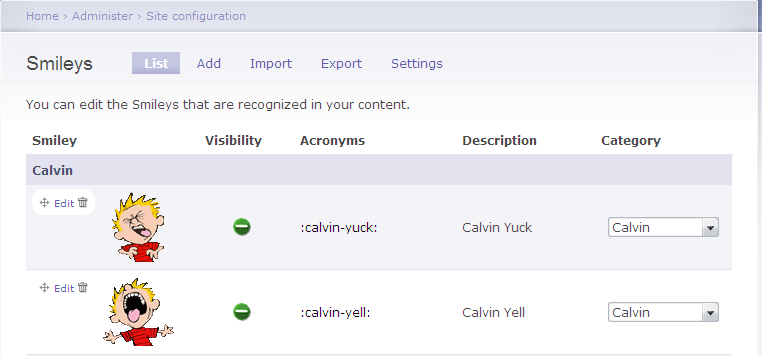
I can see the yelling Calvin emoticon on the left. I see :calvin_yell:
listed as an acronym and the description is "Calvin Yell" with the
Category listed as "Calvin". If you don't see pictures with any of
the emoticons, make sure you haven't misspelled the file name. If you
have misspelled one of the file names, correct the misspelling; you
may have to click on Import, select Uninstall for
the smiley pack and then click on Install to reinstall it
Download
Calvin Smiley Pack for
Drupal
View Calvin Smiley
Pack emoticons
References:
First you need to have downloaded, installed, and enabled the smileys module. If you haven't already done so, you can use the instructions at Smileys Module for Drupal to do so.
Once you've enabled smiley support, download the smiley pack that you wish to use. In this example, I'm going to use the animatedFUN pack available from Smiley Packs ( phpBB pak packages) for Drupal.
I moved the zip file I downloaded in this case to the
modules/smileys/packs directory beneath the directory where
Drupal is installed on the website. I then unzipped it. This particular
zip file created a __MACOSX subdirectory as well, which
isn't needed, so I deleted it.
# unzip animatedFUN.zip
# rm -f --recursive __MACOSX/animatedFUN/
# rmdir __MACOSX
# ls animatedFUN/
animatedFUN.pak       give.gif         iloveyou.gif          respect.gif
attention.gif         happy.gif        Iloveyou-marquee.gif  rose.gif
cat_angry.gif         hellowoman.gif   nihao.gif             shotgun.gif
cordialgreetings.gif  hugsnkisses.gif  no.gif                threat.gif
dog_exiting.gif       iamcrying.gif    read.gif
Once the smiley pack is extracted to a modules/smileys/packs
directory, you can take the following steps:
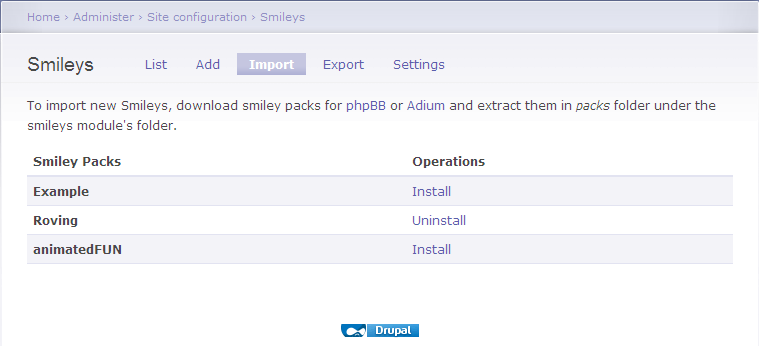
If you then click on Administer, Site configuration, and Smileys, you should see the new smiley pack smileys displayed.
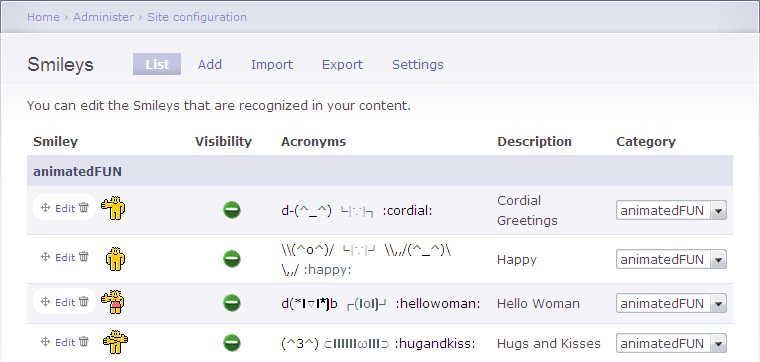
If you decide that you don't really like the smiley pack you've installed and want to remove it, take the following steps:
References:
A filter that substitutes ASCII smileys with images. Also known as Emoticons, Smilies, Icons.
The package includes phpBB smileys pack import/export module. I'm maintaining a page for Smiley packs at: http://myzonelabs.com/node/3. Create an issue if you want to host your own pack; or you may comment with the link over there.
Since I had Drupal version 6 on the webserver where
I wanted to use them, I downloaded the version 6 filter.
I unzipped and untarred the contents of the file I downloaded
in the /tmp directory on the system.
# gunzip smileys-6.x-1.0-alpha5.tar.gz
# tar -xvf smileys-6.x-1.0-alpha5.tar
tar -xvf step a smileys directory
is created. I then copied that directory to the modules
directory beneath the directory where Drupal was installed.
# cp --recursive /tmp/smileys .
I then logged into Drupal as the administrator for the site, selected
Administer, Site Building, then Modules.
Under Core - required, I now saw Smileys. I clicked on
Smileys, then enabled Smileys and
Smileys Import. I then clicked on Save Configuration.
| Enabled | Name | Version | Description |
|---|---|---|---|
| X | Smileys | 6.x-1.0-alpha5 | Replaces smileys inside posts with images. Required by: Smileys Import enabled) |
| X | Smileys Import |
6.x-1.0-alpha5 | Import Smiley packages. Depends on: Smileys enabled) |
I then clicked on Administer, Site Configuration, and Smileys. I could then see 40 emoticons. I clicked on Settings at the top of the page. I enabled smileys for Nodes and Comments and on the following node types:
Blog entry
Book page
Forum topic
Page
Poll
Story
I left "expand select-box fieldset by default", "enable smileys dialog window", and "enable titles in dialog window" checked and clicked on Save Configuration.
I then went to Administer, Site configurationand
Input formats. The default format ws "Filtered HTML". I clicked on
Configure for it. Under the "Filters" section, I clicked on
Smileys to enable the filter to replace smileys inside posts
with images. I then clicked on Save configuration.
At that point someone making a posting to a forum would be able to
type ;) and have the wink.png image
 appear
in the posting in place of the
appear
in the posting in place of the ;) when the posting is previewed
or saved.
But it would be nice to give users the option of viewing the available emoticons and selecting the one they want just by clicking on it. To make the list of available emoticons visible, click on Administer, select User management, then Permissions. Then in the Smileys section of the permissions webpage, check "use smiley select box" for "anonymous user" and/or "authenticated user". Click on Save Permissions to save the change.
After taking the steps above, when I then edited a forum entry that I had
already posted, I was able to pick a smiley for the posting by clicking on it.
I saw :) appear in the posting when I clicked on the smiley. But
when I clicked on Preview, I saw the smiley image appear in the
posting.
Download Smiley Module
Drupal - modules for Drupal
versions 5 and 6
MoonPoint -
6.x-1.0-alpha5 (January 5, 2009)
Note: for dates from 1940 up through 1957, you can view a list of number-one songs in the United States during the year according to Billboard magazine. Prior to the creation of the Hot 100, Billboard published multiple singles charts each week. In 1957, the following four charts were produced:
NOTE: Billboard changed its issue dates from a Saturday to a Monday schedule on April 29, thus causing a one-week inconsistency.
For instance I have an old hub with a model number of EZHub9. I couldn't
find any information on the manufacturer by doing a
Google or
Live Search on the model number. There was an FCC ID, KFYPEH9,
listed on the bottom of the device. I went to the FCC
Equipment Authorization Search page and put the first 3 characters,
KFY, of the ID in the Grantee Code field and the remaining
characters PEH9 in the product code page. Nothing was found
when I performed the search on that FCC ID, but when I searched just on the
grantee code, KFY, I found the company was
Runtop, Inc., a Taiwanese company. I also found a product listed for
the company with a similar model number, KFYPEH5.
| Applicant Name | Address | City | State | Country | Zip | FCC ID | Application Purpose | Grant Date |
|---|---|---|---|---|---|---|---|---|
| Runtop Inc | 1, Ln. 21, Hsin Hua Rd. Kueishan Industry Park | Taoyuan City | N/A | Taiwan | N/A | KFYPEH5 | Original Equipment | 10/12/1995 |
[/os/windows/utilities/diagnostic/bartpe/plugins] permanent link
httpd.conf file. I edited
/etc/httpd/conf/httpd.conf and added an AddType line for the
.acs file extension.
#
# AddType allows you to add to or override the MIME configuration
# file mime.types for specific file types.
#
#AddType application/x-tar .tgz
AddType application/octet-stream .cab
I then restarted the Apache webserver with apachectl restart.
When I visited the URL again, I was prompted as to whether I
wanted to download the file.
References:
When I checked MapQuest's Configuring Your Browser for MapQuest page, I didn't see configuration information listed for Netscape nor was Netscape listed on its Browsers and operating system MapQuest supports page.
Since I couldn't find a way to use MapQuest with Netscape, but someone else who used the system had already installed Firefox 3.0.6, I tried viewing the site with Firefox. I didn't have any problems using the site with that browser, so I put a shortcut on his desktop to take him to the site using Firefox, since that seemed the option to which he could most readily adjust, since he uses Netscape for his email as well as web browsing.
[ More Info ]
Once you have the software installed and configured, you can set up a new database using the instructions in Creating a MySQL Database.
margin: auto is used to center a block on a webpage,
such as a div section. Adding margin: auto to the
style definition for a block will result in the block being centered
when viewed in Firefox or Netscape, but it isn't sufficient to result
in the display of a centered block in Internet Explorer. To have
the block centered in Internet Explorer, you have to also add
text-align: center to the style definition of the body tag.
[ More Info ]
groups
# groups jsmith
staff code210
To place an account in an additional group, you can use the
command usermod --groups newgroup account.
# usermod jsmith programmersReferences:
There is a way to create a new installation CD that incorporates the latest service pack into the version that came on your installation CD. The process is called "slipstreaming". There are various tools to help you create a slipstream disc; nLite, is one such tool. For instructions on how to use nLite for such a purpose, see Slipstreaming XP SP 3 with nLite.
As one of the commenters on the article by Mr. Perez noted, many people who see Google Street View images as a significant privacy issue may ignore far more serious privacy issues, such as warrantless wiretapping.
You can see where Street View is available in the U.S. at http://maps.google.com/help/maps/streetview/.
I had problems with the dsiplay of an HP tc4400 laptop, which was running Windows XP Professional Service Pack 3, after updating the video driver. When I right-clicked on the desktop and selected Properties, then Settings, I found the screen resolution was 640x480. The color quality was "Lowest (4 bit)", i.e. only 16 colors. I couldn't increase either setting. I clicked on the Advanced button and then the Adapter tab. When I clicked on List All Modes, the only options were those shown below:
List of valid modes
640 by 480, 16 Colors, Default Refresh
800 by 600, 16 Colors, Default Refresh
I changed the setting to 800x600 to make it a little better. I didn't get any error messages, but the resolution remained at 800 x 600.
Under the Display adapters setting of the Device Manager, I found two adapters listed:
Mobile Intel(R) 945 Express Chipset Family
Mobile Intel(R) 945 Express Chipset Family
The names were exactly the same, as were the drivers:
| Entry | Driver Provider | Driver Date | Diver Version |
|---|---|---|---|
| 1 | Intel Corporation | 8/24/2007 | 6.14.10.4864 |
| 2 | Intel Corporation | 8/24/2007 | 6.14.10.4864 |
I right-clicked on the second one and chose Uninstall. Whem prompted to restart the system, I did so.
When the system rebooted, I saw the following error message:
| hkcmd.exe - Unable to Locate Component |
|
This application has failed to start because hccutils.DLL was not found.
Re-installing the application may fix this problem.
|
The system notified me it had found a new video adapter and suggested I reboot again, which I did.
The resolution was still at 640 x 480, but when I checked the video adapters listed in the Device Manager, I saw the following:
Mobile Intel(R) 945GM Express Chipset Family
Mobile Intel(R) 945GM Express Chipset Family
Though the names and drivers differed from what I had seen previously, the names of the two entries were exactly the same, as were the drivers for them:
| Entry | Driver Provider | Driver Date | Diver Version |
|---|---|---|---|
| 1 | Intel Corporation | 3/23/2006 | 6.14.10.4543 |
| 2 | Intel Corporation | 3/23/2006 | 6.14.10.4543 |
I right-clicked on the bottom entry and chose "uninstall". I again had to restart the computer. But, when I logged in again, I found both entries listed in the Device Manager again. I removed both of them by right-clicking on them and choosing "uninstall". I then rebooted again. This time I had a 640 x 480 resultion again, but the color quality was "Highest (32 bit)". I was able to change the resolution to 800 x 600 by right-clicking on the desktop and choosing Settings.
Shortly afterwards I saw the "Found New Hardware" balloon pop up with "Mobile Intel(R) 945GM Express Chipset Family" listed as the new hardware found. I saw the message "Windows has finished installing new devices. The software that supports your device requires that you restart your computer. You must restart your computer before the new settings will take effect. Do you want to restart your compute now?" I chose "yes."
When the system rebooted, it was back to the 640 x 480 resolution. When I checked the Device Manager, I saw the "Mobile Intel(R) 945GM Express Chipset Family" listed twice again with the March 23, 2006 driver listed for both again. I again uninstalled both adapters from within the Device Manager and then rebooted. I had 32-bit color and 800 x 600 resolution when I logged in. When I right-clicked on the desktop, chose Properties, Settings, Advanced, then Adapter, I didn't see an adapter listed under Adapter Type. Clicking on Properties showed VGASave under the General tab. CLicking on the Driver tab showed the following:
Service name: VGASave
Display name: VGA Display Controller
But again I was notified of a "System Settings CHange" with the message that "Windows has finished installing new devices..." I chose not to restart the system immediately. I checked what the Device Manager was showing. It showed the same duplicated "Mobile Intel(R) 945GM Express Chipset Family" entries as before with both having the Intel March 23, 2006 driver associated with them. But the top entry had an exclamation mark in a yellow circle next to it. I right-clicked on that one and chose "disable" rather than "uninstall" this time. I then rebooted.
After rebooting, I had the 800 x 600 resolution and 32-bit color. The Device Manager still showed the duplicated Display Adapters with the same March 23, 2006 Intel driver for both, but there was a red "X" next to the top entry. Right-clicking on the Desktop and choosing Properties, Settings, Advanced, Adapter showed nothing listed under Adapter Type and the following for Adapter Information
| Chip Type: | <unavailable> |
| DAC Type: | <unavailable> |
| Memory Size: | <unavailable> |
| Adapter String: | <unavailable> |
| Bios Information: | <unavailable> |
I changed the resolution to 1024 x 768 and rebooted again, just to make sure the settings would remain and the problem wouldn't recur. The problem did not recur.
References:
42odhr0b.exe, which it found in a
user's Local Settings\Temp folder was infected with the virus
Trojan.Dropper.Small-8.
I submitted the file, which has an MD5 hash of 93d2546e58042ebe7f5ae26ec0ec50b3, to VirusTotal, a free service "that analyzes suspicious files and facilitates the quick detection of viruses, worms, trojans, and all kinds of malware detected by antivirus engines." It reported the file was first received on 10.07.2006 22:08:05 (CET). I had it reanalyze the file. VirusTotal reported that 91.18%, i.e. 31 of 34, of the antimalware programs with which it scanned the file identified the file as being malware (see VirusTotal report)
I also submitted the file to VirSCAN.org, "a FREE on-line scan service, which checks uploaded files for malware", using multiple antivirus engines. On uploading files you want to be checked, you can see the result of scanning and how dangerous and harmful/harmless for your computer those files are. VirSCAN reported that 76%, i.e. 28 of 37, of the antimalware programs it used reported the file as being malware (see VirSCAN report).
I also submitted the file to Jotti's Online Malware Scan, another free malware scanning site, for analysis. On that site, 18 of the 19 antivirus programs it used detected the file as malware (see Jotti report).
ThreatExpert, "an advanced automated threat analysis system designed to analyze and report the behavior of computer viruses, worms, trojans, adware, spyware, and other security-related risks in a fully automated mode" identified the file as being associated with Spyware.FavoriteMan (see ThreatExpert report).
ThreatExpert provided the following information on Spyware.FavoriteMan:
FavoriteMan is a Browser Helper Object, which connects to its controlling servers to download and install other programs and add entries to your Internet Explorer favorites menu or computer desktop. This program has been known to download at least 28 different adware or spyware programs. Some controlling servers are www.f1organizer.com, www.prize4all.com, www.yourspecialoffers.com and www.r-vision.org.
ThreatExpert indicated that the file creates the following files on the system:
%System%\ATPartners.dll

%System%\im64.dll
I had found ATPartners.dll on the system on February 27 of 2005
when I had scanned the system with other antimalware software. I had removed
ATPartners.dll at that time. Apparently
42odhr0b.exe was left in the user's local settings\temp
folder from that time. Checking my notes for information on
FavoriteMan, I found I had encountered it on other systems, e.g.
a Windows 98 system on March 28, 2004 (see
Windows 98 System
Hanging After Login) and a Windows 98 Second Edition system on April 25 of
2005 (see
Calsdr.Dll Remnant).
Download a zipped copy of 42odhr0b.exe for analysis or testing antimalware software (use zoo as userid and malware as password). Note: You do so at your own risk; this file can infect a system, so only run the program on a test system.
23010852235.exe, which
has an MD5 hash of
9ec78aac59b04643bfb43415c6fa2909,
in a user's Local Settings\Temp directory.
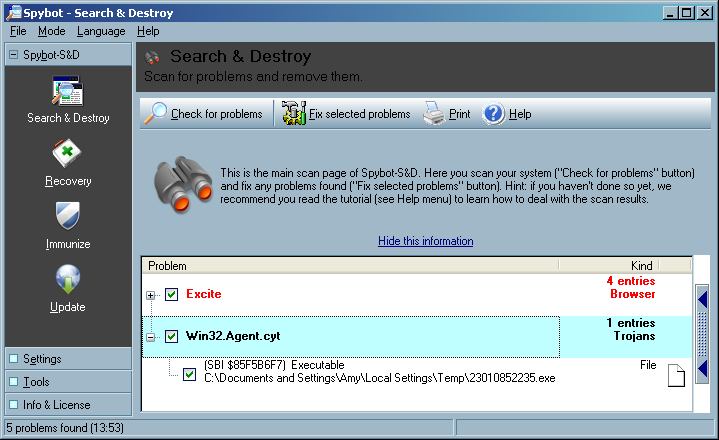
I uploaded the file to VirusTotal, a free online virus and malware scan website for analysis. Twenty-four of the 39 malware scan programs with which it scanned the file reported it contained malware (see VirusTotal report).
I also uploaded the file to VirSCAN.org, another multi-engine virus scanner site. It reported "The file are 23010852235.exe uploaded by other users and scanned successfully at 2008/01/18 20:48:04". I had it rescan the file. It reported that 49%, i.e. 18 of 37, of the malware detection programs that it used, identified the file as containing malware (see VirSCAN report).
File Name: 	23010852235.exe
File Size: 	3072
File Type: 	PE32 executable for MS Windows (GUI) Intel 80386 32-bit
MD5: 	        9ec78aac59b04643bfb43415c6fa2909
SHA1: 	        546e2d9c76fad865ac56b89fa54a864d564f1c16
Compressed: 	NA
Prevx, a security company that makes
software that "identifies malicious code by its 'behavior'" lists
SYSNSAD.EXE as being an alias for a file with this MD5 hash
(see Prevx report).
The Prevx report states the following:
A file with the name SYSNSAD.EXE have been seen to have the following Vendor, Product and Version Information in the file header:
Microsoft Corporation; File Compare Utility; 5.1.2600.0
Microsoft Corporation; File Compare Utility; 5.1.2600.0 (xpclient.010817-1148)
When I examined the file with Filealyzer , I saw the following version information:
| File version | 5.1.2600.0 (xpclient.010817-1148) |
| Company name | Microsoft Corporation |
| Internal name | Comp |
| Comments | |
| Legal copyright | ©Microsoft Corporation. All rights reserved. |
| Legal trademarks | |
| Original filename | Comp.Exe |
| Product name | Microsoft® Windows® Operating System |
| Product version | 5.1.2600.0 |
| File description | File Compare Utility |
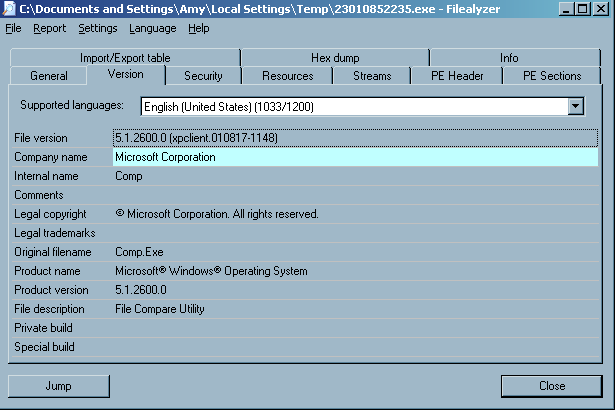
The version information was likely inserted by the malware author to try to disguise the file as an innocuous Microsoft-provided operating system file.
I had Spybot fix the problem, i.e. delete the file.
Download
23010852235.exe for analysis or testing antimalware software
(use zoo as userid and malware as password).
Note: You do so at your own risk; this file can infect a system, so only run
the program on a test system.
$NT*KB* directories showed the following:
C:\TEMP>dir /ah \Windows\$NT*KB*
 Volume in drive C is Sys-WinXP
 Volume Serial Number is B0E3-65A7

 Directory of C:\Windows

01/21/2005  02:34 PM    <DIR>          $NtUninstallKB828741$
01/21/2005  02:38 PM    <DIR>          $NtUninstallKB833987$
01/21/2005  07:37 PM    <DIR>          $NtUninstallKB834707$
01/21/2005  02:36 PM    <DIR>          $NtUninstallKB835732$
01/21/2005  02:36 PM    <DIR>          $NtUninstallKB840987$
01/21/2005  02:36 PM    <DIR>          $NtUninstallKB841356$
01/21/2005  02:37 PM    <DIR>          $NtUninstallKB841533$
01/21/2005  01:21 PM    <DIR>          $NtUninstallKB842773$
02/12/2005  07:59 PM    <DIR>          $NtUninstallKB867282$
01/21/2005  02:38 PM    <DIR>          $NtUninstallKB871250$
02/12/2005  07:59 PM    <DIR>          $NtUninstallKB873333$
01/21/2005  05:13 PM    <DIR>          $NtUninstallKB873339$
01/21/2005  02:37 PM    <DIR>          $NtUninstallKB873339_0$
01/21/2005  02:37 PM    <DIR>          $NtUninstallKB873376$
02/12/2005  07:59 PM    <DIR>          $NtUninstallKB885250$
01/21/2005  05:13 PM    <DIR>          $NtUninstallKB885835$
01/21/2005  02:37 PM    <DIR>          $NtUninstallKB885835_0$
01/21/2005  05:13 PM    <DIR>          $NtUninstallKB885836$
01/21/2005  02:38 PM    <DIR>          $NtUninstallKB885836_0$
01/21/2005  07:37 PM    <DIR>          $NtUninstallKB886185$
02/12/2005  07:59 PM    <DIR>          $NtUninstallKB887472$
02/22/2005  07:22 PM    <DIR>          $NtUninstallKB887742$
01/21/2005  07:37 PM    <DIR>          $NtUninstallKB887797$
02/12/2005  07:59 PM    <DIR>          $NtUninstallKB888113$
02/12/2005  07:58 PM    <DIR>          $NtUninstallKB888302$
01/21/2005  02:37 PM    <DIR>          $NtUninstallKB889293-IE6SP1-20041111.2356
19$
01/07/2006  11:46 AM    <DIR>          $NtUninstallKB890046$
09/02/2005  03:39 PM    <DIR>          $NtUninstallKB890046_0$
02/12/2005  07:58 PM    <DIR>          $NtUninstallKB890047$
01/21/2005  05:13 PM    <DIR>          $NtUninstallKB890175$
01/21/2005  02:38 PM    <DIR>          $NtUninstallKB890175_0$
05/14/2005  07:07 PM    <DIR>          $NtUninstallKB890859$
05/14/2005  07:08 PM    <DIR>          $NtUninstallKB890923$
01/21/2005  02:38 PM    <DIR>          $NtUninstallKB891711$
02/12/2005  07:59 PM    <DIR>          $NtUninstallKB891781$
05/14/2005  07:08 PM    <DIR>          $NtUninstallKB893066$
05/14/2005  07:08 PM    <DIR>          $NtUninstallKB893086$
09/02/2005  03:40 PM    <DIR>          $NtUninstallKB893756$
09/02/2005  03:39 PM    <DIR>          $NtUninstallKB894391$
01/07/2006  11:46 AM    <DIR>          $NtUninstallKB896344$
09/02/2005  03:39 PM    <DIR>          $NtUninstallKB896358$
09/02/2005  03:40 PM    <DIR>          $NtUninstallKB896422$
09/02/2005  03:40 PM    <DIR>          $NtUninstallKB896423$
01/07/2006  11:48 AM    <DIR>          $NtUninstallKB896424$
09/02/2005  03:39 PM    <DIR>          $NtUninstallKB896428$
10/23/2005  10:05 AM    <DIR>          $NtUninstallKB896688$
09/02/2005  03:39 PM    <DIR>          $NtUninstallKB896727$
09/02/2005  03:28 PM    <DIR>          $NtUninstallKB898461$
09/02/2005  03:40 PM    <DIR>          $NtUninstallKB899587$
09/02/2005  03:39 PM    <DIR>          $NtUninstallKB899588$
10/23/2005  10:05 AM    <DIR>          $NtUninstallKB899589$
09/02/2005  03:40 PM    <DIR>          $NtUninstallKB899591$
08/13/2006  09:32 PM    <DIR>          $NtUninstallKB900485$
10/23/2005  10:05 AM    <DIR>          $NtUninstallKB900725$
01/07/2006  11:46 AM    <DIR>          $NtUninstallKB900930$
10/23/2005  10:06 AM    <DIR>          $NtUninstallKB901017$
09/02/2005  03:39 PM    <DIR>          $NtUninstallKB901214$
03/22/2006  07:55 PM    <DIR>          $NtUninstallKB902344$
10/23/2005  10:05 AM    <DIR>          $NtUninstallKB902400$
10/23/2005  10:04 AM    <DIR>          $NtUninstallKB904706$
03/22/2006  07:57 PM    <DIR>          $NtUninstallKB904942$
10/23/2005  10:05 AM    <DIR>          $NtUninstallKB905414$
10/23/2005  10:04 AM    <DIR>          $NtUninstallKB905749$
01/07/2006  11:53 AM    <DIR>          $NtUninstallKB905915$
01/12/2006  10:58 PM    <DIR>          $NtUninstallKB908519$
08/13/2006  09:29 PM    <DIR>          $NtUninstallKB908531$
01/07/2006  11:49 AM    <DIR>          $NtUninstallKB910437$
08/13/2006  09:35 PM    <DIR>          $NtUninstallKB911280$
08/13/2006  09:32 PM    <DIR>          $NtUninstallKB911562$
03/22/2006  07:56 PM    <DIR>          $NtUninstallKB911564$
03/22/2006  07:55 PM    <DIR>          $NtUninstallKB911565$
08/13/2006  09:29 PM    <DIR>          $NtUninstallKB911567$
03/22/2006  07:55 PM    <DIR>          $NtUninstallKB911927$
03/22/2006  07:57 PM    <DIR>          $NtUninstallKB912475$
01/07/2006  11:53 AM    <DIR>          $NtUninstallKB912919$
03/22/2006  07:57 PM    <DIR>          $NtUninstallKB912945$
03/22/2006  07:56 PM    <DIR>          $NtUninstallKB913446$
08/13/2006  09:29 PM    <DIR>          $NtUninstallKB913580$
08/13/2006  09:30 PM    <DIR>          $NtUninstallKB914388$
08/13/2006  09:29 PM    <DIR>          $NtUninstallKB914389$
04/20/2007  10:10 AM    <DIR>          $NtUninstallKB914440$
04/20/2007  10:11 AM    <DIR>          $NtUninstallKB915865$
08/13/2006  09:29 PM    <DIR>          $NtUninstallKB916595$
08/13/2006  09:32 PM    <DIR>          $NtUninstallKB917159$
08/13/2006  09:30 PM    <DIR>          $NtUninstallKB917344$
08/13/2006  09:30 PM    <DIR>          $NtUninstallKB917422$
08/13/2006  09:36 PM    <DIR>          $NtUninstallKB917734_WMP10$
08/13/2006  09:30 PM    <DIR>          $NtUninstallKB917953$
03/21/2007  10:32 AM    <DIR>          $NtUninstallKB918118$
08/13/2006  09:30 PM    <DIR>          $NtUninstallKB918439$
08/13/2006  09:30 PM    <DIR>          $NtUninstallKB918899$
09/15/2006  07:32 PM    <DIR>          $NtUninstallKB919007$
01/12/2007  02:35 PM    <DIR>          $NtUninstallKB920213$
08/13/2006  09:35 PM    <DIR>          $NtUninstallKB920214$
04/20/2007  09:53 AM    <DIR>          $NtUninstallKB920342$
08/13/2006  09:30 PM    <DIR>          $NtUninstallKB920670$
08/13/2006  09:29 PM    <DIR>          $NtUninstallKB920683$
09/15/2006  07:32 PM    <DIR>          $NtUninstallKB920685$
09/15/2006  07:32 PM    <DIR>          $NtUninstallKB920872$
08/13/2006  09:31 PM    <DIR>          $NtUninstallKB921398$
12/29/2007  08:03 PM    <DIR>          $NtUninstallKB921503$
08/13/2006  09:35 PM    <DIR>          $NtUninstallKB921883$
09/15/2006  07:32 PM    <DIR>          $NtUninstallKB922582$
08/13/2006  09:35 PM    <DIR>          $NtUninstallKB922616$
10/16/2006  09:54 AM    <DIR>          $NtUninstallKB922819$
10/16/2006  09:51 AM    <DIR>          $NtUninstallKB923191$
10/16/2006  09:54 AM    <DIR>          $NtUninstallKB923414$
01/12/2007  02:36 PM    <DIR>          $NtUninstallKB923689$
01/12/2007  02:35 PM    <DIR>          $NtUninstallKB923694$
01/12/2007  02:37 PM    <DIR>          $NtUninstallKB923980$
10/16/2006  09:54 AM    <DIR>          $NtUninstallKB924191$
01/12/2007  02:37 PM    <DIR>          $NtUninstallKB924270$
10/16/2006  09:53 AM    <DIR>          $NtUninstallKB924496$
03/21/2007  10:34 AM    <DIR>          $NtUninstallKB924667$
01/12/2007  02:37 PM    <DIR>          $NtUninstallKB925398_WMP64$
01/12/2007  02:38 PM    <DIR>          $NtUninstallKB925454$
10/07/2006  01:29 PM    <DIR>          $NtUninstallKB925486$
04/20/2007  07:47 PM    <DIR>          $NtUninstallKB925720$
04/20/2007  09:54 AM    <DIR>          $NtUninstallKB925876$
04/20/2007  09:36 AM    <DIR>          $NtUninstallKB925902$
04/20/2007  09:59 AM    <DIR>          $NtUninstallKB926239$
01/12/2007  02:35 PM    <DIR>          $NtUninstallKB926255$
03/21/2007  10:33 AM    <DIR>          $NtUninstallKB926436$
03/21/2007  10:34 AM    <DIR>          $NtUninstallKB927779$
03/21/2007  10:34 AM    <DIR>          $NtUninstallKB927802$
05/31/2007  11:08 PM    <DIR>          $NtUninstallKB927891$
03/21/2007  10:32 AM    <DIR>          $NtUninstallKB928090$
03/21/2007  10:34 AM    <DIR>          $NtUninstallKB928255$
03/21/2007  10:31 AM    <DIR>          $NtUninstallKB928843$
12/29/2007  08:00 PM    <DIR>          $NtUninstallKB929123$
03/21/2007  10:33 AM    <DIR>          $NtUninstallKB929338$
04/20/2007  07:45 PM    <DIR>          $NtUninstallKB929399$
01/12/2007  02:37 PM    <DIR>          $NtUninstallKB929969$
04/20/2007  09:36 AM    <DIR>          $NtUninstallKB930178$
05/12/2007  03:04 PM    <DIR>          $NtUninstallKB930916$
04/20/2007  09:36 AM    <DIR>          $NtUninstallKB931261$
04/20/2007  09:37 AM    <DIR>          $NtUninstallKB931784$
03/21/2007  10:33 AM    <DIR>          $NtUninstallKB931836$
04/20/2007  09:35 AM    <DIR>          $NtUninstallKB932168$
09/17/2008  11:37 AM    <DIR>          $NtUninstallKB932823-v3$
12/29/2007  08:03 PM    <DIR>          $NtUninstallKB933729$
12/29/2007  07:54 PM    <DIR>          $NtUninstallKB935839$
12/29/2007  07:54 PM    <DIR>          $NtUninstallKB935840$
12/29/2007  08:03 PM    <DIR>          $NtUninstallKB936021$
12/29/2007  08:03 PM    <DIR>          $NtUninstallKB936357$
12/29/2007  07:53 PM    <DIR>          $NtUninstallKB936782_WMP11$
12/29/2007  08:04 PM    <DIR>          $NtUninstallKB937894$
09/17/2008  11:37 AM    <DIR>          $NtUninstallKB938464$
12/29/2007  08:03 PM    <DIR>          $NtUninstallKB938828$
12/29/2007  08:03 PM    <DIR>          $NtUninstallKB938829$
12/29/2007  07:55 PM    <DIR>          $NtUninstallKB939683$
12/29/2007  07:55 PM    <DIR>          $NtUninstallKB941202$
12/29/2007  07:55 PM    <DIR>          $NtUninstallKB941568$
12/29/2007  07:59 PM    <DIR>          $NtUninstallKB941569$
01/15/2008  07:12 PM    <DIR>          $NtUninstallKB941644$
12/29/2007  07:59 PM    <DIR>          $NtUninstallKB942763$
12/29/2007  08:04 PM    <DIR>          $NtUninstallKB943460$
01/15/2008  07:12 PM    <DIR>          $NtUninstallKB943485$
12/29/2007  07:53 PM    <DIR>          $NtUninstallKB944653$
09/17/2008  11:44 AM    <DIR>          $NtUninstallKB946648$
09/17/2008  11:37 AM    <DIR>          $NtUninstallKB950749$
09/17/2008  11:40 AM    <DIR>          $NtUninstallKB950762$
09/17/2008  11:41 AM    <DIR>          $NtUninstallKB950974$
09/17/2008  11:39 AM    <DIR>          $NtUninstallKB951066$
09/17/2008  11:40 AM    <DIR>          $NtUninstallKB951072-v2$
09/17/2008  11:45 AM    <DIR>          $NtUninstallKB951376-v2$
09/17/2008  11:41 AM    <DIR>          $NtUninstallKB951698$
09/17/2008  11:38 AM    <DIR>          $NtUninstallKB951748$
12/18/2008  10:16 PM    <DIR>          $NtUninstallKB952069_WM9$
09/17/2008  11:40 AM    <DIR>          $NtUninstallKB952287$
09/17/2008  11:44 AM    <DIR>          $NtUninstallKB952954$
09/17/2008  11:44 AM    <DIR>          $NtUninstallKB953839$
09/17/2008  11:37 AM    <DIR>          $NtUninstallKB954154_WM11$
09/17/2008  11:41 AM    <DIR>          $NtUninstallKB954156_WM9L$
11/08/2008  10:42 AM    <DIR>          $NtUninstallKB954211$
12/18/2008  10:12 PM    <DIR>          $NtUninstallKB954600$
11/21/2008  11:23 AM    <DIR>          $NtUninstallKB955069$
12/18/2008  10:15 PM    <DIR>          $NtUninstallKB955839$
11/08/2008  10:43 AM    <DIR>          $NtUninstallKB956391$
12/18/2008  10:12 PM    <DIR>          $NtUninstallKB956802$
11/08/2008  10:43 AM    <DIR>          $NtUninstallKB956803$
11/08/2008  10:41 AM    <DIR>          $NtUninstallKB956841$
11/08/2008  10:43 AM    <DIR>          $NtUninstallKB957095$
11/21/2008  11:24 AM    <DIR>          $NtUninstallKB957097$
11/08/2008  10:40 AM    <DIR>          $NtUninstallKB958644$
02/14/2009  10:34 AM    <DIR>          $NtUninstallKB958687$
02/14/2009  10:34 AM    <DIR>          $NtUninstallKB960715$
               0 File(s)              0 bytes
             187 Dir(s)  46,294,913,024 bytes free
After I ran Remove Hotfix Backups, Windows Explorer
reported "Free space: 46,308,824 bytes 43.1 GB" and checking for
$NT*KB* directories showed the following:
C:\TEMP>dir /ah \Windows\$NT*KB*
 Volume in drive C is Sys-WinXP
 Volume Serial Number is B0E3-65A7

 Directory of C:\Windows

01/21/2005  02:34 PM    <DIR>          $NtUninstallKB828741$
01/21/2005  02:38 PM    <DIR>          $NtUninstallKB833987$
01/21/2005  02:36 PM    <DIR>          $NtUninstallKB835732$
01/21/2005  02:36 PM    <DIR>          $NtUninstallKB840987$
01/21/2005  02:36 PM    <DIR>          $NtUninstallKB841356$
01/21/2005  02:37 PM    <DIR>          $NtUninstallKB841533$
01/21/2005  01:21 PM    <DIR>          $NtUninstallKB842773$
01/21/2005  02:38 PM    <DIR>          $NtUninstallKB871250$
01/21/2005  02:37 PM    <DIR>          $NtUninstallKB873339_0$
01/21/2005  02:37 PM    <DIR>          $NtUninstallKB873376$
01/21/2005  02:37 PM    <DIR>          $NtUninstallKB885835_0$
01/21/2005  02:38 PM    <DIR>          $NtUninstallKB885836_0$
01/21/2005  02:37 PM    <DIR>          $NtUninstallKB889293-IE6SP1-20041111.2356
19$
09/02/2005  03:39 PM    <DIR>          $NtUninstallKB890046_0$
01/21/2005  02:38 PM    <DIR>          $NtUninstallKB890175_0$
01/21/2005  02:38 PM    <DIR>          $NtUninstallKB891711$
08/13/2006  09:36 PM    <DIR>          $NtUninstallKB917734_WMP10$
01/12/2007  02:37 PM    <DIR>          $NtUninstallKB925398_WMP64$
09/17/2008  11:37 AM    <DIR>          $NtUninstallKB932823-v3$
12/29/2007  07:53 PM    <DIR>          $NtUninstallKB936782_WMP11$
09/17/2008  11:40 AM    <DIR>          $NtUninstallKB951072-v2$
09/17/2008  11:45 AM    <DIR>          $NtUninstallKB951376-v2$
12/18/2008  10:16 PM    <DIR>          $NtUninstallKB952069_WM9$
09/17/2008  11:37 AM    <DIR>          $NtUninstallKB954154_WM11$
09/17/2008  11:41 AM    <DIR>          $NtUninstallKB954156_WM9L$
               0 File(s)              0 bytes
              25 Dir(s)  46,308,941,824 bytes free
I also removed the $NTServicePackUninstal directory under
C:\Windows, which was using 338 MB (355,138,581 bytes) of disk
space and holding 2,457 files, by holding down the Shift key to
ensure the folder wouldn't go into the Recycle Bin, but, instead
would be permanently removed, selected Delete. When asked to confirm
the deletion of an exe file I chose "Yes to All" to avoid further prompts for
the removal of executable files in the directory.
References:
C:\WINDOWS\Downloaded Program Files. You can view
the information through Windows Explorer, or if you want to view
information on what is in that folder from the command line, you can use
show-downloaded-program-files.vbs, which you can run from the command
line with cscript /nologo show-downloaded-program-files.vbs.
[ More Info ]
[ More Info ]
I created a script, bios-info.vbs from the code provided on Microsoft's webpage that will retrieve the information from the BIOS.
I have the Toshiba Power Management Utility configured on the system to sound an alarm and display a message when the battery charges drops to 10%. I have it configured to sound an alarm, display a message, and hibernate when the charge drops to 5%. But it never takes those actions. Instead, the laptop just powers off.
So that I could at least have some forwarning of when the battery charge is getting very low, I installed Laptop Battery Power Monitor, which places a battery widget on the desktop which displays the battery's charge level and which appears above other windows.
When you run the downloaded file, setup.exe, by default, it will
attempt to extract the files stored within itself to
c:\Temp\BatteryMonitor2006. If there is no c:\Temp
directory, you will receive the message below:
| WinZip Self-Extractor |
 Could not
create "c:\Temp\BatteryMonitor2006" - unzip operation cancelled. Could not
create "c:\Temp\BatteryMonitor2006" - unzip operation cancelled.
|
In that case, choose another directory into which the files will be extracted. The software requires 6,992 KB of free space on the disk on which it will be installed.
The installation process creates a program group named Duomart.com. Within it you will find a Laptop Battery Power Monitor group. When you run the progam it will place a battery widget on your desktop showing the battery charge level.
That widget will remain over top of windows that you open. Moving the mouse pointer over it will display information about the state of the battery. If you right-click on it, you can change the size of the battery displayed. You also have the option to adjust its transparency or close the program.
The software can be downloaded from the developer website, which is a source for purchasing computer accessories, bluetooth devices, or laptop batteries. Other sources for the software are listed below.
Download Sites
DuoMart
MoonPoint Support
FileBuzz
Wallpaper
in the registry key
HKCU\Software\Microsoft\Windows\CurrentVersion\Themes\LastTheme.
I can do so using the reg query command.
C:\>reg query HKCU\Software\Microsoft\Windows\CurrentVersion\Themes\LastTheme /v
 Wallpaper

! REG.EXE VERSION 3.0

HKEY_CURRENT_USER\Software\Microsoft\Windows\CurrentVersion\Themes\LastTheme
    Wallpaper   REG_EXPAND_SZ   %SystemRoot%\Web\Wallpaper\Ripple.jpg
From a batch file, though, I only want the filename, i.e.
%SystemRoot%\Web\Wallpaper\Ripple.jpg.
I can select just that part of the output usng the
FOR /F command in a batch
file. The syntax of the FOR /F command is as follows:
FOR /F ["options"] %%parameter IN ('command_to_process') DO command

Key
   options:
      delims=xxx   The delimiter character(s)
                   (default = a space)
      skip=n       A number of lines to skip at the beginning.
                   (default = 0)
      eol=;        Character at the start of each line to indicate a comment
                   The default is a semicolon ;  Use "eol=" to process all lines
      tokens=n     Specifies which numbered items to
                   read from each line
                         (default = 1)

      usebackq     Specify `back quotes`
                      the command_to_process is placed in `BACK quotes`
                      instead of 'straight' quotes

   command_to_process : The output of the 'command_to_process' is
                        passed into the FOR parameter.

   command     : The command to carry out, including any
                 command-line parameters.

   %%parameter : A replaceable parameter:
                 in a batch file use %%G (on the command line %G)
FOR /F processing of a command consists of reading the output from
the command one line at a time and then breaking the line up into individual
items of data or 'tokens'. The DO command is then executed with the
parameter(s) set to the token(s) found.
By default, /F breaks up the command output at each blank space, and any blank lines are skipped. You can override this default parsing behavior by specifying the "options" parameter. The options must be contained within double quotes.
In this case, the last line of output is the following:
Wallpaper REG_EXPAND_SZ %SystemRoot%\Web\Wallpaper\Ripple.jpgThe delimiter between the fields in the output is the tab character
(I checked for whether the delimiter was spaces or tabs with
hod
by redirecting the output of the reg query command to a file with
reg query
HKCU\Software\Microsoft\Windows\CurrentVersion\Themes\LastTheme /v Wallpaper
> temp.txt
).
For the FOR /F command, the default delimiter is the space and
tab characters so I don't have to specify delims=. But, if
I don't, the output will be incorrect in cases where the path name or
file name contain spaces, since the second space will be treated as
a demarcation point, so that the space-separated parts of the path name or file
name are treated as separate tokens.
"Tokens" are the parts of the line separated by the delimiter. In this case,
I'm only interested in the third token, i.e.
%SystemRoot%\Web\Wallpaper\Ripple.jpg,
so I can use the following lines in a batch file:
FOR /F "tokens=3" %%R in ('reg query HKCU\Software\Microsoft\Windows\CurrentVersion\Themes\LastTheme /v Wallpaper') DO SET wallpaper=%%R
echo %wallpaper%
I used the tokens=3 option to select just the third
token on the output line. The %%R for the parameter name
is arbitrary. I could have called it %%S, %%T, etc.,
instead, if I wished. The command I wished to process is enclosed
between '( and )'. Note: for the reg
query command, if the registry key contains spaces in the key name,
then you must enclose the registry key name within double quotes as in the
following batch file example:
@echo off
FOR /F "tokens=3" %%R in ('reg query "HKCU\Control Panel\Desktop" /v ConvertedWallpaper') DO SET wallpaper_file=%%R

echo %wallpaper_file%
The output produced by the batch file is shown below:
C:\WINDOWS\Web\Wallpaper\Ripple.jpg
But, if I checked the value for OriginalWallper in the
registry key
HKCU\Control Panel\Desktop with reg query as below,
I would see a path name containing spaces.
C:\>reg query "HKCU\Control Panel\Desktop" /v OriginalWallpaper

! REG.EXE VERSION 3.0

HKEY_CURRENT_USER\Control Panel\Desktop
    OriginalWallpaper   REG_SZ  C:\Documents and Settings\James\Local Settings\A
pplication Data\Microsoft\Wallpaper1.bmp
If I don't specify delims= in the batch file, e.g., if I use
the code below, I would get incorrect output.
@echo off
FOR /F "tokens=3" %%R in ('reg query "HKCU\Control Panel\Desktop" /v OriginalWallpaper') DO SET wallpaper_file=%%R
echo %wallpaper_file%
The output would be as shown below:
C:\Documents
That is because C:\Documents will be treated as one token
and then the space between Documents and and Settings
is treated as the demarcation point between two tokens. But, if I instead
include delims= and immediately hit the tab key, that
problem won't occur, since the the horizontal tab character between the fields
will be used to break up the line into tokens.
@echo off
FOR /F "delims=	 tokens=3" %%R in ('reg query "HKCU\Control Panel\Desktop" /v OriginalWallpaper') DO SET

wallpaper_file=%%R
echo %wallpaper_file%
You can't see any character after the delims=, but in order
for the FOR /F command to work in this case, I had to
type delims= and then hit the tab key while editing the file
in Windows Notepad. If you then save the file, it will produce the correct
output, e.g.:
C:\Documents and Settings\James\Local Settings\Application Data\Microsoft\Wallpaper1.bmp
Note: if you are using Vim as your editor
on a Windows system, as I usually do, then you need to insert the tab character
after delims= by hitting the Ctrl-I keys simultaneously.
You can then hit the spacebar and type tokens=. If you just
hit the tab key, your output won't be as you expect.
Wallpaper-info.bat is an example batch file to query the values in
the Windows registry pertaining to the file used for the Windows wallpaper
using the FOR /F command.
References:
hod.exe from
the zip file
available on the author's website.
If you just type hod file the contents of file will be displayed
in both hexadecimal and
ASCII.
C:\>"C:\Program Files\Utilities\hod.exe" temp.txt
          0  1  2  3  4  5  6  7  8  9  a  b  c  d  e  f   0123456789abcdef
       0: 0d 0a 21 20 52 45 47 2e 45 58 45 20 56 45 52 53  ..! REG.EXE VERS
      10: 49 4f 4e 20 33 2e 30 0d 0a 0d 0a 48 4b 45 59 5f  ION 3.0....HKEY_
      20: 43 55 52 52 45 4e 54 5f 55 53 45 52 5c 53 6f 66  CURRENT_USER\Sof
      30: 74 77 61 72 65 5c 4d 69 63 72 6f 73 6f 66 74 5c  tware\Microsoft\
      40: 57 69 6e 64 6f 77 73 5c 43 75 72 72 65 6e 74 56  Windows\CurrentV
      50: 65 72 73 69 6f 6e 5c 54 68 65 6d 65 73 5c 4c 61  ersion\Themes\La
      60: 73 74 54 68 65 6d 65 0d 0a 20 20 20 20 57 61 6c  stTheme..    Wal
      70: 6c 70 61 70 65 72 09 52 45 47 5f 45 58 50 41 4e  lpaper.REG_EXPAN
      80: 44 5f 53 5a 09 25 53 79 73 74 65 6d 52 6f 6f 74  D_SZ.%SystemRoot
      90: 25 5c 57 65 62 5c 57 61 6c 6c 70 61 70 65 72 5c  %\Web\Wallpaper\
      a0: 52 69 70 70 6c 65 2e 6a 70 67 0d 0a 0d 0a        Ripple.jpg....
For help on using the program, use the -h option.
C:\>"C:\Program Files\Utilities\hod.exe" -h
usage: C:\Program Files\Utilities\File\Analysis\hod.exe [options] <filename>
Where the options are:
 -v      : show version information
 -h      : show this help
 -o      : dump in octal
 -8      : show as block of 8 bytes
 -x str  : convert a hex input to decimal
 -d      : show offsets in decimal
 -s      : show identical output lines
 -r      : reverse hod hexdump to binary
 -w      : reverse regular hex bytes to binary

If no filename specified, it will read from stdin

Example:
$ hod file
$ hod < file
$ cat file | hod
$ cat file | hod -
$ hod < file
$ hod -o file
$ echo "hello" | hod
$ echo -n "hello" | hod
$ hod -x 1c0
1c0 : 448
$ echo "0a 01 ff ef 0b" | hod -w > bin.bin
$ hod bin.bin | hod -r > bin_again.bin
Note: -r and -w works with hexadecimal only.
If you want to convert an ASCII string, such as the word hello,
to its hexadecimal equivalent, you can use the echo command to
pipe the word to hod, as below.
C:\>echo hello | "C:\Program Files\Utilities\hod.exe"
          0  1  2  3  4  5  6  7  8  9  a  b  c  d  e  f   0123456789abcdef
       0: 68 65 6c 6c 6f 20 0a                             hello .
From the above output, you can see that the letters in hello
have the following hexadecimal equivalent representation.
| ASCII | Hex | Note |
|---|---|---|
| h | 68 | |
| e | 65 | |
| l | 6c | |
| l | 6c | |
| o | 6f | |
| SP | 20 | space |
| LF | 0a | line feed |
A space (hex 20) is listed after hello, since there was a space
between the word and the | pipe operator that feeds the output of
the echo command to hod. If I had placed the
| immediately after hello, i.e.
echo hello|, it wouldn't have been listed. A line feed (hex 0a) is
shown after the space.
Download hod
Author's
website
If you are using Microsoft Windows, such as Windows XP, you can
extract a substring from a variable string using character positional
notation, i.e. %myvar:~char_skip_num%. I.e., where you have
some variable, e.g. %myvar%, you can place the
:~ operator prior to the ending % and then specify
a the number of characters to skip followed by the ending %.
E.g. from a command line if you checked the value of a user profile variable,
i.e. %userprofile%, for a user named James, you might see the
following:
C:\>echo %userprofile%
C:\Documents and Settings\James
If I wanted to extract just the user's account name, i.e. James,
I could use the following:
C:\>echo %userprofile:~26%
James
The "J" in James is the 27th character,
so I used 26 to have the first 26 characters skipped.
You can also specify that you only want to extract a certain number of characters by putting a comma after the number of characters to be skipped followed by the number of characters to extract. E.g, if I only wanted to extract the first 3 characters starting at position 27, I could use the following:
C:\>echo %userprofile:~26,3%
Jam
If you don't want to skip any characters, but specify only a certain number
of characters to extract, you can use the syntax %myvar:~0,x
where you specify that zero characters are to be skipped and x
represents the number of characters to extract from the string.
C:\>echo %userprofile:~0,3%
C:\
You can also specify that you want to start the extraction from the end of
the line rather than the beginning by using -x, where
x is some number, for the starting position. E.g. you could
use the following to extract the last 3 characters from the line:
C:\>echo %userprofile:~-3%
mes
You can specify the number of characters to extract, just as noted before, with this method as well. E.g. to extract the substring that starts at 3 characters from the end of the string, but only includes 2 characters from that point, the following could be used:
C:\>echo %userprofile:~-3,2%
me
If you are using a batch file, e.g. substring-extract-example.bat,
you could display just the desired part of the string as follows:
@echo off

echo %userprofile:~-3,2%
When the batch file is executed, it wold display just "me"
C:\>substr-extract-example
me
For further examples, see Variables: extract part of a variable (substring)
References:
I came across the site by accident while doing a search on a company name. The site revealed that the president of the company had made a campaign contribution to George W. Bush in 2004. I tried a search on my zip code and the site returned a list of people in my zip code who had made contributions to either the Democratic or Republican party and the amount donated.
The site states the following:
All calculations are based on public records filed with the FEC of contributions by all individuals totaling more than $200 (and some totaling less than $200) to a single Republican or Democratic presidential campaign or national committee for the 2004 and 2008 election cycles.
FundRace is updated according to the reporting schedule set by the FEC. Public contribution data is geocoded using public U.S. Census Bureau data. Dynamic maps are powered by Google Maps.
powercfg.cpl. Note: if you aren't logged
into an administrator account when you run it, you can
run it with administrator privileges by obtaining a command
prompt and then taking the following steps:
runas /user:administrator cmd to obtain a command
prompt under the administrator account. Note: you may have to use
owner or some other account in the administrator group,
depending on your particular system, instead of the administrator
account.powercfg.cpl in the new command prompt window that
opens for the administrator account.runas /user:administrator powercfg.cpl. If you try that,
you will get the message " powercfg.cpl is not a valid Win32 application."
For a list of of Control Panel tools and how to run them from the command line, see How to run Control Panel tools by typing a command.
Because I also hear the fan making a fair amount of noise at times, I thought I would install a utility to monitor the fan speed and CPU temperature. I used SpeedFan 4.37, but found that the laptop's motherboard doesn't support such monitoring. The temperature of the hard drive in the laptop can be monitored, though. I see it varies between 34 and 37 degrees Celsius.
logbooks
directory beneath the installation directory, e.g.
C:\Program Files\ELOG\logbooks. To
do so, I took the following steps:
elogd.cfg, which is stored in the ELOG
installation directory, e.g. C:\Program Files\ELOG\elogd.cfg,
with Notepad from an administrator account.global section add a Logbook dir =
<directory> line where <directory> is
the directory where you wish to have the logbooks stored. Note:
don't use quotes around directory names, even if there are spaces
in the names of directories in the path to the logbook directory. E.g.:
[global]
port = 8080
logbook dir = C:\Documents and Settings\James\My Documents\ELOG\logbookselogd.cfg for the
logbook. Put the name of the logbook between "[" and "]" and then
add the relevant lines for that particular logbook. E.g.:
[sysadmin]
Theme = default
Comment = System Administration
Attributes = Author, Type, Category, Subject
Options Type = Configuration, Malware Scan, Patches, Problem, Problem Fixed, Routine, Software Installation, Upgrade, Other
Options Category = General, Hardware, Software, Network, Security, Other
Options Author = John Smith
Required Attributes = Authorelogd.cfg.C:\>net stop elogd The elogd service is stopping. The elogd service was stopped successfully. C:\>net start elogd The elogd service is starting. The elogd service was started successfully.
somedoc.txt there
will be a somedoc.txt.swp in the same directory from which
I can recover the document should the system crash. In this case, though,
I didn't think I could recover the document, since I had never saved it
with a file name. So I didn't know where a .swp file would
have been stored and was doubtful there was one.
But after powering the laptop back on and logging into
the same account again, I opened Vim, hit the Esc key and typed
:recover. Lo and behold there was my work exactly as it was
when I went to eat dinner, saving me a lot of time I would otherwise have
been forced to spend recreating the document. I immediately saved it to a file.
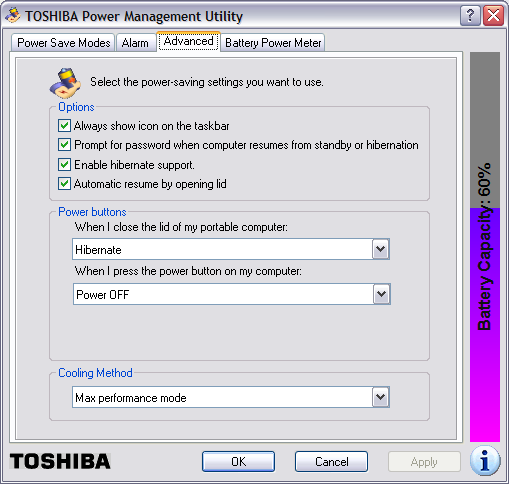
Note: in order to enable hibernate support, you will
need enough free space on the hard drive to hold
the contents of the system's memory. You can determine
the amount of memory in the system by clicking on
Start, selecting Run, typing
winver and hitting Enter.
In the window that then opens, you will see
a value for "Physical memory available to Windows".
You will need that amount of disk space free on the
hard drive, because the contents of memory are written
to the file hiberfil.sys, usually in
c:\hiberfil.sys when the system is put
into hibernation mode. If you don't have at least that amount
of disk space free, you won't be able to enable hibernation
support.
Once hibernation support is enabled, you can put the system into hibernation by clicking on Start, selecting Turn Off Computer, moving the mouse pointer over Stand By, and then hitting the Shift key. The Stand By option should then change to Hibernate, which you can click on to hibernate the computer.
First, you need to download the
MVC zip file. Unzip the contents of the file and then run the
setup.exe program to place the software on the system on which
you downloaded it. You can then copy the contents of the directory into which
you install it onto an AVG Rescue CD using the instructions at
Creating
an AVG Rescue CD.
Once you've got the software on the rescue CD and have booted the target system, i.e. the one you need to scan for viruses or other malware, you will need to copy the directory in which it is located from the CD onto the drive created in memory on the system, or onto a USB drive, such as a thumb drive, attached to the system in order to run it. If you attempt to run the software directly from the rescue CD, you will receive the error message "Unable to load signatures file." But you can run it if you copy it to the RAM drive creatied from the system's memory, e.g. drive Z. You can then go to that directory using the FreeCommander program on the AVG Rescue CD and start the MVC program by double-clicking on MVC.exe.
When the program starts you will be prompted to perform one of the following scans:
You can click on Settings to chose what to do when an infected file is detected. The default option is to ask the user what action should be performed.
If you click on Updates you can choose to download the latest version of Multi Virus Cleaner for free. The date on the signatures file is displayed at this window.
Signatures file: v8.6.0 - 04-DEC-2008 Virus signatures: 6373 Show list
If you are running the software from the rescue CD, click on Custom scan on the startup window, which you can reach by clicking on the Home button. Then click on the Next button and select drive C, i.e. the partition on which Windows is loaded on the hard drive, then click on the Scan button.
MVC will report it has found an infected file ENGINE.DLL
in the C:\AVG_Rescue_Temp directory with the virus
"EICAR TEST STRING (SAFE)". Click on the Ignore button, since
this is just a test file many antivirus programs, such as the AVG Rescue
CD antivirus program, use to verify that antivirus software is working.
The steps for creating an AVG Rescue CD are listed here.
runas command, but there were
times when I also wanted to be able to switch to that account and use it
with a GUI interface,
so I decided to "unhide" the account.
You can use regedit, which provides a
GUI interface for editing the registry or you can use the reg
command at a command prompt to query and modify the registry.
Since I was logged in under an unprivileged account, i.e. one not
in the Administrators group, I first opened a command prompt under
that account and then used the runas command to open another
command prompt under an account in the Administrators group, in
this case the "Owner" account on the laptop.
C:\>runas /user:owner cmd
I then used the reg query command to check the current
registry entry applying to the "owner" account that kept it from being
visible at the welcome screen for Windows XP.
C:\>reg query "hklm\software\microsoft\windows nt\CurrentVersion
\Winlogon\SpecialAccounts\UserList" /v Owner

! REG.EXE VERSION 3.0

HKEY_LOCAL_MACHINE\software\microsoft\windows nt\CurrentVersion\Winlogon\Special
Accounts\UserList
    Owner       REG_DWORD       0x0
A value of zero in the key HKLM\software\microsoft\windows
nt\CurrentVersion\Winlogon\SpecialAccounts\UserList\userid
means the account represented by userid won't be visible at the
Welcome Screen. If you put a value of one there, then the account will be
visible.
I then changed the value with the reg add command. Note: when
using the reg add command, if a value already exists in the
registry for a key, you will be prompted as to whether you want to override
it unless you use the /f option with the command.
C:\>reg add "hklm\software\microsoft\windows nt\CurrentVersion\W
inlogon\SpecialAccounts\UserList" /v Owner /t REG_DWORD /d 1
Value Owner exists, overwrite(Y/N)? y

The operation completed successfully

C:\>reg query "hklm\software\microsoft\windows nt\CurrentVersion
\Winlogon\SpecialAccounts\UserList" /v Owner

! REG.EXE VERSION 3.0

HKEY_LOCAL_MACHINE\software\microsoft\windows nt\CurrentVersion\Winlogon\Special
Accounts\UserList
    Owner       REG_DWORD       0x1
I was then able to use the Windows logo key + L to obtain the welcome screen where I could now see the "Owner" account listed as one of those I could select.
The company provides a brief history for itself on the page stating "Founded in 1949 as the Wards Company, Circuit City is headquartered in Richmond, Virginia. At the time of the liquidation announcement (January 16, 2009), the company operated 567 stores in 153 media markets in the U.S. and approximately 765 retail stores and dealer outlets in Canada."
The webpage states that a liquidator will be selling off the remaining inventory in the U.S. stores and that liquidator will be setting prices for items in the stores.
Circuit City made the announcement that they are going out of business on January 16 and stated that closing sales will start as early as January 17, 2009 with the expectation that they will conclude by the end of March. The stores will be closed when the liquidation sales are completed.
The announcement also states that associates at the company's headquarters have been asked to return today, Monday, January 19 to find out more about their status and to retrieve their personal belongings.
One thing I really liked about Chrome is that a problem in one tab doesn't lead to the whole browser crashing. Each tab is associated with a separate process, unlike for other browsers, such as Firefox and versions of Internet Explorer prior to version 8. I haven't tried Internet Explorer 8 yet, but I've long been aggravated by Internet Explorer's tendency to crash due to a problem with one webpage. I tend to have many webpages open at once and I like to be able to retrace my steps leading to a particular webpage by using the back button. I've always liked Opera's ability to reopen the browser after a crash and have all of my tabs restored, plus be able to backup within a tab to view webpages I've visited to get to the current one.
C:\Documents
and Settings\username\Application Data\gnupg
on a Windows
XP system, where username is the username for the account under which
the user logs into the system.
You can create new empty keyrings with gpg --list-keys.
C:\Program Files\GNU\GnuPG>gpg --list-keys
gpg: keyring `C:/Documents and Settings/JDoe/Application Data/gnupg\pubring.gpg
' created
gpg: C:/Documents and Settings/JDoe/Application Data/gnupg\trustdb.gpg: trustdb
 created
Note: gpg uses the forward slash, "/", which is used on Unix, Linux, and other operating systems to separate directories, in its output, though Windows actually uses a backward slash, "\".
If you need to transfer keyrings from a Linux or Unix system to a Windows
system, the keyrings are likely to be stored in ~/.gnupg
on that system, i.e. in a .gnupg beneath a user's home
directory. Transfer the .gpg files, i.e. pubring.gpg,
secring.gpg, trustdb.gpg
To import someone's public key into the public keyring, you can use the instructions at Importing a Public Key with GPG.
We're sorry...
... but your query looks similar to automated requests from a computer virus or spyware application. To protect our users, we can't process your request right now.
We'll restore your access as quickly as possible, so try again soon. In the meantime, if you suspect that your computer or network has been infected, you might want to run a virus checker or spyware remover to make sure that your systems are free of viruses and other spurious software.
If you're continually receiving this error, you may be able to resolve the problem by deleting your Google cookie and revisiting Google. For browser-specific instructions, please consult your browser's online support center.
I had been accessing the spreadsheet, but when I attempted to enter a value in one of its cells, I kept getting a message stating I was leaving a secure connection. I would click on OK and the message would keep repeating until I finally got the message above..
I first tried deleting the Google cookies I found on the PC I was using.
I was using Internet Explorer (IE), so the cookies were in
C:\Documents and Settings\Username\Cookies, where Username
was the account I was logged into the PC under. I deleted the following cookies
and logged out of Google Docs, but still got the message about a virus or
spyware application:
username@docs.google[1].txt
username@google[2].txt
That didn't resolve the problem./ I finally closed the instance of Internet Explorer I had open and then looked for Google cookies again. I deleted the one I found and opened another instance of Internet Explorer. I was then able to log into Google Docs again and access the spreadsheet.
Rhino Software, Inc., the developer of FTP Voyager, provides information on configuring the software to run automatically as a service at Running FTP Voyager Scheduler as a System Service, which states the following:
FTP Voyager Scheduler can be configured to run as a system service by checking the box under View | Options | General | Run as a System Service. It is important to note that if you did not select this option at installation, you will need to uninstall and reinstall FTP Voyager before this will work properly. Instructions for backing up FTP Voyager settings can be found in KB article 1189
In version 12.3.0.1 of FTP Voyager, you can take the following steps to run FTP Voyager Scheduler as a system service.
To verify the software is configured to run as a system service,
you can type services.msc at a command prompt. You
should see a Startup Type of "automatic" next to
FTP Voyager Scheduler.